When connecting HDMI cable
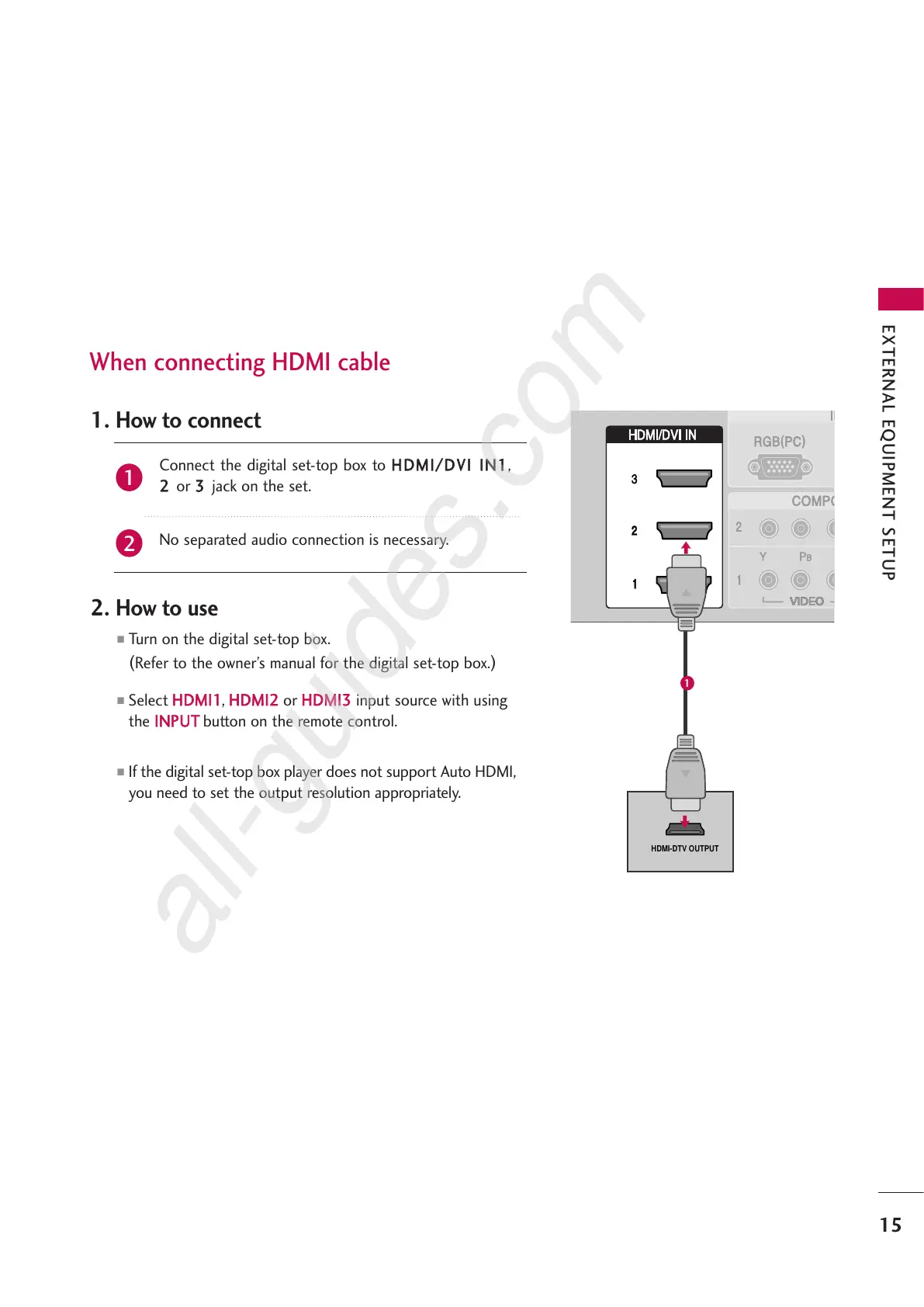
Connect the digital set-top box to
HHDDMMII//DDVVII IINN11
,
22
or
33
jack on the set.
No separated audio connection is necessary.
1. How to connect
2. How to use
■
Turn on the digital set-top box.
(
Refer to the owner’s manual for the digital set-top box.
)
■
Select
HHDDMMII11
,
HHDDMMII22
or
HHDDMMII33
input source with using
the
IINNPPUUTT
button on the remote control.
■
If the digital set-top box player does not support Auto HDMI,
you need to set the output resolution appropriately.
2
1
EXTERNAL EQUIPMENT SETUP
15
1



 To Next Page