Operation
Manual Color Temperature Control
T
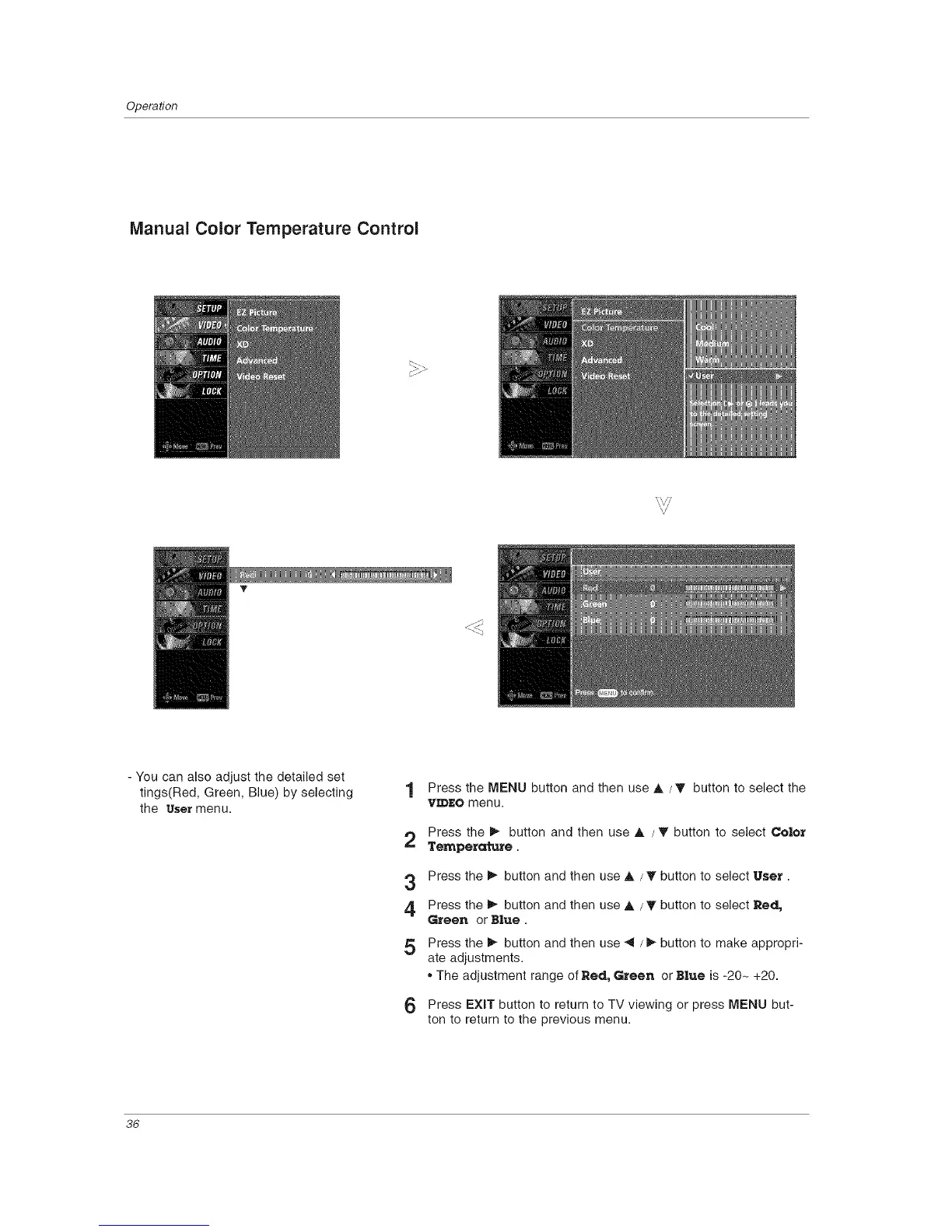
- You can also adjust the detailed set
tings(Red, Green, Blue) by selecting
the user menu.
1 Press the MENU button and then use A / T button to select the
VIDEO menu.
2 Press the I_ button and then use A / T button to select Color
Temperature.
3 Press the _ button and then use A / T button to select User.
4 Press the _,- button and then use A / T button to select Red,
Green or B|ue.
5 Press the _ button and then use _ / _ button to make appropri-
ate adjustments.
,, The adjustment range of Red, Green or Blue is -20- +20.
6 Press EXIT button to return to TV viewing or press MENU but-
ton to return to the previous menu.
36



 To Next Page