Operation
Video Menu Options:
- EZ Picture adjusts the TV for the best
picture appearance. Select the preset
value in the EZ Picture menu based
on the program category.
- Daylight, Normal, Night Time set-
tings are preset for optimum picture
quality at the factory and are not
adjustable.
- In the User 1, and User 2 modes only,
user can directly adjust the contrast,
brightness, color, sharpness, tint.
Press the EZ PIC button repeatedly to select the picture appear-
ance setup option as shown below:
Daylight, Normal, Night Time, User I and User 2(your own set-
tings).
,, You can also use the VIDEO menu to adjust Ez Picture.
2 Press the EXIT button to save and return to TV viewing.
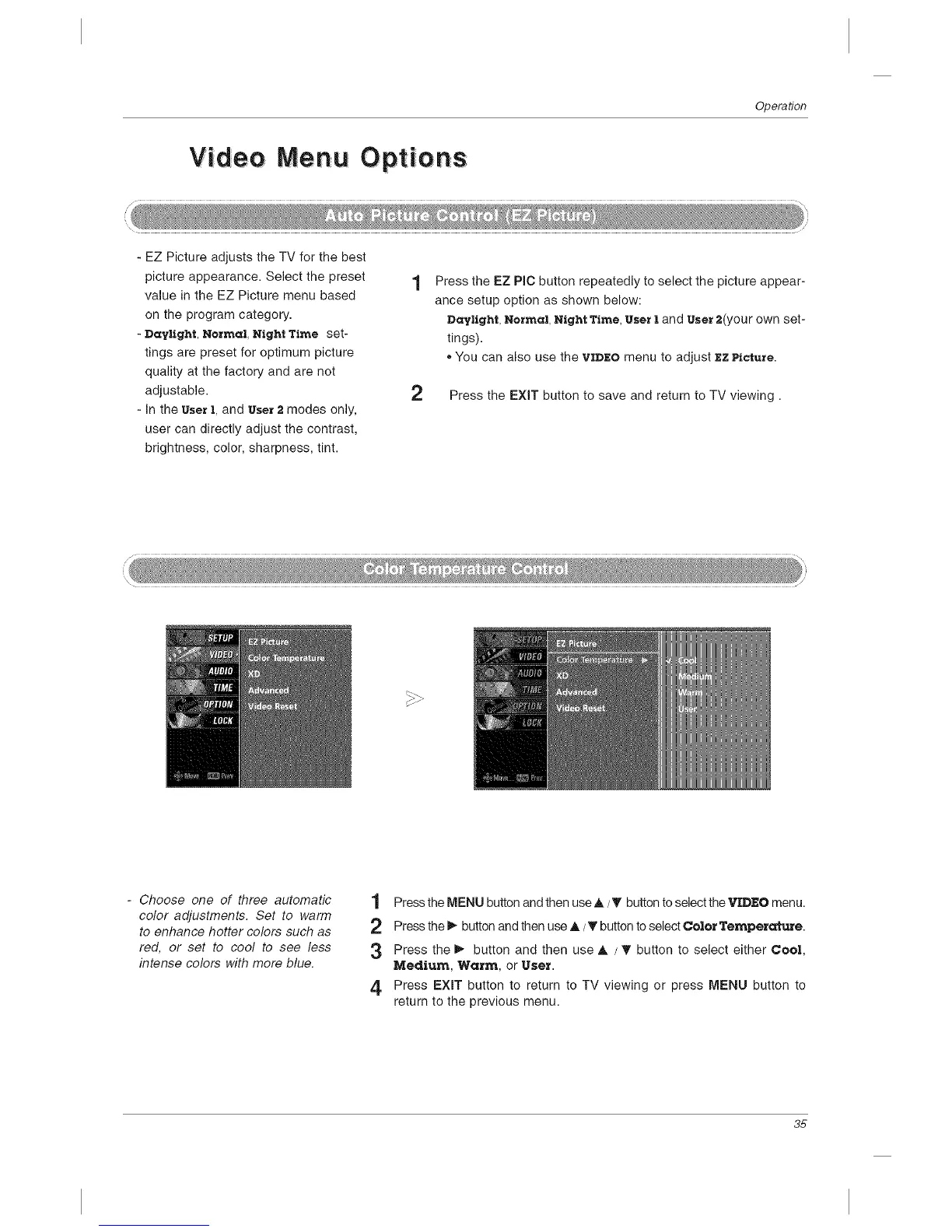
- Choose one of three automatic
color adjustments. Set to warm
to enhance hotter colors such as
red, or set to cool to see less
intense colors with more blue.
1 Press the MENU button and then use A/_' button to select the VIDEO menu.
2 Press the _ button and then use A/_' button to select Color Temperature.
3 Press the i_ button and then use A / _ button to select either Cool,
Medium, Warm, or User.
4, Press EXIT button to return to TV viewing or press MENU button to
return to the previous menu.
35



 To Next Page