Operation
- XD is LG ElectroniCs unique picture
improving technology to display a
real HD source through an
advanced dig-ital signal processing
algorithm.
- When selecting EZ Picture options
(Daylight, Normal and Night time),
XD is automatically change to Auto.
- When selecting EZ Picture options
(User 1 and User 2), you can
choose the Auto / Manual and when
selecting Manual, you can adjust
the XD Contrast, XD color and XD
Noise.
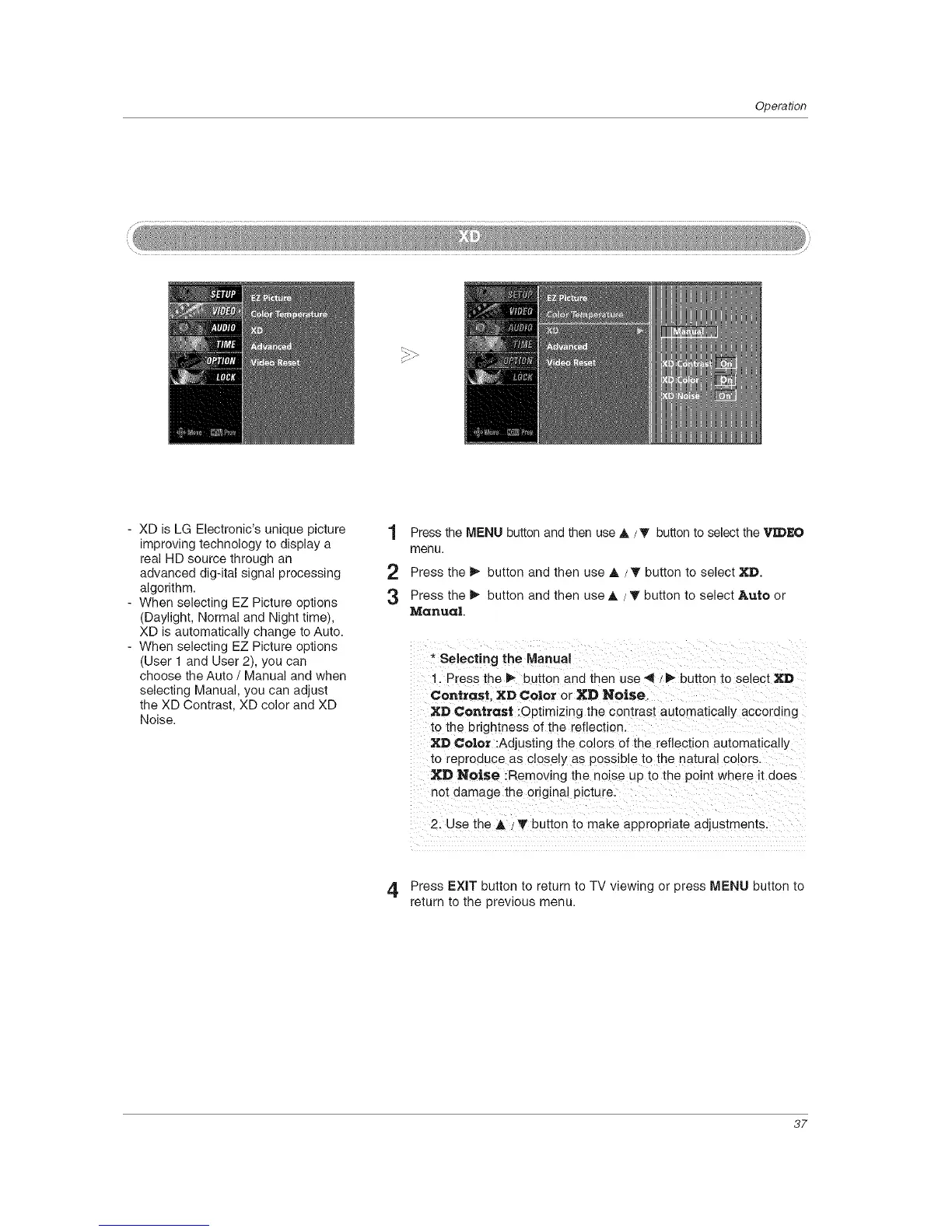
1 Press the MENU button and then use A / T button to select the "_I:DEO
menu.
2 Press the _ button and then use A /T button to select XD.
3 Press the _ button and then use A / T button to select Auto or
Manual.
* Selecting the Manual
. Press the _- button and then use _ / _- button to select XD
Contrast. XD Color or XD Noise.
XD Contrast :Optimizing the contrast automatically according
to the brightness of the reflection.
XD Co|or :Adjusting the colors of the reflection automatically
to reproduce as closely as possible to the natural colors.
XD Noise :Removing the noise up to the point where it does
not damage the original picture.
2. Use the A / '_' button to make appropriate adjustments.
4 Press EXIT button to return to TV viewing or press MENU button to
return to the previous menu.
37



 To Next Page