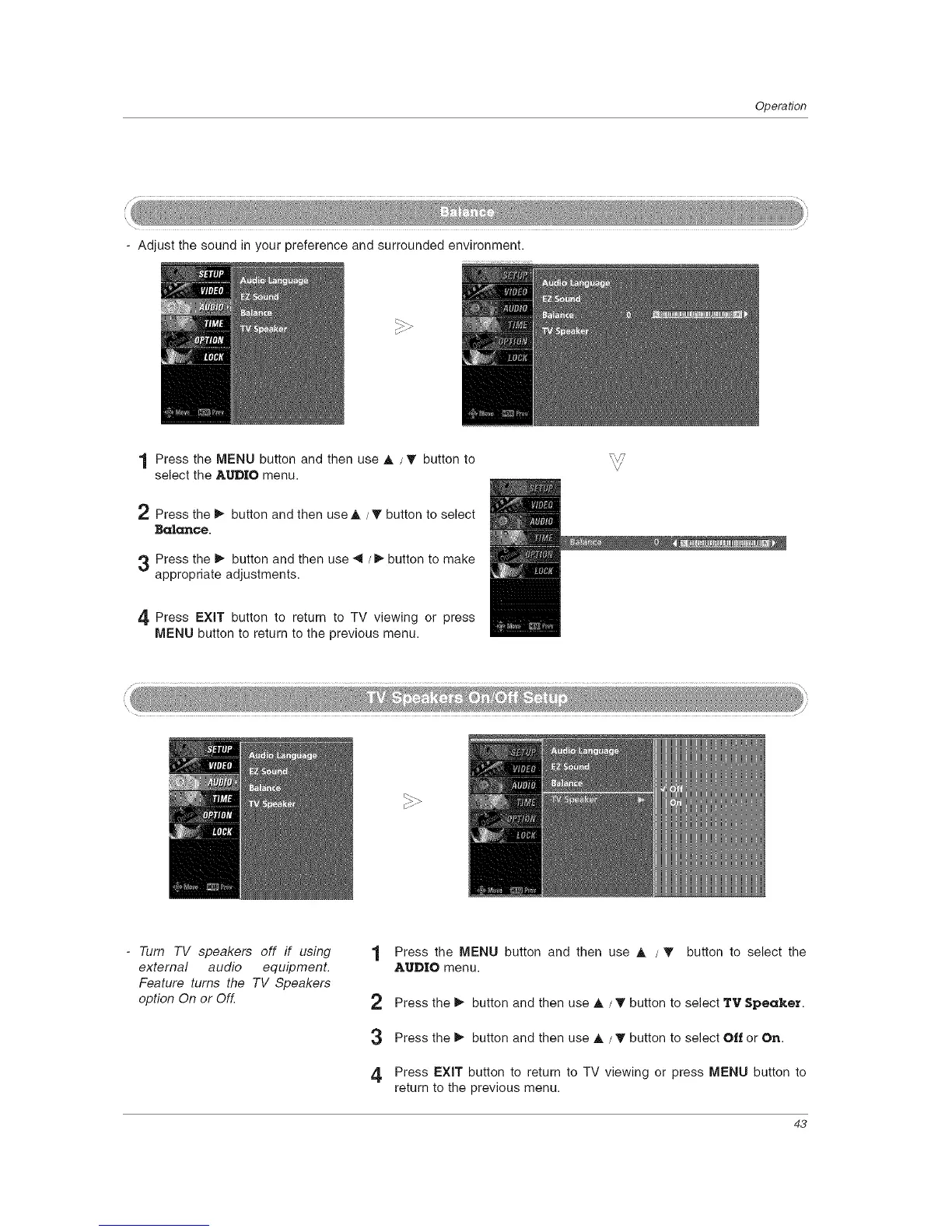
- Adjust the sound in your preference and surrounded environment.
Operation
1 Press the MENU button and then use A /_' button to
select the AUDIO menu.
2 Press the _ button and then use A / T button to select
Ba|ance.
3 Press the _ button and then use _ / _ button to make
appropriate adjustments.
4 Press EXiT button to return to TV viewing or press
MENU button to return to the previous menu.
i_ -_
-Tum TV speakers off if using
external audio equipment.
Feature turns the TV Speakers
option On or Off.
1 Press the MENU button and then use A /'V button to select the
AUDIO menu.
2 Press the _ button and then use A / T button to select TV Speaker.
3 Press the _ button and then use A / T button to select Off or On.
4 Press EXiT button to return to TV viewing or press MENU button to
return to the previous menu.
43



 To Next Page