Operation
i
Time Menu Opt ons
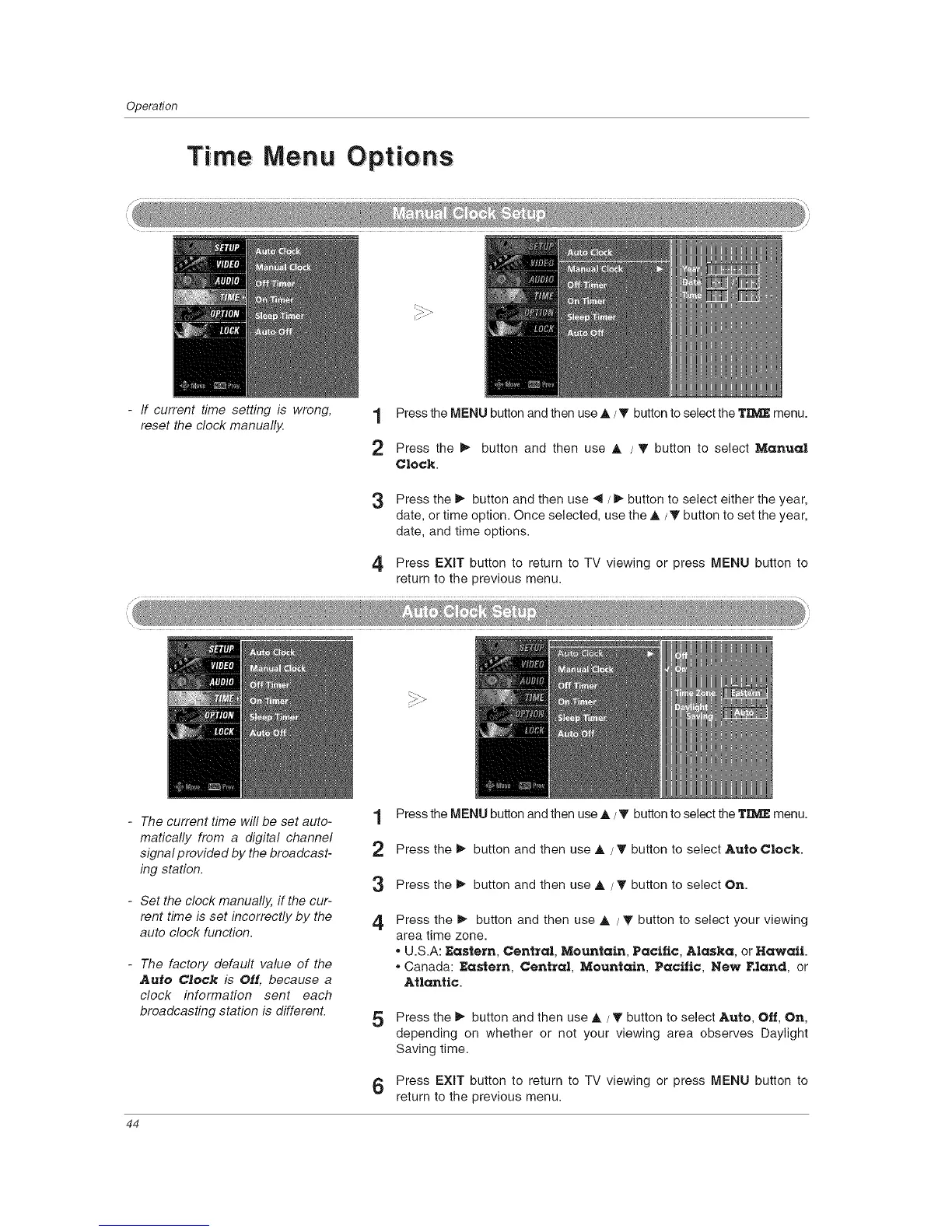
- If current time setting is wrong, 1
reset the clock manually.
2
3
Press the MENU button and then use A / _' button to select the TIIV_ menu.
Press the _ button and then use A / 'V button to select Manual
Clock.
Press the _ button and then use _1 / _ button to select either the year,
date, or time option. Once selected, use the A /_' button to set the year,
date, and time options.
4 Press EXIT button to return to TV viewing or press MENU button to
return to the previous menu.
- The current time will be set auto-
matically from a digital channel
signal provided by the broadcast-
ing station.
- Set the clock manually, if the cur-
rent time is set incorrectly by the
auto clock function.
- The factory default value of the
Auto Clock is Off, because a
clock information sent each
broadcasting station is different.
1 Press the MENU button and then use A/T button to select the TIME menu.
2 Press the 1_ button and then use A / T button to select Auto Clock.
3 Press the 1_ button and then use A / T button to select On.
4
Press the _- button and then use A / T button to select your viewing
area time zone.
° U.S.A: Eastern, Central, Mountain, Pacific, Alaska, or Hawaii.
o Canada: Eastern, Central, Mountain, Pacific, New F.land, or
Atlantic.
5 Press the I_ button and then use A / T button to select Auto, Off, On,
depending on whether or not your viewing area observes Daylight
Saving time.
6 Press EXIT button to return to TV viewing or press MENU button to
return to the previous menu.
44



 To Next Page