Operation
i
Op|o Me U Features
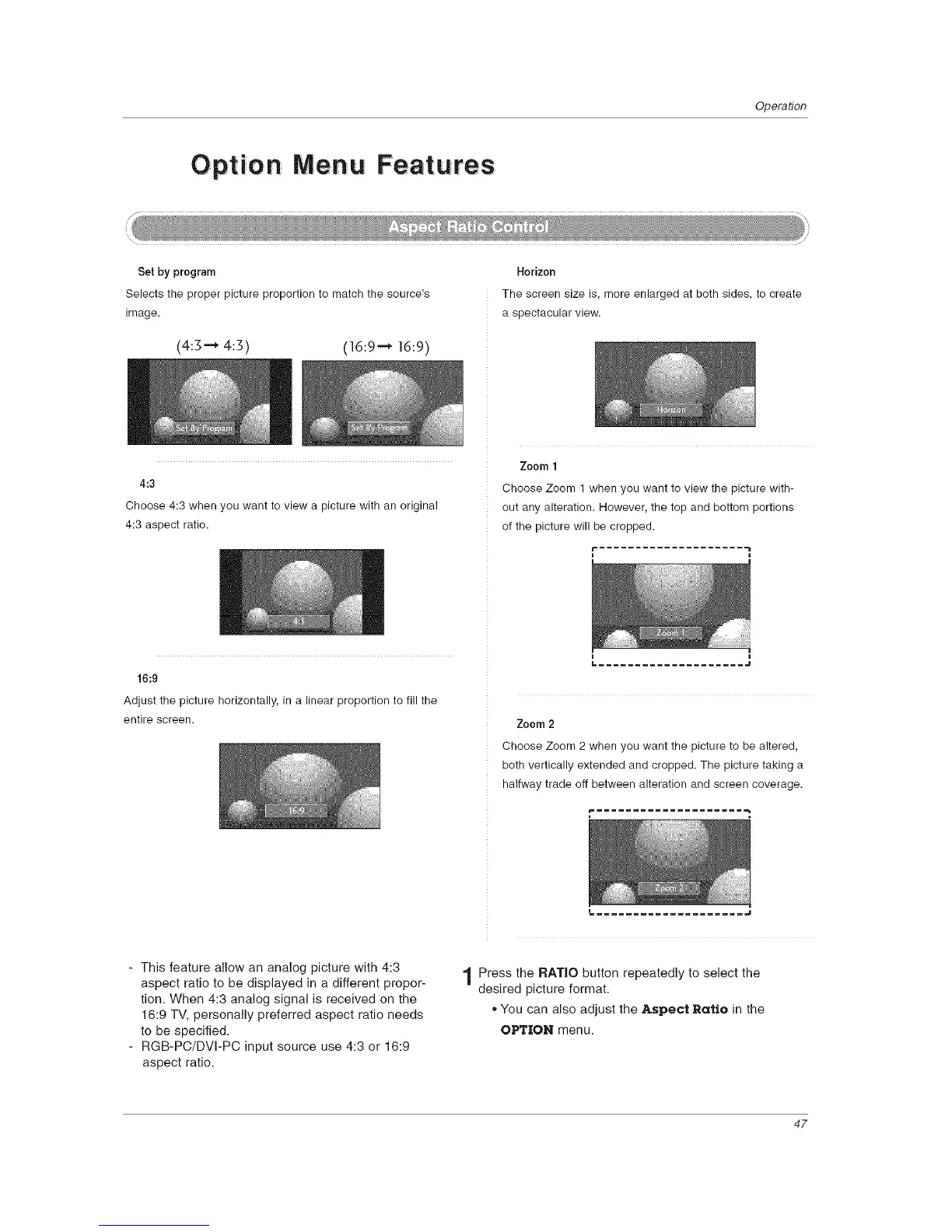
Set by program
Selects the proper picture proportion to match the source's
image.
(4:3-_ 4:3) (16:9 --_ 16:9)
Horizon
The screen size is, more enlarged at both sides, to create
a spectacular view.
4:3
Choose 4:3 when you want to view a picture with an original
4:3 aspect ratio.
Zoom 1
Choose Zoom 1 when you want to view the picture with-
out any alteration. However, the top and bottom portions
of the picture will be cropped.
16:9
Adjust the picture horizontally, in a linear proportion to fill the
entire screen.
i m
L .................... J
Zoom 2
Choose Zoom 2 when you want the picture to be altered,
both vertically extended and cropped. The picture taking a
halfway trade off between alteration and screen coverage.
- This feature allow an analog picture with 4:3
aspect ratio to be displayed in a different propor-
tion. When 4:3 analog signal is received on the
16:9 TV, personally preferred aspect ratio needs
to be specified.
- RGB-PC/DVI-PC input source use 4:3 or 16:9
aspect ratio.
.................... J
1 Press the RATIO button repeatedly to select the
desired picture format.
,, You can also adjust the Aspect Ratio in the
OPTION menu.
47



 To Next Page