- 40 -
1)
Connection of Pipings
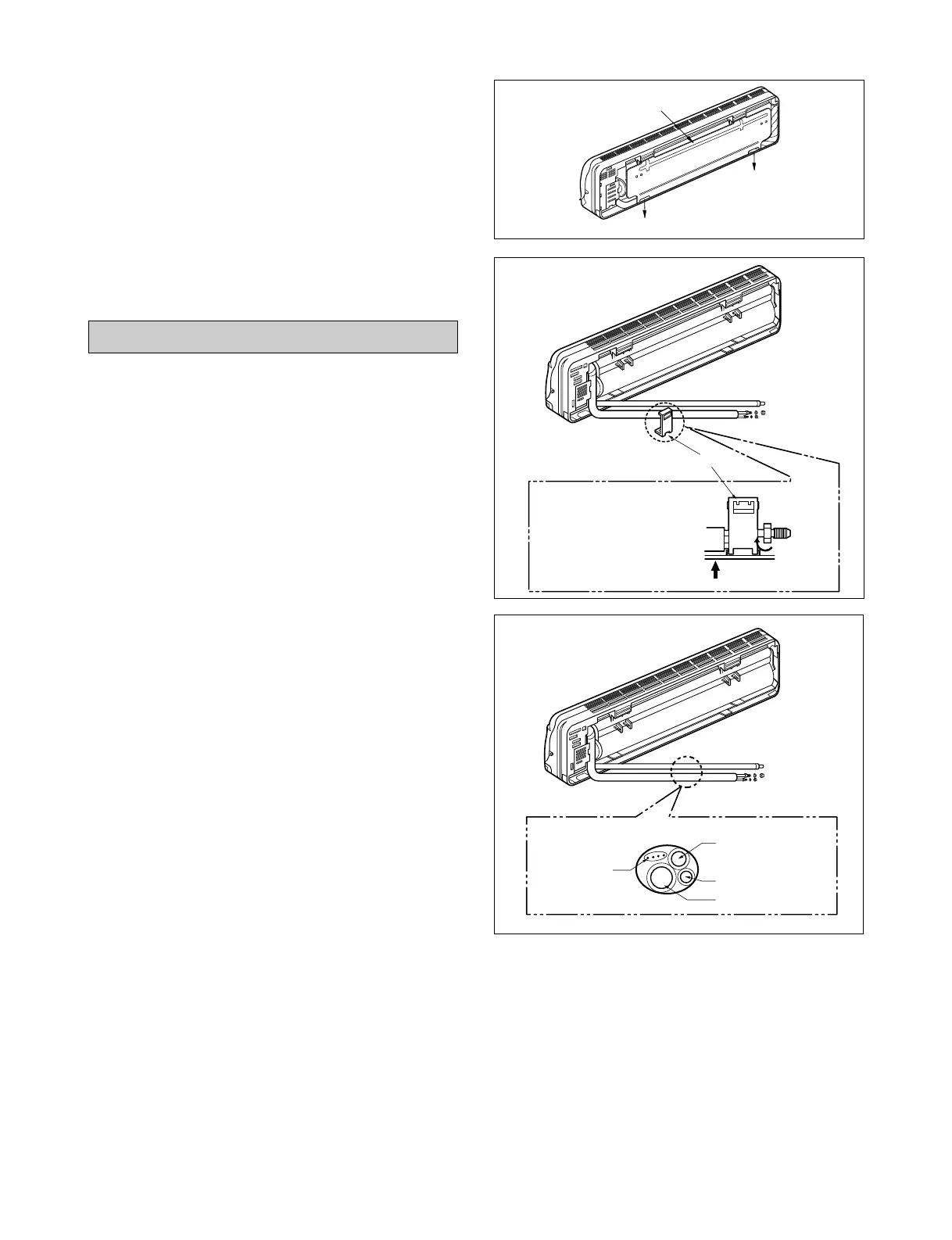
1. Remove the installation plate
• Pull the two '∆' marked portion of bottom of the
chassis and pull the installation plate out of chas-
sis.
2. Route the drain hose and the indoor tubing.
For left rear piping
3. Route the tubing and the drain hose straight
backwards(see figure).
4. Insert the connecting cable into the indoor
unit through the piping hole.
• Do not connect the cable to the indoor unit.
• Make a small loop with the cable for easy con-
nection later.
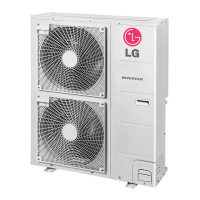
5. Tape the tubing, drain hose and the connecting
cable. Be sure that drain hose locates at the
lowest side of the bundle.
Locating at the upper side can be a reason that
drain water overflows drain pan inside the unit.
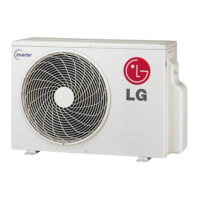
• To remove the holder, press
the bottom of the chassis near
the holder upwards and the
tab is clear of its hole.
• Trit clockwise approx. 90° and
remove it.
Tubing holder
•
➀
Press



 To Next Page