- 79 -
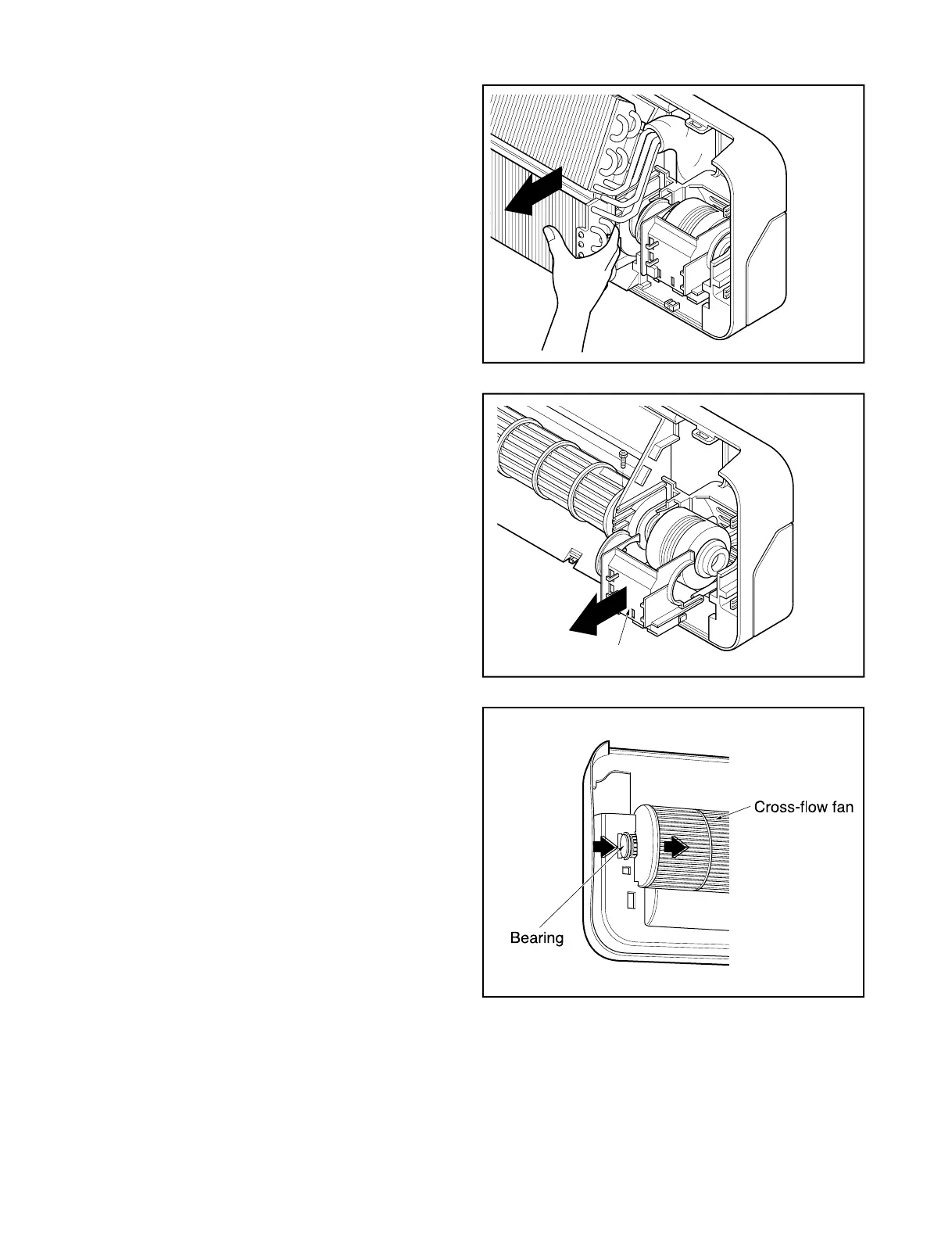
• Unhook the tab on the right inside of the chas-
sis at the same time, slightly pull the evapora-
tor toward you until the tab is clear of the slot.
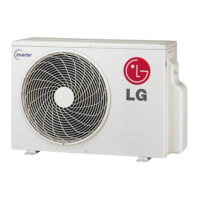
5. To remove the Motor Cover
• Remove 2 securing screw.
• Pull the motor cover out from the chassis
carefully.
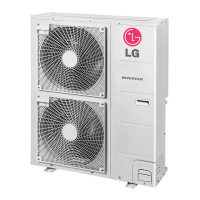
6. To remove the Cross-Flow Fan
• Loosen the screw securing the cross-flow fan
to the fan motor (do not remove).
• Lift up the right side of the cross-flow fan and
the fan motor, separate the fan motor from the
cross-flow fan.
• Remove the left end of the cross-flow fan from
the self-aligning bearing.



 To Next Page