47
Control
Due to our policy of continuous product innovation, some specifications may change without notification.
©LG Electronics U.S.A., Inc., Englewood Cliffs, NJ. All rights reserved. “LG” is a registered trademark of LG Corp.
HMI SCREENS
Introduction to HMI menu
This chapter describes the HMI menus to know to operate the product and how the screen is
configured.
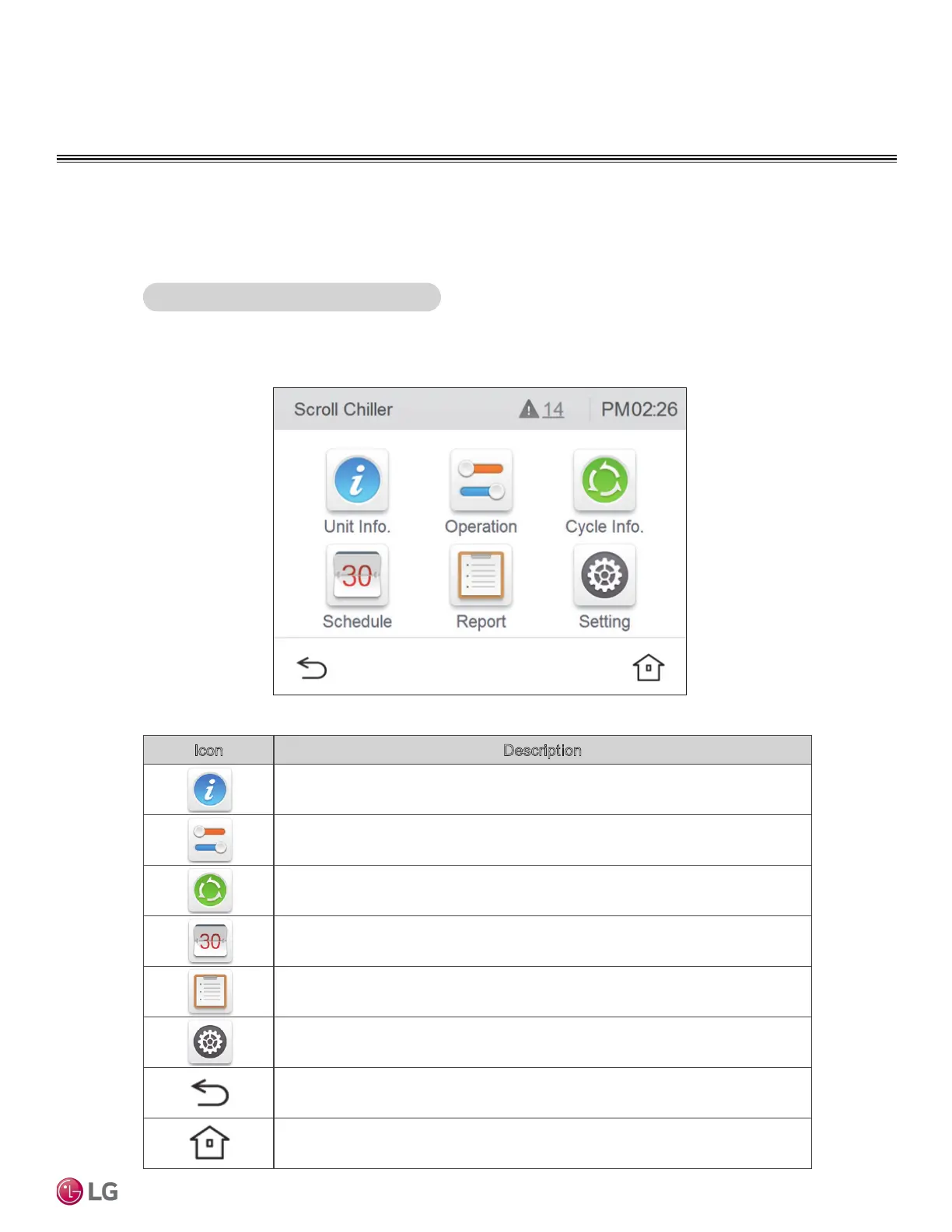
After logging in to HMI, the system view screen that shows the common information of the
product is displayed as shown below.
HMI main screen configuration
Icon Description
You can see the load water temperature, pump/flow amount status, and sys-
tem information.
It sets the Start/Stop, Set Temperature, Operation Mode (Only for Heatpump
Model), control mode, max. operation frequency, and demand control ratio are set.
It checks the individual cycle’s operation information.
It checks the set schedule.
It checks the occurred error history.
It sets the installer setting, screen setting, and system setting.
It returns to the previous menu.
Home screen appears.


 To Next Page