75
Control
Due to our policy of continuous product innovation, some specifications may change without notification.
©LG Electronics U.S.A., Inc., Englewood Cliffs, NJ. All rights reserved. “LG” is a registered trademark of LG Corp.
HMI SCREENS
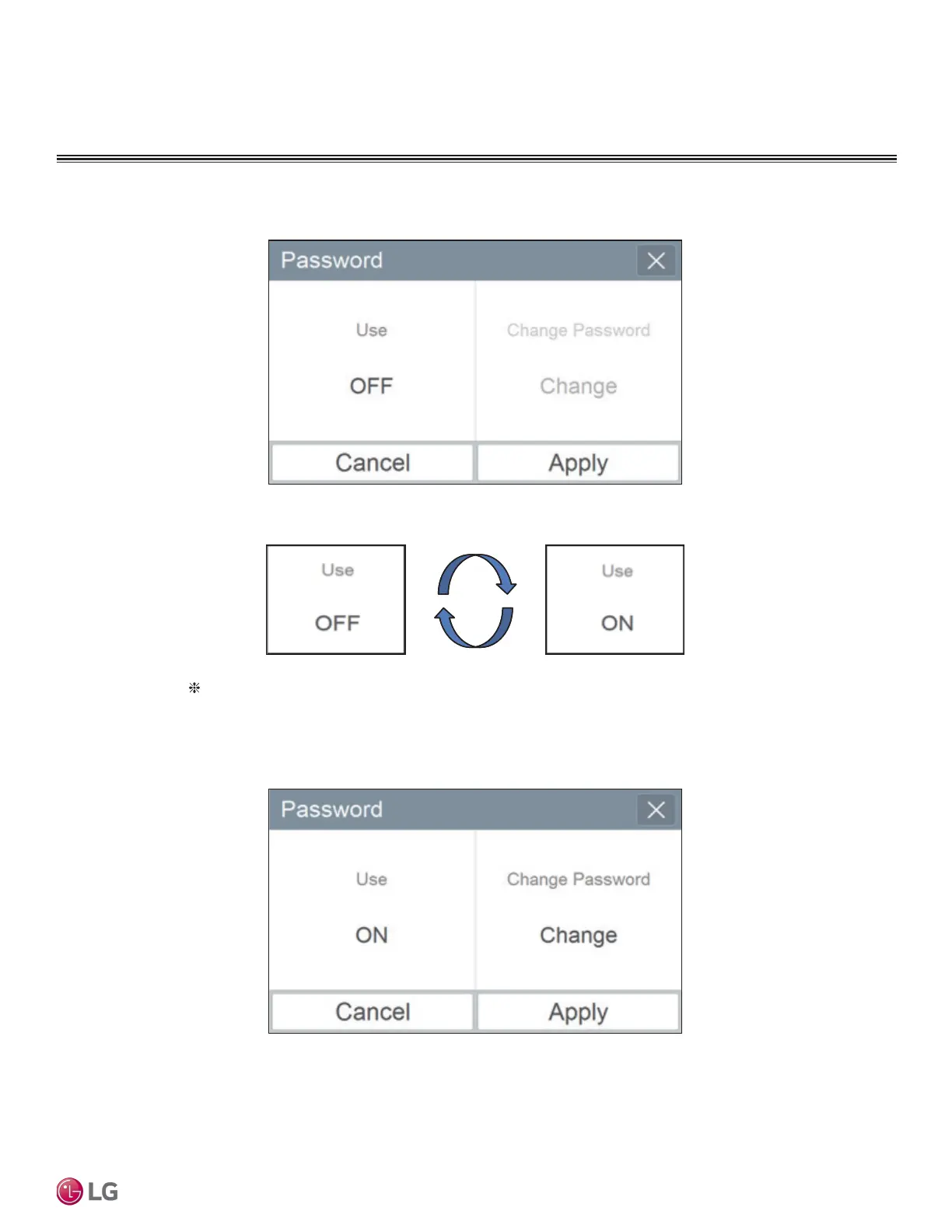
① If you press Use ON area, it is changed to Use OFF.
② Select Apply. If Cancel is pressed, the previous setting is maintained.
Default is Use, and if you want to use again, you can press Use OFF, input password,
and press Apply. (Initial password: digital21)
2. Password change


 To Next Page