80
Due to our policy of continuous product innovation, some specifications may change without notification.
©LG Electronics U.S.A., Inc., Englewood Cliffs, NJ. All rights reserved. “LG” is a registered trademark of LG Corp.
LG Air-Cooled Heat Pump Inverter Scroll Chiller Installation and Owners Manual
HMI SCREENS
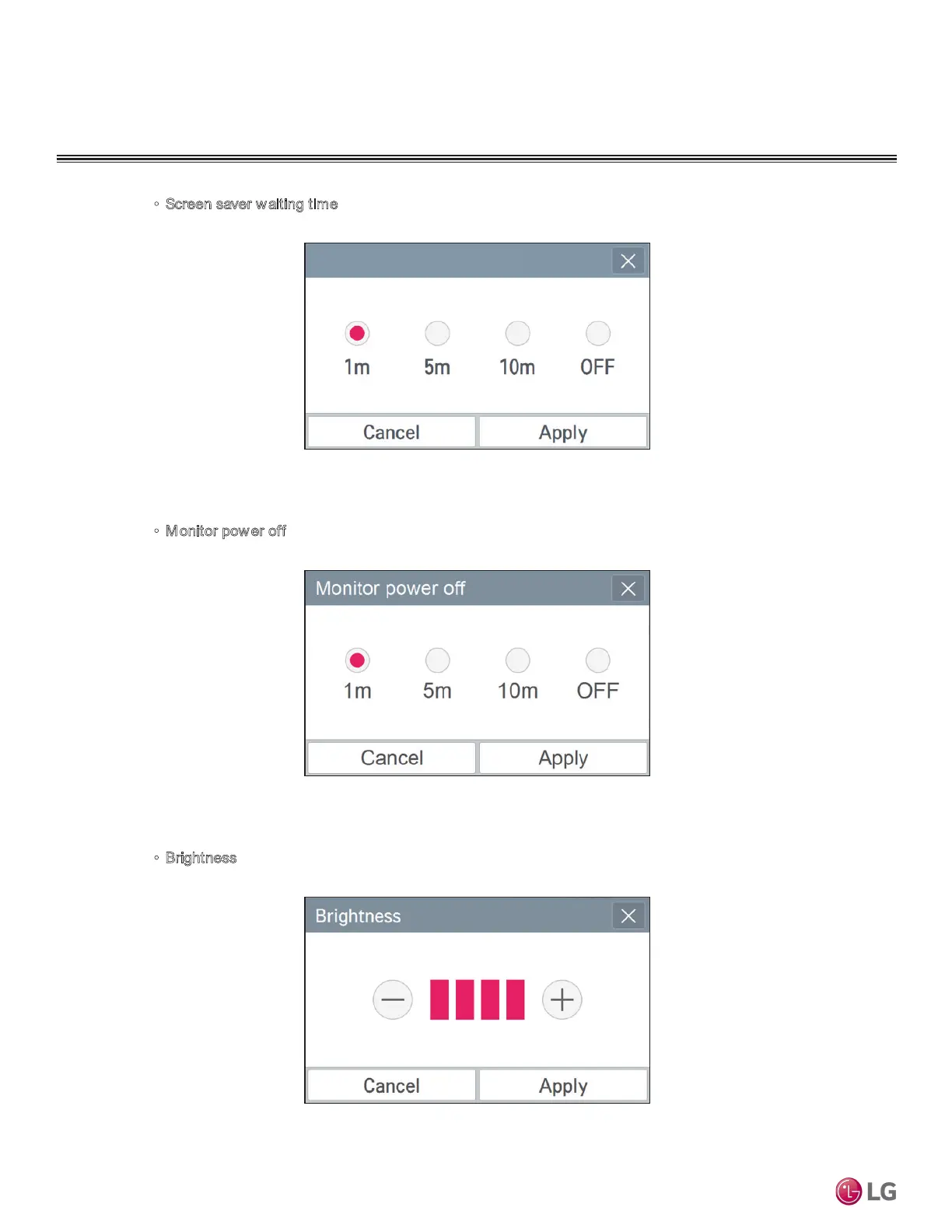
• Screen saver waiting time
When you press the screen saver standby area, the screen saver standby window is displayed.
After selecting the time to apply, press Apply button. If Cancel is pressed, the previous setting
is maintained.
•
Monitor pow er off
When you press the screen power saving area, the screen power saving window is displayed.
After selecting the time to apply, press Apply button. If Cancel is pressed, the previous setting
is maintained.
•
Brightness
When you press the screen brightness area, the screen brightness window is displayed.
After setting the desired brightness by pressing the –and + button at the left/right, press Apply
button. If Cancel is pressed, the previous setting is maintained. The screen brightness can be
selected among 25 %, 50 %, 75 %, and 100 %.
Screen saver waiting time


 To Next Page