Owner's Manual 11
ENGLISH
Owner's Instruction
Auto Changeover Mode
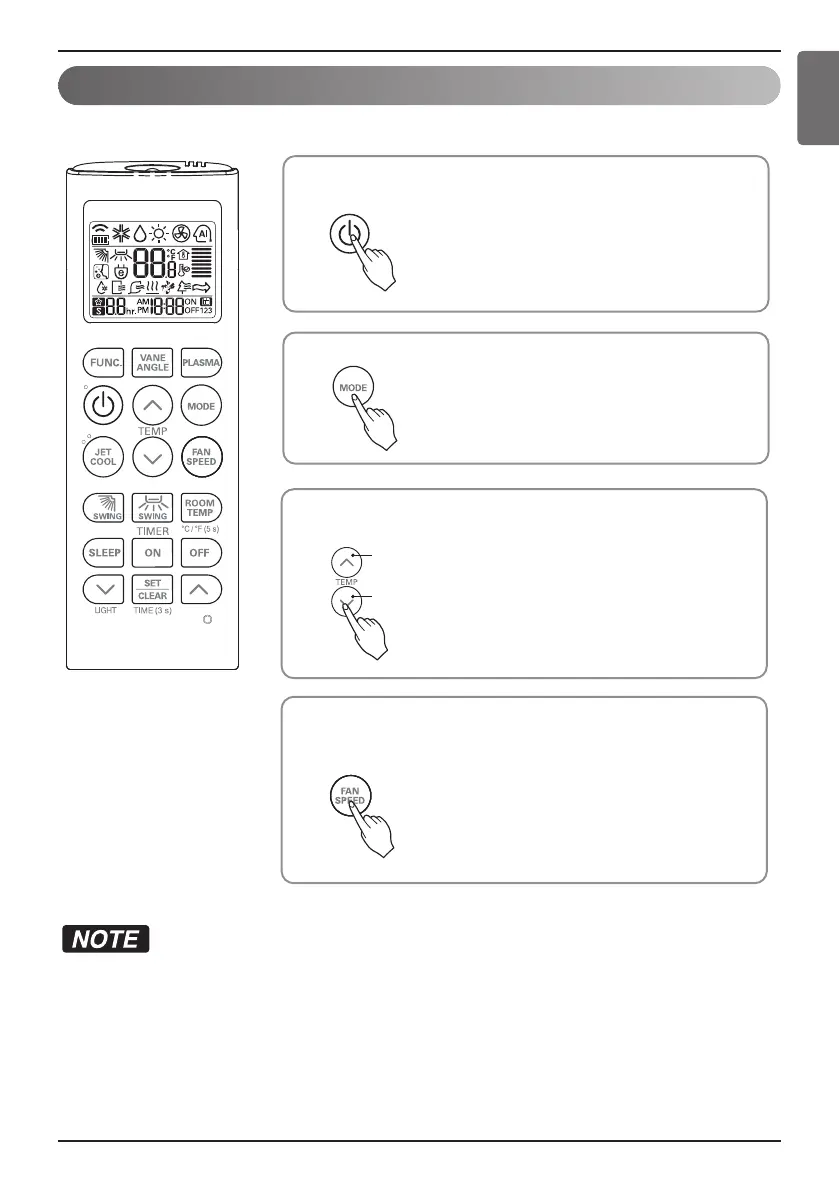
Press the ON/OFF button.
The unit will respond with beep sound.
1
Press MODE button to select Auto Changeover Mode.
2
Set the desired room temperature.
3
You can select the fan speed in four steps low, medium, high and
chaos. Each time the button is pressed, the fan speed mode is
shifted.
4
To lower the temperature
To raise the temperature
h Setting Temp. Range in Auto
Changeover Mode : 18~30 °C
(64~86 °F)
• During Auto changeover Mode
- The air conditioner changes the operation mode automatically to keep indoor temperature.
When room temperature vary over ±2 °C(4 °F) with respect to setting temperature, air conditioner keeps the
room temperature within ±2 °C(4 °F) with respect to setting temperature by auto changeover mode.
• This function may not be supported, depending on the model.


 To Next Page