14 Ceiling Cassette-Type Air Conditioner
Owner's Instruction
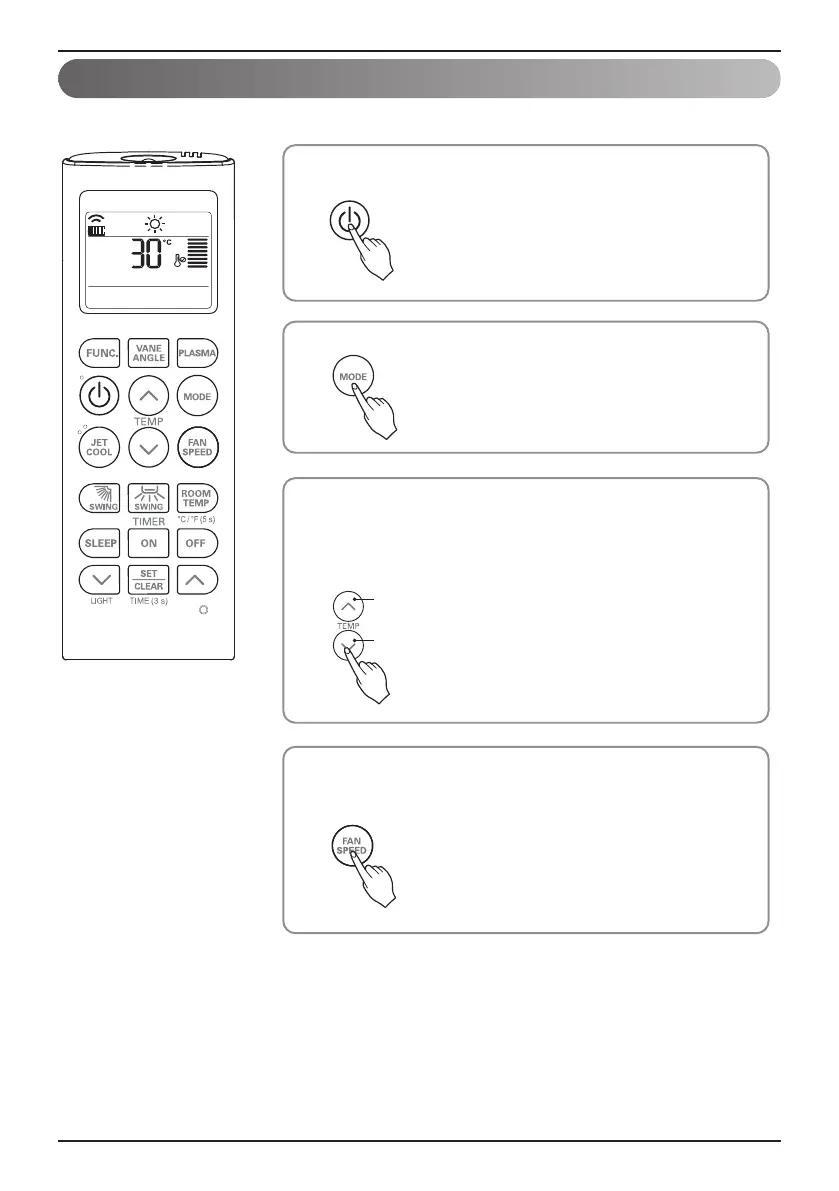
Set the desired temperature by pressing TEMP button.
Press ROOM TEMPERATURE CHECKING button to check the room
temperature.
When setting the desired temperature is lower than room
temperature, heating wind isn’t blow out.
3
Set the fan speed again. You can select the fan speed in four steps–
low, medium, high, or chaos. Each time the button is pressed, the fan
speed mode is shifted.
4
Press the ON/OFF button.
The unit will respond with beep sound.
1
Press MODE button to select Heating Mode.
2
Heating Mode
This Function is only for H/P model.
To lower the temperature
To raise the temperature
h Setting Temp. Range in
Heating Mode : 16~30 °C
(60~86 °F)


 To Next Page