Owner's Manual 15
ENGLISH
Owner's Instruction
Fan Mode
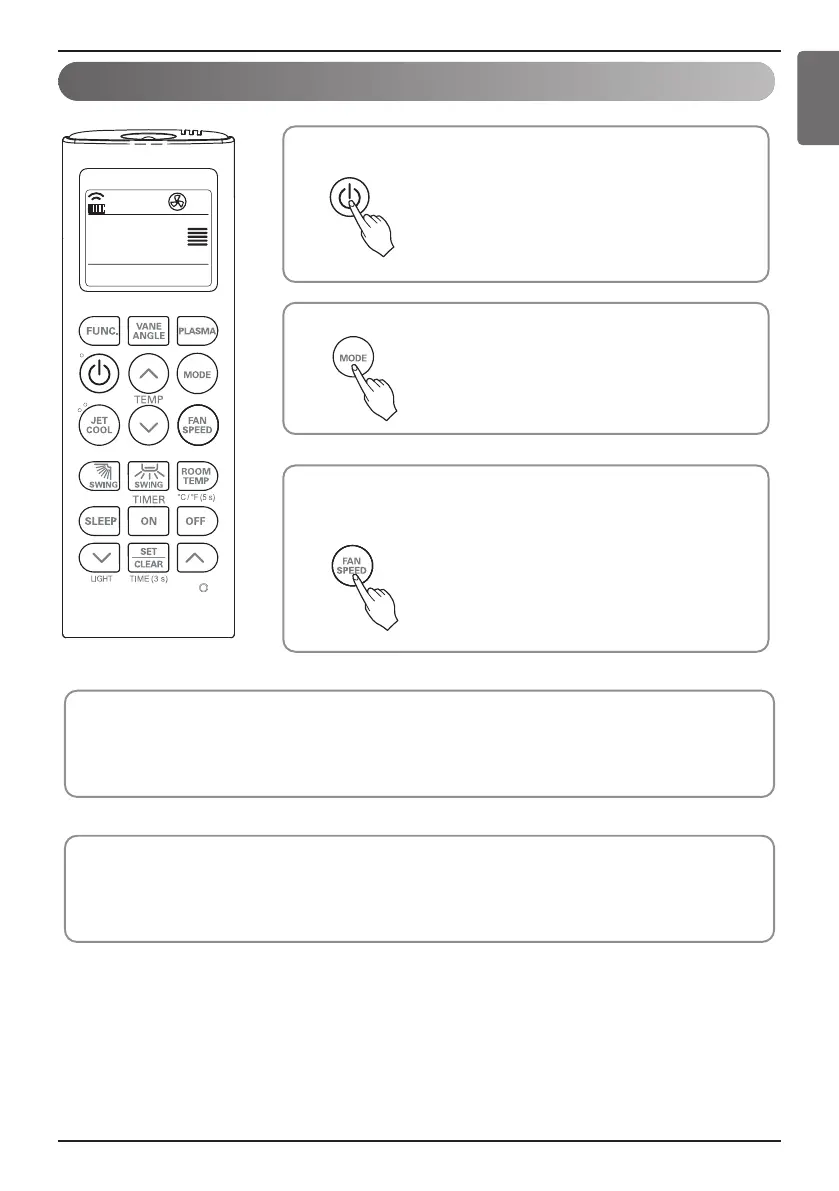
Set the fan speed again. You can select the fan speed in four steps–
low, medium, high, or chaos. Each time the button is pressed, the fan
speed mode is shifted.
3
Press the ON/OFF button.
The unit will respond with beep sound.
1
Press MODE button to select Fan Mode.
2
Natural Wind by the chaos Logic
• For more fresh feeling than other fan speed, press the Indoor Fan Speed Selector and set to chaos mode. In
this mode, the wind blows like natural breeze by automatically changing fan speed according to the chaos
logic.
During Fan Mode
• The outdoor compressor doesn't work.
Have a function to circulate the indoor as it sends out the air that doesn't have much temperature difference
with indoor.


 To Next Page