12
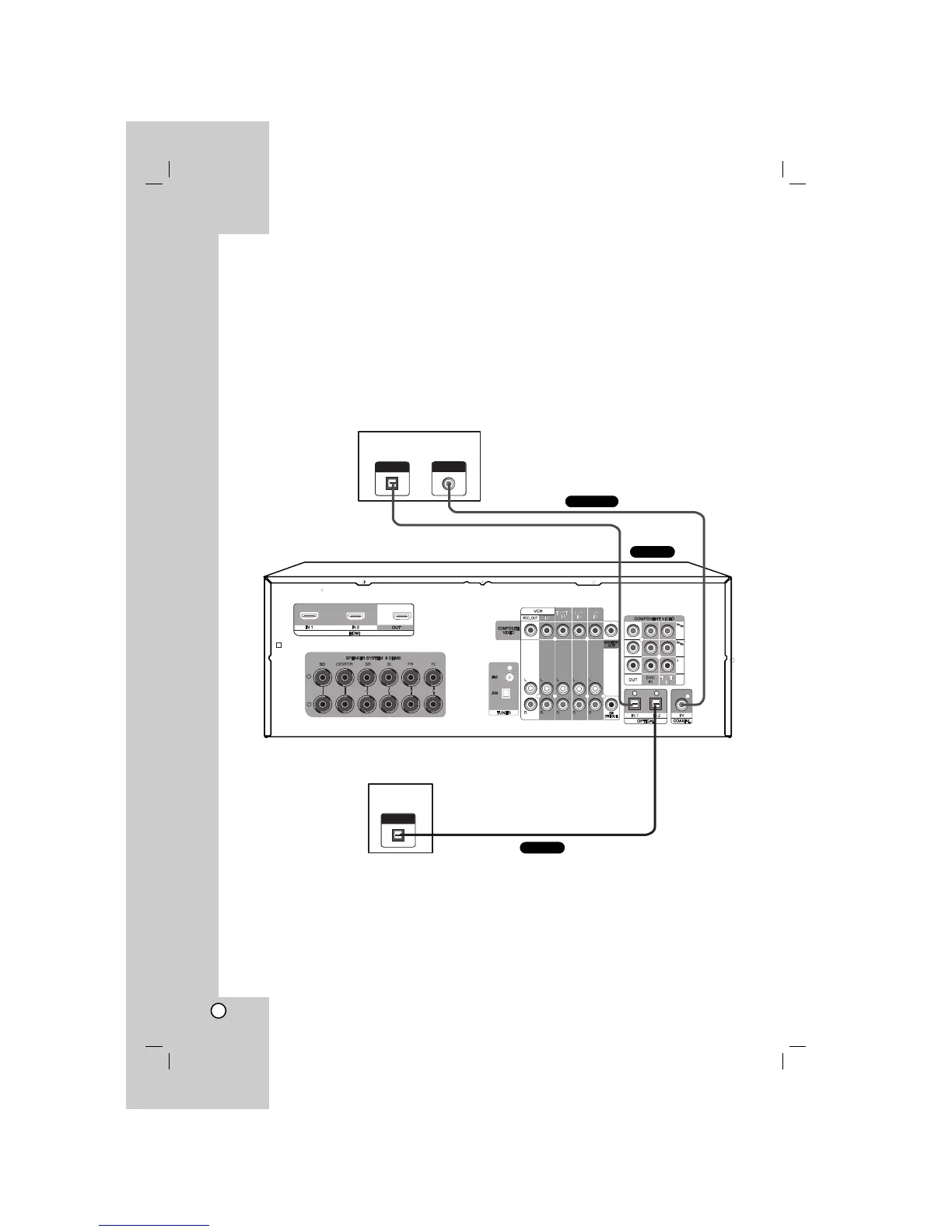
Connecting components with digital audio output jacks
Connecting a DVD player (or Digital device), TV monitor or satellite tuner (or
Set top box etc.)
1. Connect the audio jacks.
For details of the required cables, see the page 4.
Notes
•You can also connect the device to OPTICAL IN 3 jack on the front panel
• Connect to either the DVD COAXIAL IN or DVD OPTICAL IN 1 jack.
•You can listen to the sound of your TV by connecting your TV’s audio output jacks to the TV/STB AUDIO IN
jacks on the unit. In this case, do not connect the TV’s video output jack to the COMPOSITE VIDEO
(TV/STB) IN jack on the unit.


 To Next Page