58
MULTI V Hydro Kit Installation Manual
Due to our policy of continuous product innovation, some specifications may change without notification.
©LG Electronics U.S.A., Inc., Englewood Cliffs, NJ. All rights reserved. “LG Life’s Good” is a registered trademark of LG Corp.
PRE-COMMISSIONING
Installer Setting Conguration
How to Enter Installer Setting Mode
During system setup, the Installer Setup Mode must be initiated in order to set detailed functionality of the Remote Controller. This procedure
is used to customize the Hydro Kit settings.
This section will describe entering Installer Setting Mode, give a summary of each function and its corresponding code and describe the com-
mon settings needed to complete Hydro Kit configuration. For a complete description of all buttons and icons on the Hydro Kit Wall Mounted
Controller see, “Hydro Kit (K2, K3) Wall Mounted Controller Operation” on page 70.
Failure to correctly congure functionality through the Installer Setup can cause problems to the unit, user injury or property damage. Conguration
should be done by a certied installer (technician). Non-certied technical tampering can result in voiding of warranty to the unit.
Entering Installer Setting Mode
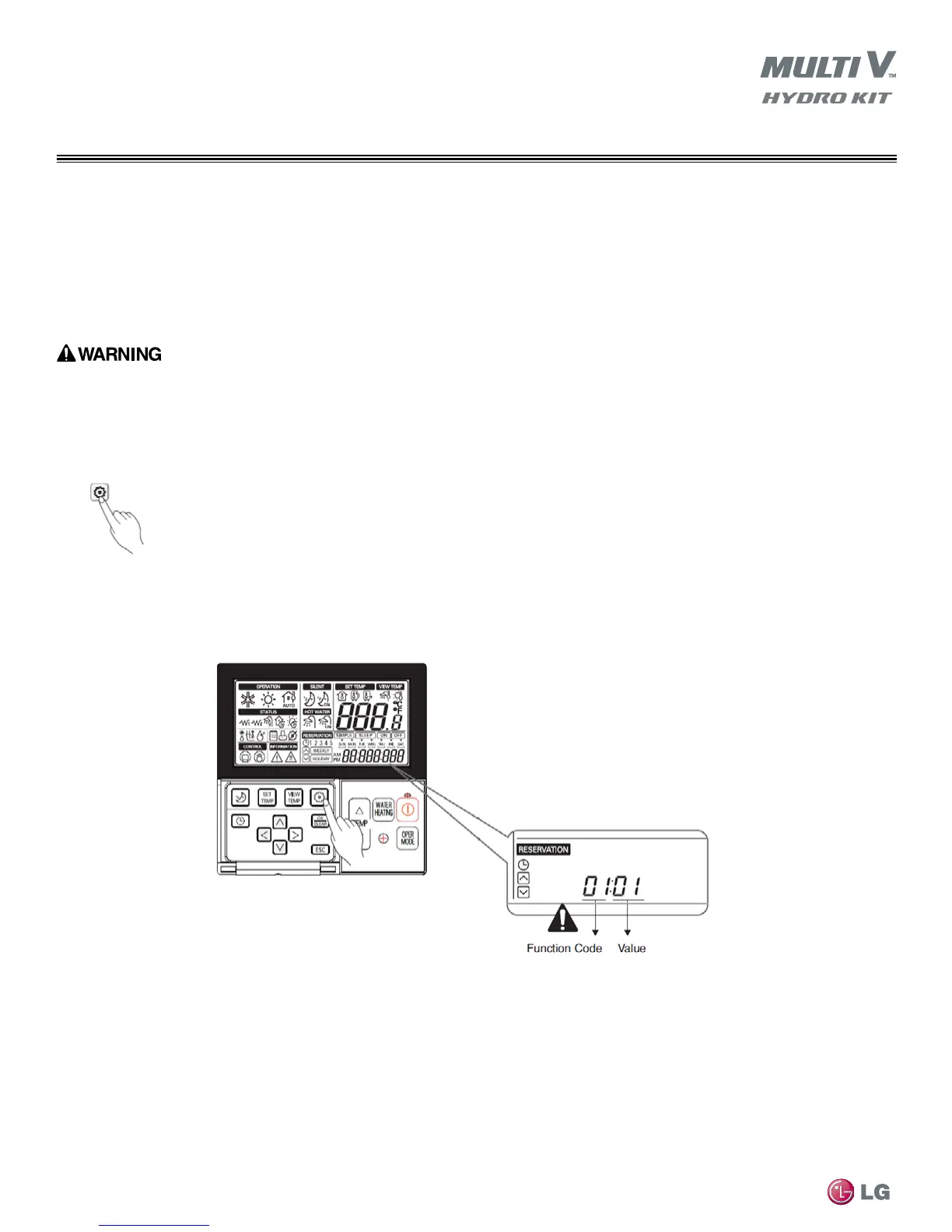
1. Press and hold Function Setting button for 3 seconds to place unit into Installer Setting Mode.
•Controllerdisplaywillinitiallyshowtherstfunctioncodeandvalue(example:01:01) at the bottom of the LCD screen (see Figure 58).
2. Press Function Setting button repeatedly to cycle through each function code as needed for configuration.
3. Refer to Table 14 for function code descriptions and their correct code values.
Figure 58: Entering Installer Setting Mode



 To Next Page