EasyManua.ls Logo

LG BB5530A - User Manual

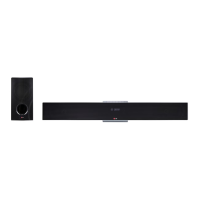
LG BB5530A
82 pages
Print Icon
To Next Page IconTo Next Page
Loading...
Please read this manual carefully before operating
your set and retain it for future reference.
BB5530A (BB5530A, S53A2-D)
OWNER’S MANUAL
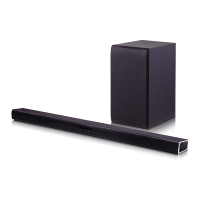
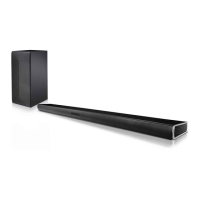
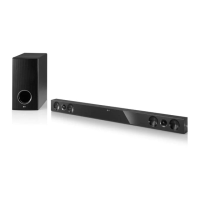
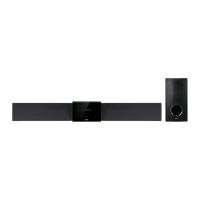
Network 3D Blu-ray™
Sound Bar

Table of Contents

Questions and Answers

  • R
    Robert BirdSep 8, 2025
    What to do if LG Speaker System does not start playback?
    • L
      Lisa RobersonSep 9, 2025
      If your LG Speaker System is not starting playback, insert a playable disc, ensuring you check the disc type, color system, and regional code. Place the disc with the playback side down, and clean the disc if necessary. You might also need to cancel the Rating function or change the rating level.
  • G
    Gregory BaileySep 12, 2025
    Why is there picture noise on my LG BB5530A?
    • T
      Travis ShawSep 12, 2025
      If you're experiencing picture noise with your LG Speaker System, you might be playing a disc recorded in a color system different from your TV. Try setting the resolution to one that your TV supports.
  • M
    Maria SmithSep 12, 2025
    Why isn't my access point showing up on my LG Speaker System?
    • A
      Adam WilliamsSep 12, 2025
      If your access point isn't showing on the “Access point name” list of your LG Speaker System, the access point or wireless LAN router may not be broadcasting its SSID. Configure your access point to broadcast its SSID through your computer. Additionally, your network device might not be set with an available frequency range and channel that this player can support, so try adjusting these settings on your network device.
  • D
    Dylan BaileySep 14, 2025
    Why is my LG BB5530A Speaker System not playing Blu-ray 3D in 3D?
    • R
      Roy PatrickSep 14, 2025
      If your LG Speaker System isn't outputting 3D views during Blu-ray 3D disc playback, connect the player to your TV with an HDMI cable (Type A, High Speed HDMI™ Cable). Your TV may not support “HDMI 3D mandatory format.” Also, verify that the [3D Mode] option in the [Settings] menu is set to [On].
  • L
    lori00Sep 16, 2025
    Why can't I change the angle on my LG BB5530A Speaker System?
    • A
      Angel SosaSep 17, 2025
      If the angle cannot be changed on your LG Speaker System, it means that multi-angles are not recorded on the DVD Video being played.

Summary

Safety Information

Power Cord Safety

Guidelines and warnings regarding the power cord and electrical safety.

Connecting

Wall Mounting Instructions

Step-by-step guide for securely mounting the main unit on a wall.

Connecting to Your TV via HDMI

How to connect the player to a TV using an HDMI cable for optimal viewing.

Home Network Connectivity

Overview of connecting the player to a home network for online services.

System Setting

Initial Setup Wizard

Guides through the initial setup process, including language and network configuration.

Operating

Smart Share for Media Playback

Playing media files from discs, USB devices, or home networks.

Playing Files from Disc or USB

How to play video, audio, and photo files from discs and USB storage devices.

Troubleshooting

General Troubleshooting Steps

Solutions for common issues like power, playback, USB recognition, and remote control.

Network Connectivity Issues

Resolving problems with BD-Live, streaming services, media servers, and Wi-Fi connection.

Picture and Sound Issues

Diagnosing and fixing problems related to no picture, picture noise, or distorted sound.

LG BB5530A Specifications

General IconGeneral
BrandLG
ModelBB5530A
CategorySpeaker System
LanguageEnglish

Related product manuals