Note: To reset your voicemail password, go to
att.com/resetvm.
Customize your phone by adding shortcuts
to apps and widgets to your phone’s home
screen.
Home screen
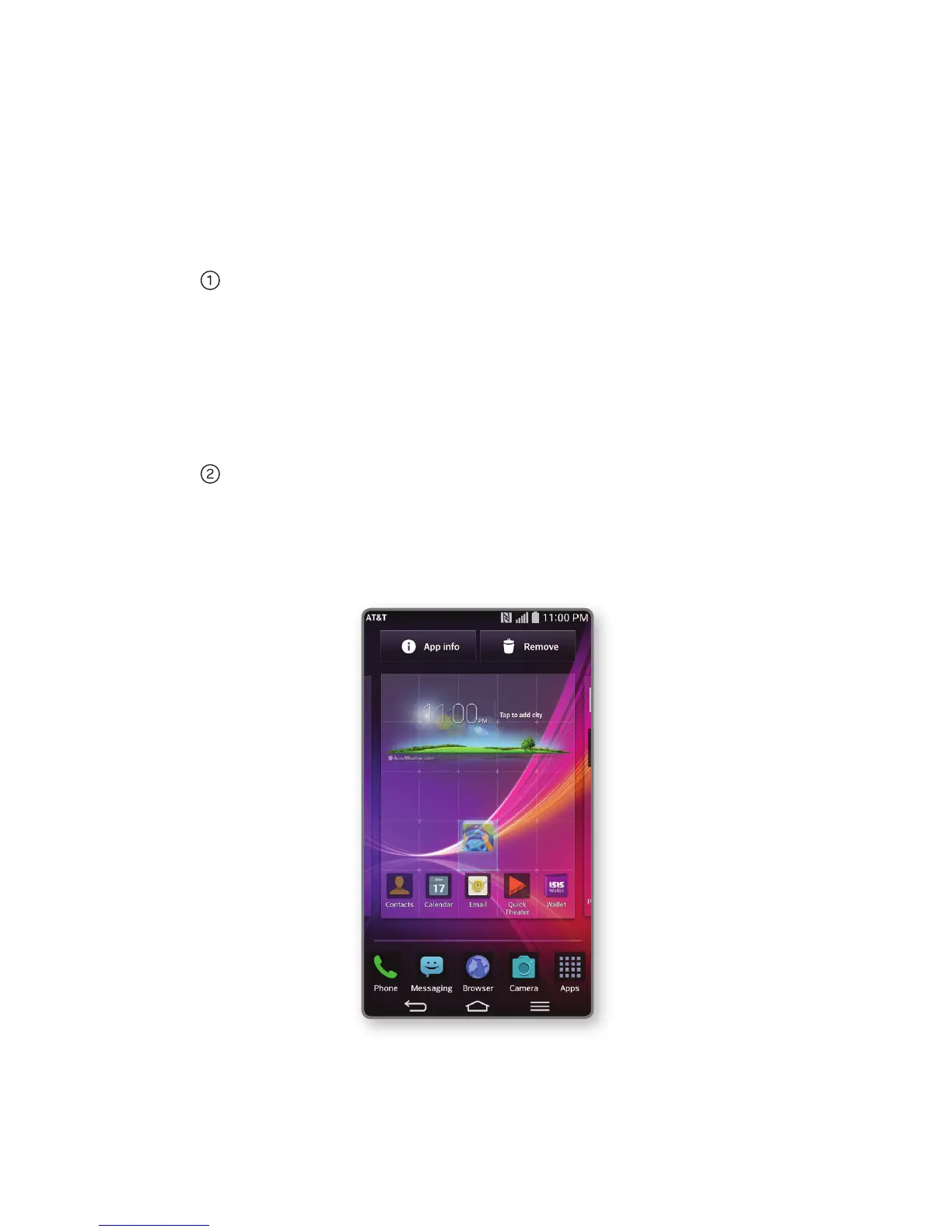
Press and hold an empty spot on a home
screen and choose a category:
• Apps: Add shortcuts from the app tray.
•
Widgets: Add dynamically updating
widgets.
• Wallpapers: Change your wallpaper.
To move an item, press and hold it and drag
it to a new location. To delete it, drag it to
Remove.
Customize Your Phone
Email
Note: Consult your IT department for more
information when setting up an Microsoft
®
Exchange account.
Switch to the QSlide version
of email
Refresh your inbox
Compose a new email
Attach a picture or other file
Send your message
Choose a recipient
from your contact list
View folders and additional email accounts
Go back
a page



 To Next Page