2 Connecting
10
Connecting
2
Connecting
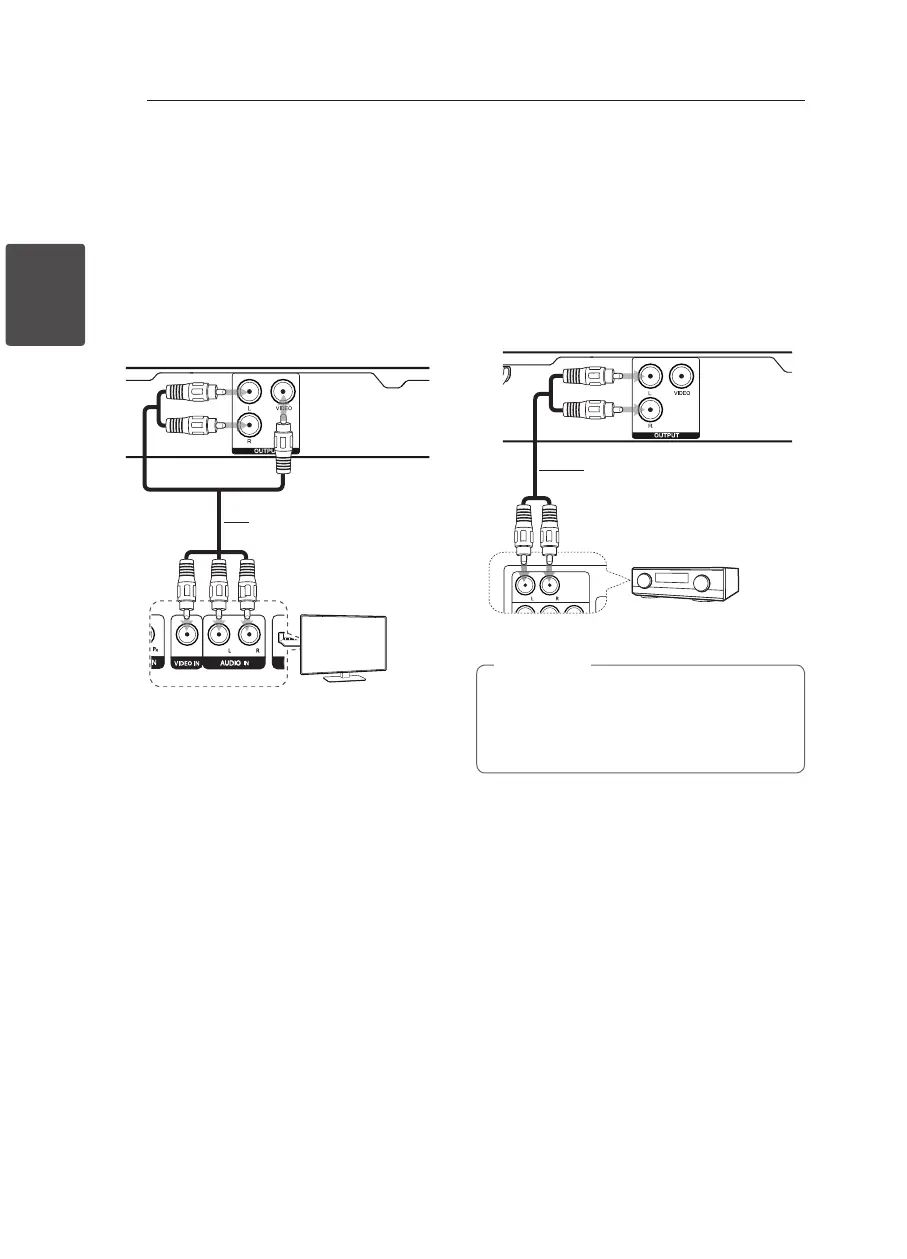
Connecting to your TV
Connecting Video / Audio
Cable
Connect the VIDEO/AUDIO OUTPUT on the unit to
VIDEO/AUDIO IN on TV with Video/Audio cable,
such as VIDEO with yellow, AUDIO Left/Right with
white/red.
Video/Audio cable
TV
Rear of the Unit
Connecting to an
Amplifier
Connecting Audio Cable
Connect the AUDIO OUTPUT (L/R) on the unit to
2CH AUDIO IN on amplier with Audio cable, such
as AUDIO Left/Right with white/red.
Audio Cable
Receiver / Amplier
Rear of the Unit
y
To see the audio format of the current disc
in the on-screen display, press AUDIO.
y
The DTS is not supported. In case of DTS
audio format, audio is not output.
,
Note


 To Next Page