13
Introduction
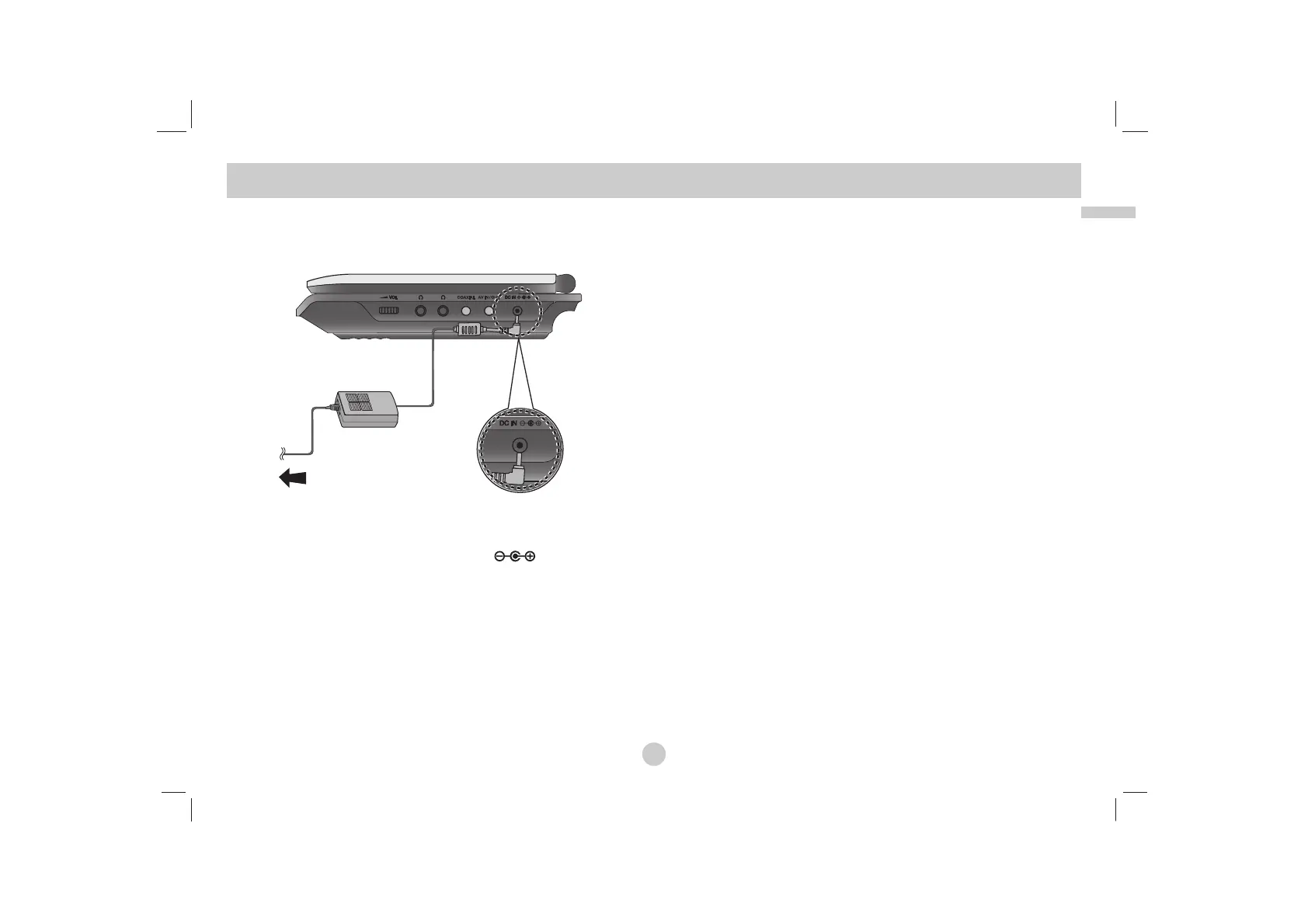
Connect the AC adapter.
a Connect the AC Adapter to the DC IN jack on the unit.
b Connect the AC adapter to the wall outlet.
Caution
• Do not connect the power plug to a power outlet other than that
indicated on the label, as this can result in a risk of fire or
electric shock.
• Do not connect or disconnect the power plug with wet hands.
Doing so may cause electric shock.
• Do not use an AC adapter other than one specified, as it can
cause a fire or damage to the player.
AC adapter
• This AC adapter operates on 100-240V~ 50/60Hz. 1.5A
• Contact an electrical parts distributor for assistance in selecting
a suitable AC plug adapter or AC cord set.
• Manufactured by WANLIDA Digital Technology Co., Ltd.
Power Connections
a
b


 To Next Page