9
Introduction
Identification of Controls
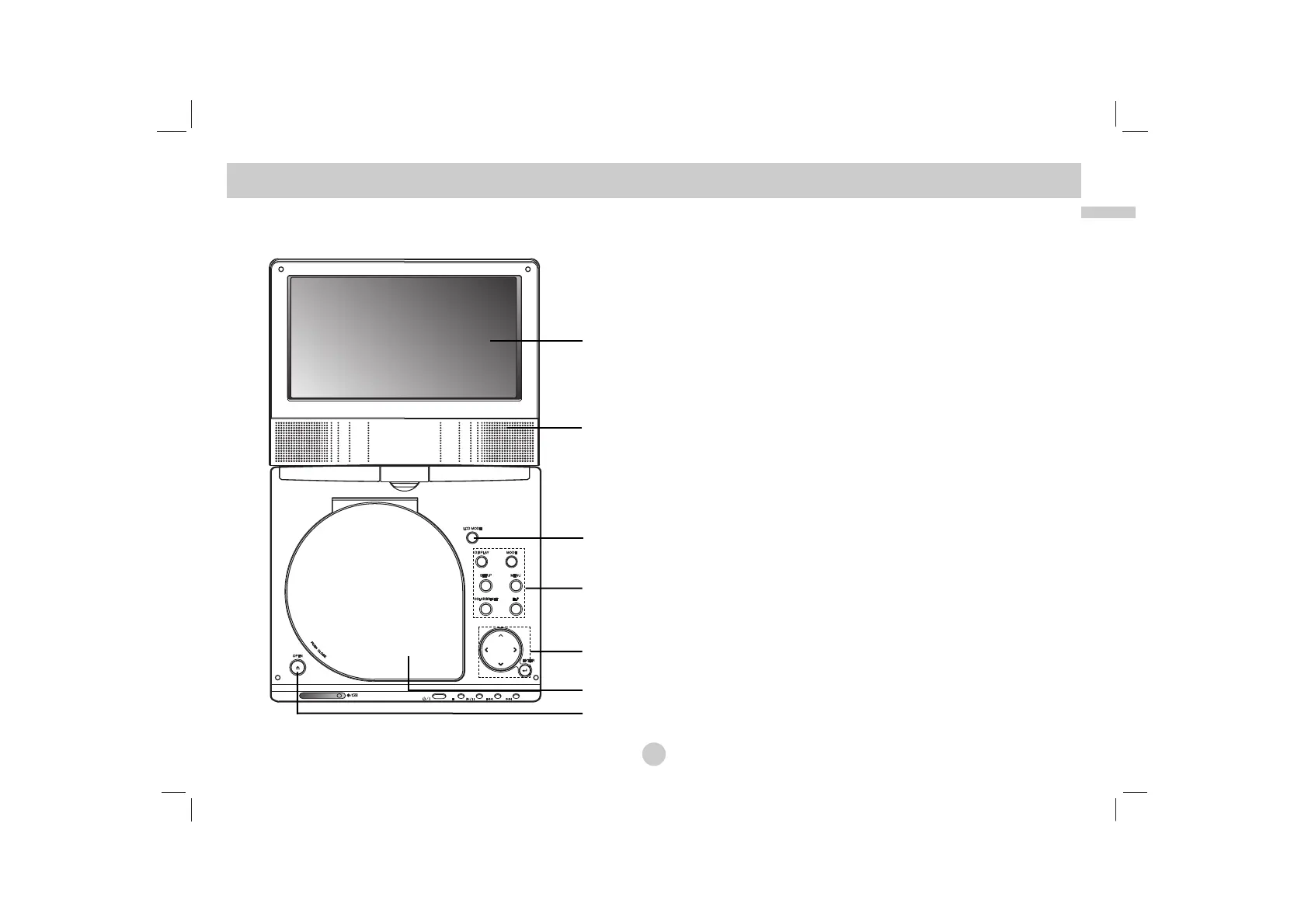
Main Unit
a LCD screen
b Speaker
c LCD MODE: NORMAL → 4:3 Mode → OFF
d Function Buttons
• DISPLAY: Accesses On-Screen display.
• MODE: Selects a mode among DISC, AV IN or USB.
• SETUP: Accesses or removes setup menu.
• MENU: Accesses menu on a DVD disc.
• COLOR/BRIGHT: Selects the mode of LCD adjustment
Brightness → Color → OFF
• FLIP: Rotates the screen.
e Menu Control Buttons
• bBvV(left/right/up/down)
Selects an item in the menu.
• bB: Adjusts the COLOR/BRIGHT.
• ENTER: Confirms menu selection.
f Disc Lid
g OPEN button: Push this button to open the Disc lid.
a
b
c
d
e
f
g



 To Next Page