10
Connecting
2
Connecting
Connecting to your TV
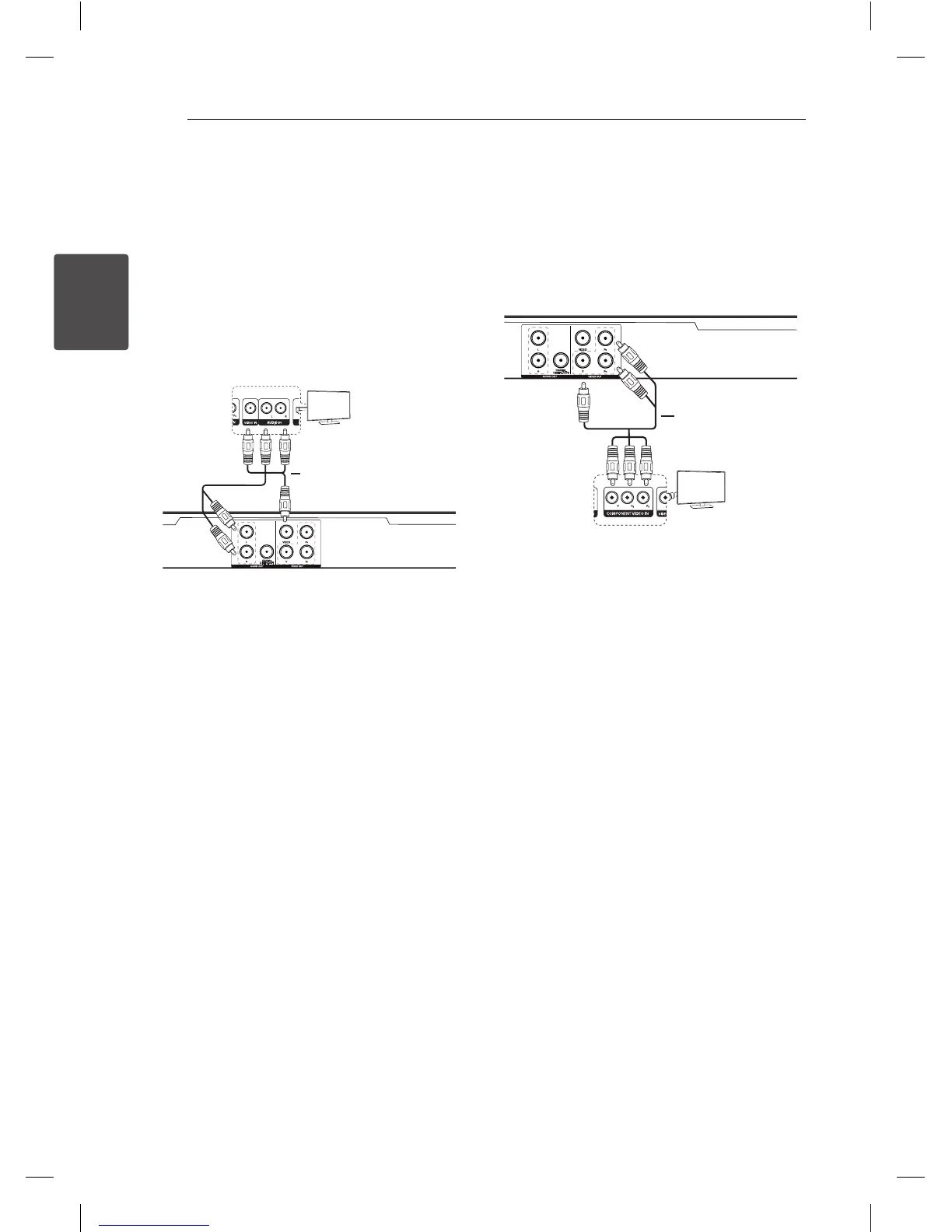
Connecting Video / Audio
cable
Connect the VIDEO/AUDIO OUT on the unit to
VIDEO/AUDIO IN on TV with AV cable, such as
VIDEO with yellow, AUDIO Left/Right with white/
red.
Connecting Component Video
cable
Connect the COMPONENT VIDEO OUT on the unit
to COMPONET VIDEO IN on TV with COMPONET
cable, such as Y with green, Pb with blue, and Pr
with red.
y
You should still connect the AUDIO cable
between the unit and TV.
Rear of the Unit
Rear of TV
Video/Audio Cable
TV
Component Cable
TV
Rear of the Unit
Rear of TV


 To Next Page