Getting Started6
Getting Started
1
Introduction
Symbols Used in this Manual
A section whose title has one of the following
symbols are applicable only to the disc represented
by the symbol.
r
DVD-Video, DVD±R/RW
t
Audio CDs
y
Movie les contained in the
USB/Disc
u
Music les contained in the
USB/Disc
i
Photo les contained in the
USB/Disc
About the “
&
” Symbol
Display
“
&
” may appear on your TV display during
operation and indicates that the function explained
in this owner’s manual is not available on that
specic media.
Regional Code
This unit has a regional code printed on the rear of
the unit. This unit can play only DVD disc labeled
same as the rear of the unit or “ALL”.
Playable Discs
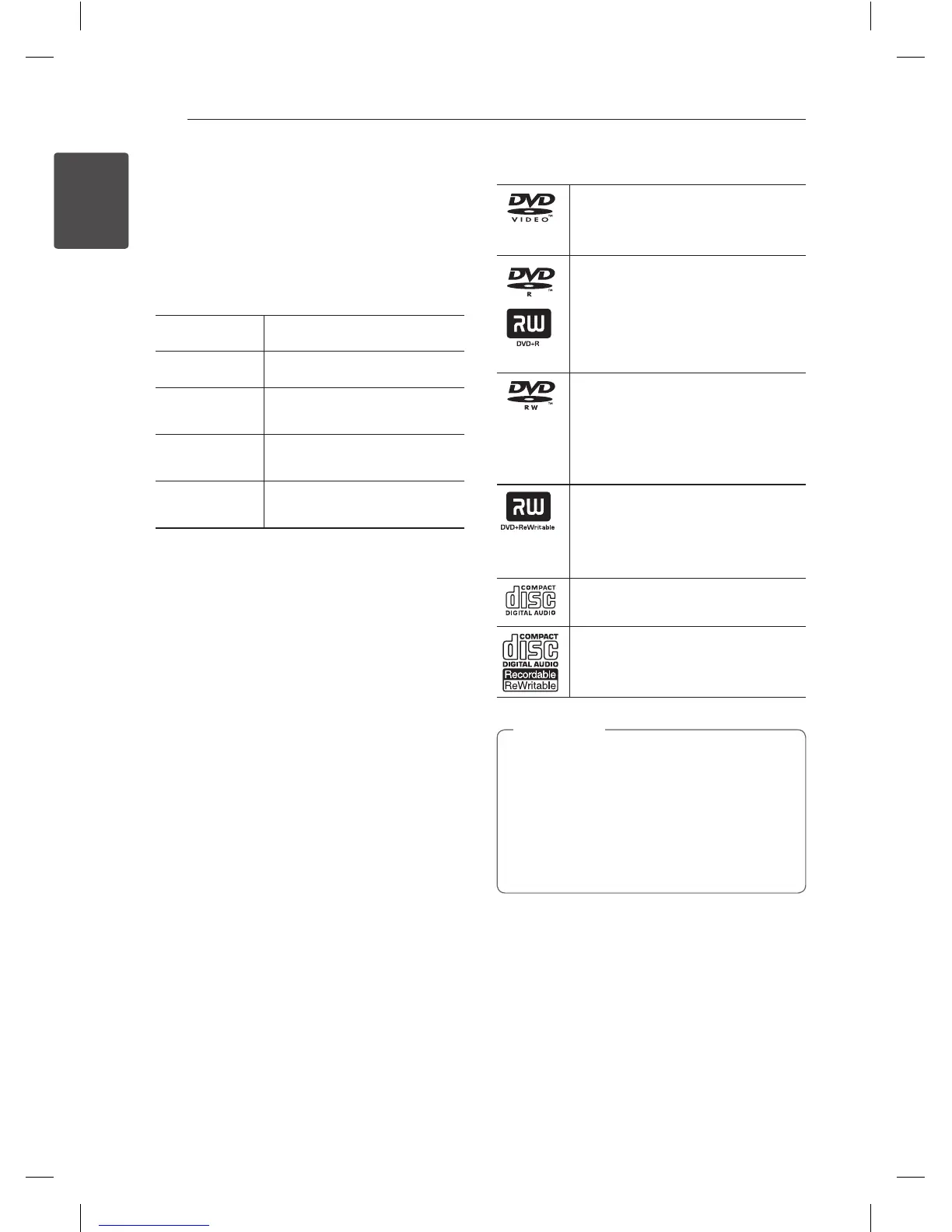
DVD-VIDEO (8 cm / 12 cm disc)
Discs such as movies that can be
purchased or rented.
DVD±R (8 cm / 12 cm disc)
-
Video mode and nalized only
-
Supports the dual layer disc also
-
DVD±R discs that contain Movie,
Music or Photo les.
DVD-RW (8 cm / 12 cm disc)
-
VR mode, Video mode and
nalized only
-
DVD-RW discs that contain Movie,
Music or Photo les.
DVD+RW (8 cm / 12 cm disc)
-
Video mode and nalized only
-
DVD+RW discs that contain
Movie, Music or Photo les.
Audio CD (8 cm / 12 cm disc)
CD-R/RW (8 cm / 12 cm disc)
CD-R/RW discs that contain audio
titles, Movie, Music or Photo les.
• You have to set the disc format option
to [Mastered] in order to make the discs
compatible with the LG players when
formatting rewritable discs. When setting
the option to Live System, you cannot use
it on LG player. (Mastered/Live File System :
Disc format system for windows Vista)
,
Note


 To Next Page