EasyManua.ls Logo

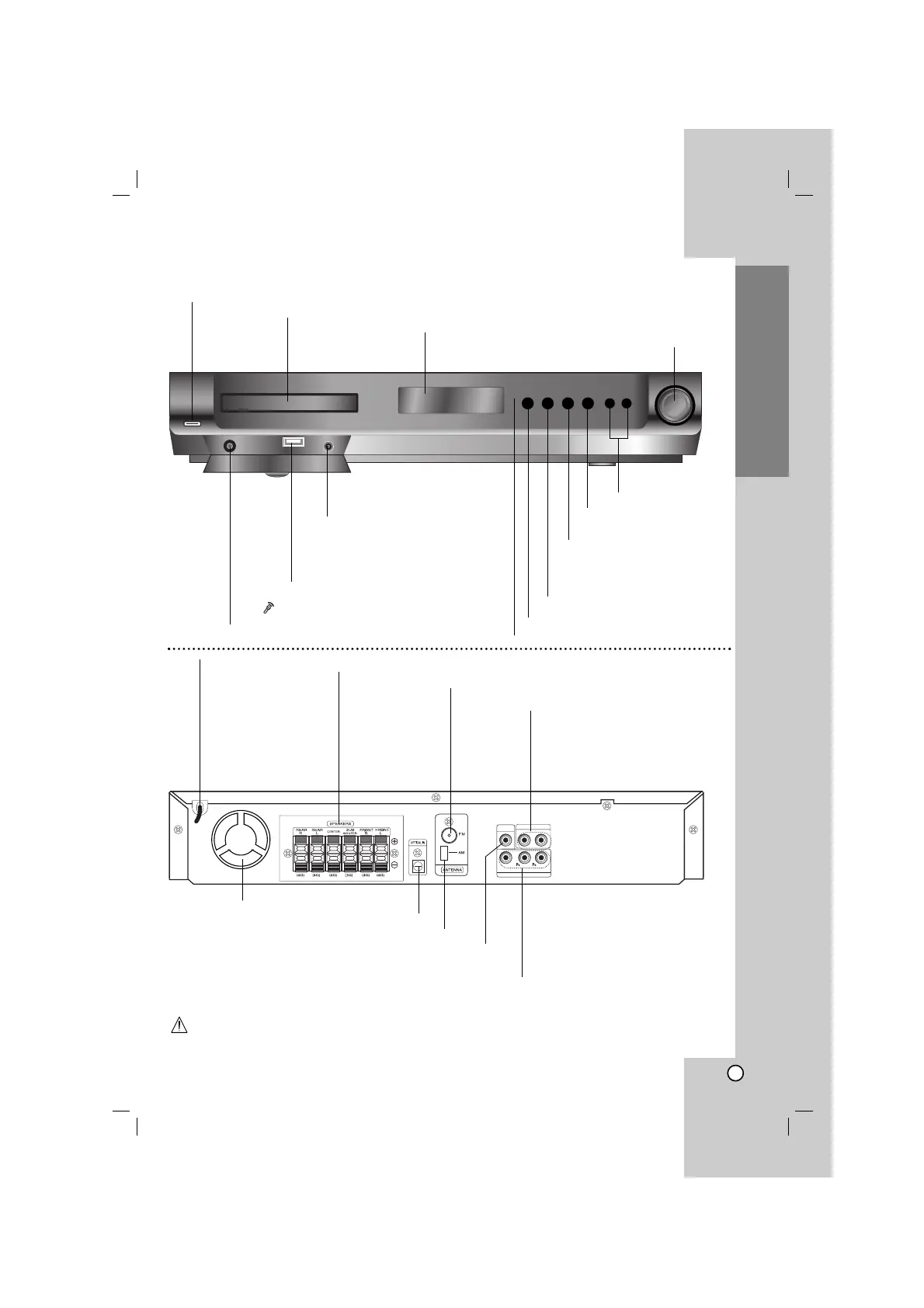
LG HT502TH-A2 - Front Panel;Rear Panel; Front Panel Controls; Rear Panel Connections

LG HT502TH-A2
24 pages
Print Icon
To Next Page IconTo Next Page
To Previous Page IconTo Previous Page
Loading...
5
Introduction
OPEN/CLOSE button
TUNING(-/+)/ SKIP
SEARCH(
..
/
>>
)
Remote sensor
AUDIO IN connector
VOLUME controller
POWER
DISPLAY Window
DISC Tray
Do not touch the inner pins of the jacks on the rear panel. Electrostatic discharge may cause permanent
damage to the unit.
USB port
Connect to a USB port of a memory
device (USB memory etc.)
FUNC.(-)/PLAY(B)
Press and hold down this button
about 3 seconds, then press
repeatedly to select other function.
PAUSE (
XX
)/
MONO/STEREO (ST.)
STOP (x)
OUT PUT
INPUT
L - AUX - R
MONITOR
Y
COMPONENT VIDEO (PROGRESSIVE SCAN)
FM Antenna connector
AM Loop Antenna connectors
SPEAKER connectors
Power Cord
MONITOR OUT connector
COMPONENT VIDEO OUT terminals
Connect to a TV with Y PB PR inputs.
Front Panel/Rear Panel
Cooling fan
OPTICAL IN connector
AUX AUDIO Input
(L/R) connector
MIC ( )
Connect to a microphone to MIC socket.

Related product manuals