EasyManua.ls Logo

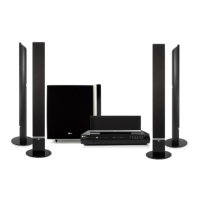
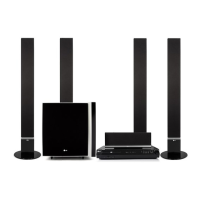
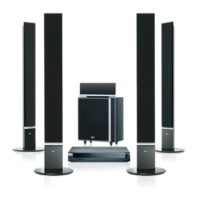
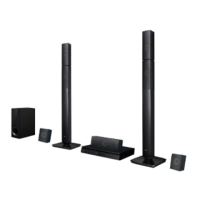
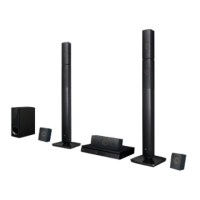
LG HT502TH - User Manual

LG HT502TH
28 pages
Print Icon
To Next Page IconTo Next Page
Loading...
WIRELESS DVD/CD
RECEIVER SYSTEM
OWNER’S MANUAL
MODEL: HT502THW
Main Unit - HT502THW-AN
Speakers - SH52TH-F
SH52TH-S
SH52TH-C
SH52TH-W
W92-T, W92-R
Before connecting, operating or adjusting this product,
please read this instruction booklet carefully and
completely.
HT502THW-AN_DMARLLP_ENG_6965
R

Other manuals for LG HT502TH

Questions and Answers

  • S
    sarah55Aug 27, 2025
    Why is there loud hum or noise heard from LG HT502TH?
    • L
      lisa43Aug 27, 2025
      If you're hearing a loud hum or noise from your LG Receiver, try the following: * Clean the disc. * Ensure the speakers and components are securely connected. * Move the TV away from the audio components.
  • C
    Charles BrownAug 27, 2025
    What to do if LG Receiver remote control is not working?
    • R
      Robert ArmstrongAug 27, 2025
      If the remote control for your LG DVD/CD Receiver isn't working correctly, consider the following: * Ensure the remote is pointed directly at the receiver's remote sensor. * Make sure you are within 23 ft (7 m) of the receiver. * Remove any obstacles between the remote and the receiver. * Replace the remote's batteries with new ones.
  • N
    Nicole WestAug 28, 2025
    How to troubleshoot LG HT502TH Receiver remote control not working?
    • L
      Leonard McdonaldAug 28, 2025
      If the remote control isn't working properly with your LG Receiver, try these steps: * Point the remote directly at the remote sensor on the DVD/CD Receiver. * Ensure you're using the remote within a range of about 23 ft (7 m). * Remove any obstacles between the remote and the DVD/CD Receiver. * Replace the batteries in the remote with new ones.
  • B
    brendamyersAug 28, 2025
    What to do if there is no picture on my LG Receiver?
    • J
      James ChenAug 29, 2025
      If your LG Receiver isn't displaying a picture, ensure your TV is set to the correct video input mode to receive the DVD signal. Also, check that the video cable is securely connected. Finally, make sure the TV is powered on.
  • N
    Nicole TownsendAug 29, 2025
    Why is there no sound from my LG HT502TH Receiver?
    • J
      Jason PittmanAug 29, 2025
      If your LG Receiver has no sound or very low sound, make sure the equipment connected with the audio cable is set to receive the DVD audio signal output. Check that the audio cables are securely connected and that the connected equipment is powered on. If the issue persists, try replacing the audio connecting cable, as it may be damaged.
  • L
    Laura WileyAug 30, 2025
    Why is my LG HT502TH making a loud humming noise?
    • S
      Scott HebertAug 30, 2025
      If you're hearing a loud hum or noise from your LG Receiver, start by cleaning the disc. Ensure that all speakers and components are securely connected. Also, try moving the TV away from the audio components, as they may be too close together.
  • J
    Joseph PaulAug 30, 2025
    How to troubleshoot no power on my LG HT502TH?
    • B
      bcarterAug 30, 2025
      If your LG Receiver isn't powering on, the most common cause is a disconnected power cord. Ensure the power cord is securely plugged into the wall outlet.
  • G
    ginahartAug 25, 2025
    What causes loud hum or noise from my LG HT502TH Receiver?
    • K
      Karen McneilAug 25, 2025
      If you are hearing a loud hum or noise from your LG Receiver, try these solutions: * Clean the disc. * Connect the speakers and components securely. * Move your TV away from the audio components.
  • J
    Jeff WatsonAug 31, 2025
    Why can't my LG HT502TH tune into radio stations?
    • K
      Kirsten PerezSep 1, 2025
      If your LG Receiver is not tuning into radio stations, make sure the antenna is securely connected and properly positioned. If the signal strength is weak, try tuning in the station manually. If no stations are preset, you may need to preset them.
  • T
    Timothy FranklinSep 1, 2025
    How to brighten the front panel display on my LG HT502TH?
    • D
      Daniel LeeSep 1, 2025
      If the front panel display on your LG Receiver is too dim, press the DIMMER button on the remote control.

LG HT502TH Specifications

General IconGeneral
BrandLG
ModelHT502TH
CategoryReceiver
LanguageEnglish

Related product manuals