Connecting16
Connecting
2
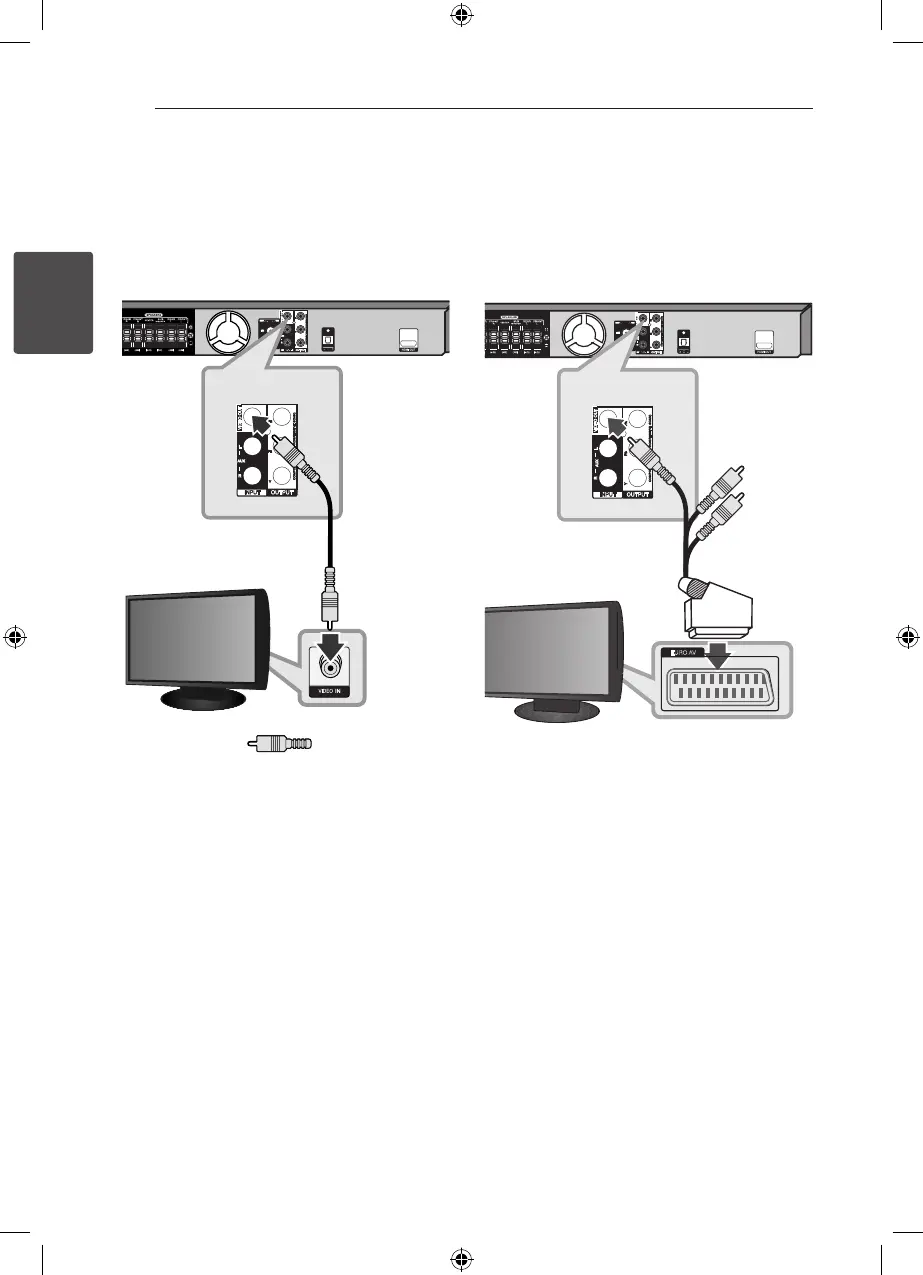
Video Connection
Connect the VIDEO OUT jack on the unit to the
video in jack on the TV using a video cable.
You can hear the sound through the system’s
speakers.
Unit
TV
Yellow
To connect to a TV with the
SCART jack
Connect the RCA to SCART cable form the VIDEO
OUT on the rear of the unit to the SCART jack on
your TV.
Unit
TV
HT906SC-R0_BDEULL_ENG_4740.indd 16 2011-02-19 �� 1:58:11



 To Next Page