Operating36
Operating
4
Enjoying iPod on the screen
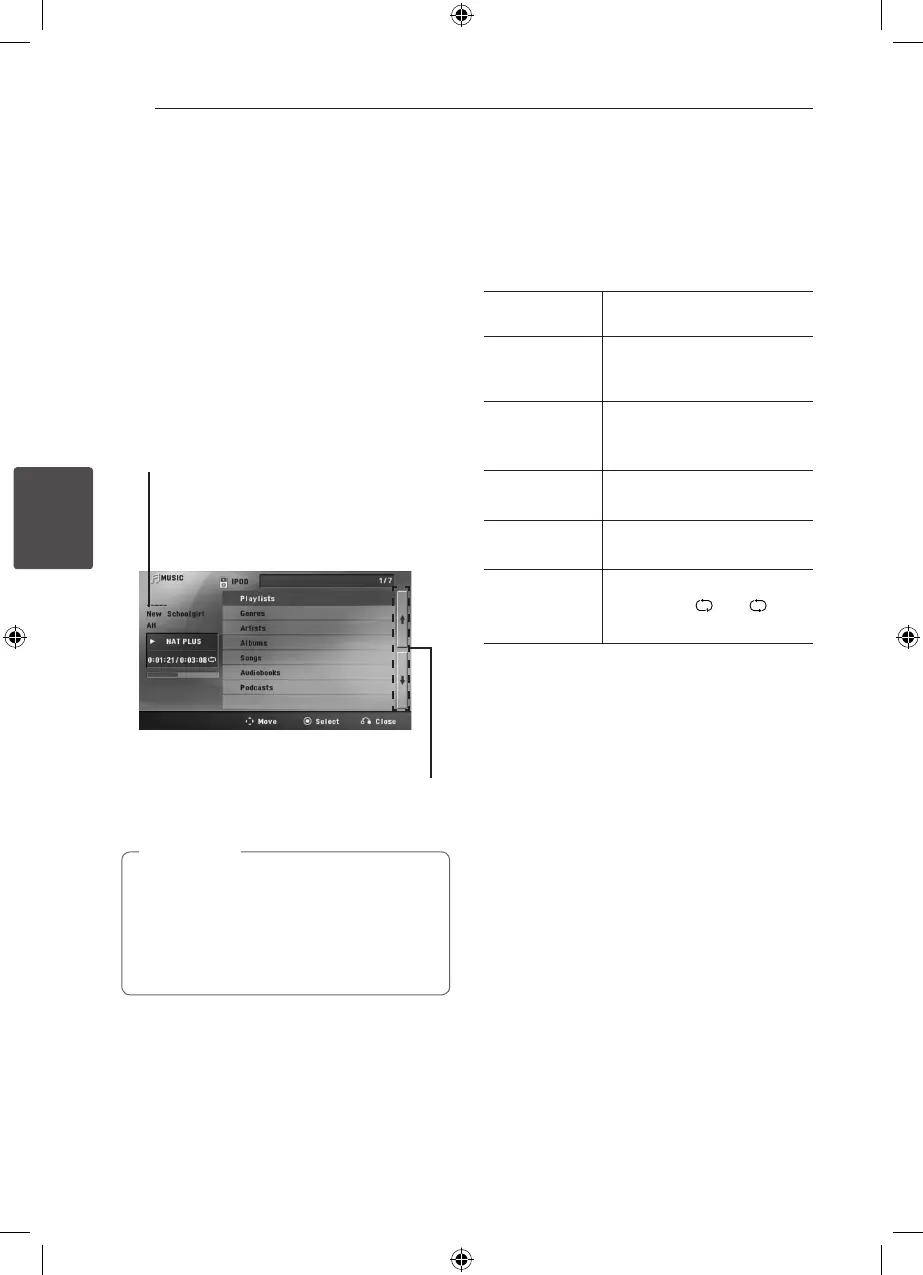
You can operate your iPod by controlling menu on
the screen.
1. Connect the iPod rmly.
2. Press
n
HOME.
3. Select [Music] or [Movie] using
AD
, and press
b
ENTER
If you connected the other device (CD or USB),
select the iPod on the menu and
ENTER
.
If you select the [Music] option when
you connect iPod, the unit plays a music
automatically.
4. Select a content using
WSAD
, and press
ENTER
to play.
Moving to the previous or
next le list.
File information will be displayed
according to the ID3TAG information
on the appropriate music le. (MP3
only)
5. Operate iPod.
Refer to basic operation section.
y
If the iPod’s OSD language is selected to
simple chinese, the power scroll function is
not operated correctly.
y
The controls on your iPod are not
operational in this mode.
,
Note
Enjoying the iPod IN mode
You can operate your iPod by using the supplied
remote control and controls on your iPod.
1. Connect the iPod rmly.
2. Press
P
RADIO&INPUT
to select iPod IN
mode.
WSAD
Selects an option in the menu.
d
PLAY, MONO/
STEREO,
b
ENTER
Starts playback the music or
video.
M
To pause while it is playing. To
resume playing, press
d
PLAY,
MONO/STEREO again.
c
/
v
SCAN
Fast-forward or rewind a song
or video
C/ V
SKIP
Skip the playback forward or
backward .
h
REPEAT
To select a desired repeat
mode: Track ( ), All ( ), O
(No display).
HT906SC-R0_BDEULL_ENG_4740.indd 36 2011-02-19 �� 1:58:14



 To Next Page