EasyManua.ls Logo

LG LH-E932TB - User Manual

LG LH-E932TB
40 pages
Print Icon
To Next Page IconTo Next Page
Loading...
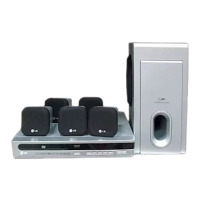
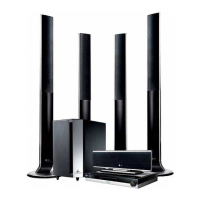
5-DVD Changer
Home Theater System
OWNER’S MANUAL
MODEL: LH-E932TB
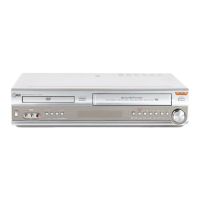
Main Unit - LH-E932TB
Speakers - SH92TB-S
SH92TB-C
SH92TB-W
Before connecting, operating or adjusting this product,
please read this instruction booklet carefully and
completely.
HE902TB-R1_NAICLL7_ENG_MFL40275858
R
http://www.lg.ca

Table of Contents

Questions and Answers

  • J
    Justin JohnsonAug 31, 2025
    Why is there no sound on my LG LH-E932TB?
    • J
      jared32Aug 31, 2025
      If you're experiencing no sound or very low sound from your LG Receiver, consider the following: * Ensure the equipment connected with the audio cable is set to receive DVD audio signal output by selecting the correct input mode on the audio receiver. * Check that the audio cables are securely connected to the jacks. * Verify that the equipment connected with the audio cable is turned on. * If the audio connecting cable is damaged, replace it.
  • L
    lsantosAug 25, 2025
    Why is my LG Receiver remote control not working?
    • M
      Mary RamseyAug 25, 2025
      If the remote control for your LG Receiver isn't working correctly: * Make sure you're pointing the remote at the receiver's remote sensor. * Ensure you are within 23 ft (7 m) of the receiver. * Remove any obstacles between the remote and the receiver. * Try replacing the batteries in the remote with new ones.
  • M
    morgantheresaAug 25, 2025
    What to do if my LG Receiver remote control does not work?
    • A
      Adam JonesAug 26, 2025
      If the remote control isn't working, first, ensure that you're pointing it directly at the remote sensor on the LG DVD/CD Receiver. Second, make sure you are within 23 ft (7 m) of the receiver. Third, check for any obstacles between the remote and the receiver and remove them. Lastly, try replacing the batteries in the remote control with new ones.
  • B
    bsalazarAug 26, 2025
    What to do if there is no sound from my LG Receiver?
    • E
      Eric WardAug 26, 2025
      If you're not getting any sound or the sound is very low, ensure that the equipment connected to the audio cable is set to receive the DVD audio signal output. Also, check that the audio cables are securely connected to the jacks. Verify that the connected equipment is turned on. If the problem persists, the audio connecting cable may be damaged and need replacing.
  • J
    jennadiazAug 27, 2025
    Why is there no sound coming from my LG Home Theater System?
    • R
      Robert WintersAug 27, 2025
      If you're experiencing no sound or very low sound from your LG Home Theater System, first ensure that the connected equipment is set to receive the DVD audio signal output by selecting the correct input mode. Check that the audio cables are securely connected. Also, verify that the connected equipment is powered on. If the problem persists, the audio connecting cable may be damaged; consider replacing it.
  • S
    Stephanie BrownAug 27, 2025
    What to do if my LG Receiver remote control does not work properly?
    • T
      tracie35Aug 27, 2025
      If your LG Receiver's remote control isn't working correctly, consider these potential causes: * Ensure the remote control is pointed directly at the remote sensor on the DVD/CD Receiver. * Make sure you are within the operational range, which is about 23 ft (7 m). * Check for any obstructions between the remote control and the DVD/CD Receiver and remove them. * The batteries in the remote control might be depleted. Replace them with new ones.
  • N
    Nancy CallahanAug 28, 2025
    How to fix no sound or low sound on my LG LH-E932TB?
    • G
      Gloria WellsAug 28, 2025
      If you're experiencing no sound or very low sound from your LG Receiver, check the following: * Ensure the equipment connected with the audio cable is set to receive DVD audio signal output. Select the correct input mode on the receiver. * Verify that the audio cables are securely connected to the jacks. * Confirm that the equipment connected with the audio cable is turned on. * Inspect the audio connecting cable for damage. If damaged, replace it.
  • D
    Diana SalasAug 29, 2025
    Why is the remote control for my LG LH-E932TB Receiver not working?
    • W
      William DeanAug 29, 2025
      If the remote control isn't working properly with your LG DVD/CD Receiver, consider these potential causes: * Ensure you're pointing the remote control directly at the remote sensor on the receiver. * Make sure you're using the remote within a reasonable distance, about 23 ft (7 m). * Check for any obstacles blocking the path between the remote and the receiver. * Try replacing the batteries in the remote control with new ones.
  • S
    Sarah JohnsonAug 30, 2025
    How to fix no power on my LG LH-E932TB Receiver?
    • S
      Sean MasonAug 30, 2025
      If your LG Receiver has no power, the power cord might be disconnected. Ensure the power cord is securely plugged into the wall outlet.
  • M
    Michael SmithAug 30, 2025
    What to do if there is no picture on my LG LH-E932TB?
    • N
      Nicole HollandAug 30, 2025
      If you're not getting a picture on your LG Receiver, here's what to check: 1. Ensure your TV is set to the correct video input mode to receive the DVD signal output. 2. Verify the video cable is securely connected to the jacks. 3. Make sure your TV is turned on.

LG LH-E932TB Specifications

General IconGeneral
Number of Channels5.1
DVD playerYes
Audio formats supportedDolby Digital, DTS
BluetoothNo
Wi-FiNo
Frequency Response20Hz - 20kHz
OutputsHDMI

Related product manuals