EasyManua.ls Logo

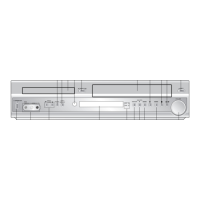
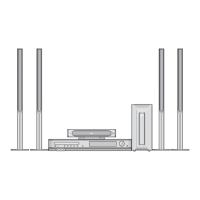
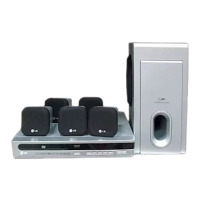
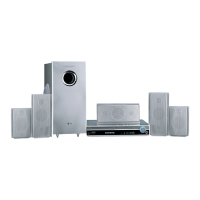
LG LH-E932TB - User Manual

LG LH-E932TB
40 pages
Print Icon
To Next Page IconTo Next Page
Loading...
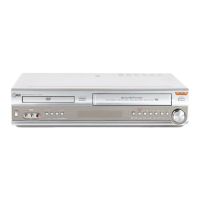
5-DVD Changer
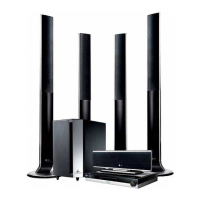
Home Theater System
OWNER’S MANUAL
MODEL: LH-E932TB
Main Unit - LH-E932TB
Speakers - SH92TB-S
SH92TB-C
SH92TB-W
Before connecting, operating or adjusting this product,
please read this instruction booklet carefully and
completely.
HE902TB-R1_NAICLL7_ENG_MFL40275858
R
http://www.lg.ca

Table of Contents

Questions and Answers

  • R
    racheledwardsAug 25, 2025
    What to do if my LG Home Theater System remote control is not working?
    • V
      Vicki AyersAug 25, 2025
      If your LG Home Theater System remote control isn't working, ensure it's pointed directly at the unit's remote sensor and you're within a 20 ft (6 m) range. Remove any obstructions between the remote and the unit. If it still doesn't work, replace the batteries with new ones.
  • M
    mburgessSep 1, 2025
    What to do if LG LH-E932TB does not start playback?
    • A
      Amanda WhiteSep 1, 2025
      If your LG Receiver isn't starting playback, check these: * Insert a disc, ensuring the DVD or audio CD indicator in the DVD display is lit. * Make sure you've inserted a playable disc, considering the disc type, color system, and regional code. * Place the disc with the playback side down. * Ensure the disc is placed correctly within the guide on the disc tray. * Clean the disc if it's dirty. * If a menu is on the TV screen, press the SETUP button to turn it off. * If the Rating level is set, cancel the Rating function or change the rating level.
  • F
    fwileySep 2, 2025
    Why is there a loud hum or noise from my LG LH-E932TB?
    • C
      christopher91Sep 2, 2025
      If you hear a loud hum or noise from your LG Receiver, try these solutions: * Clean the disc. * Securely connect the speakers and components. * Move your TV away from the audio components.
  • D
    douglas77Sep 2, 2025
    How to fix LG Receiver when radio stations cannot be tuned in?
    • N
      Nicole WhiteSep 2, 2025
      If you're unable to tune in radio stations on your LG Receiver: * Ensure the antenna is securely connected. * If using automatic tuning, try tuning in the station manually if the signal strength is weak. * If tuning by scanning preset stations, preset the stations.
  • K
    Kristen SmithSep 3, 2025
    What to do if LG LH-E932TB Receiver indicator does not work?
    • T
      thomasbellSep 3, 2025
      If the power is on but the DVD/CD Receiver indicator isn't working, it might be because no disc is inserted. Insert a disc and check that the DVD or audio CD indicator in the DVD display lights up.
  • K
    Kimberly FergusonSep 4, 2025
    How to adjust the brightness of the front panel display on my LG LH-E932TB?
    • C
      christinacarsonSep 4, 2025
      If the front panel display on your LG Receiver is too dim, press DIMMER on the remote control.
  • J
    jennifer74Sep 5, 2025
    Why my LG Receiver has no power?
    • S
      shelly41Sep 5, 2025
      If your LG Receiver has no power, the power cord may be disconnected. Ensure the power cord is securely plugged into the wall outlet.
  • M
    Morgan LeeSep 5, 2025
    Why is there no picture on my LG LH-E932TB Receiver?
    • E
      Edward WillisSep 6, 2025
      There are several reasons why you might not see a picture. First, make sure your TV is set to the correct video input mode to receive the DVD signal output from the LG Receiver. Second, check that the video cable is securely connected to the jacks. Finally, verify that the connected TV is powered on.
  • J
    Justin MasonSep 6, 2025
    How to fix loud hum or noise from LG LH-E932TB?
    • T
      Todd MartinSep 6, 2025
      If you're experiencing a loud hum or noise, try these steps: First, clean the disc. Second, ensure the speakers and components are securely connected. Third, the DVD/CD Receiver might be too close to the TV, so try moving them further apart.

LG LH-E932TB Specifications

General IconGeneral
Number of Channels5.1
DVD playerYes
Audio formats supportedDolby Digital, DTS
BluetoothNo
Wi-FiNo
Frequency Response20Hz - 20kHz
OutputsHDMI

Related product manuals