31OPERATION
ENGLISH
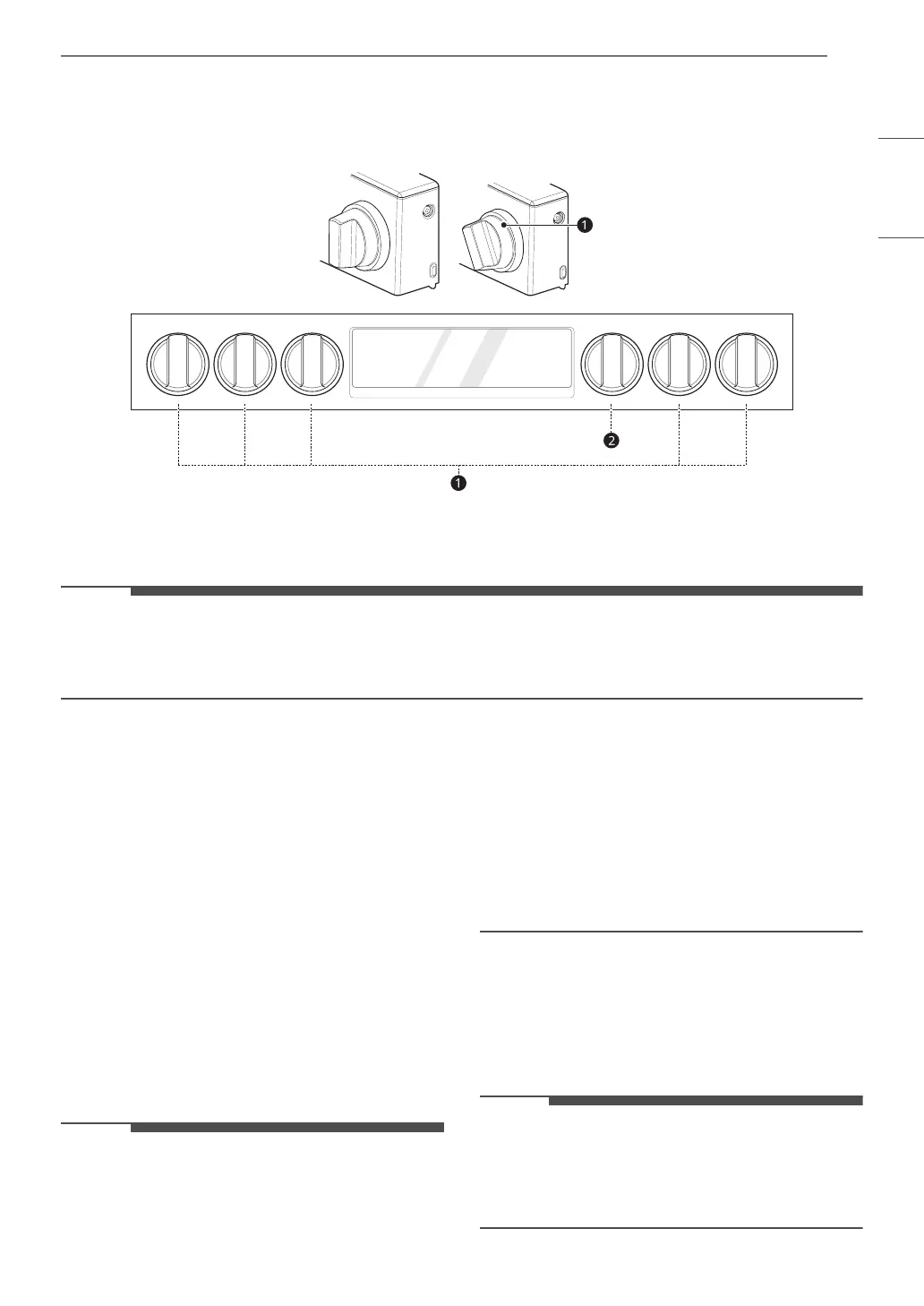
Knob Lighting
Knob lighting illuminates the edge of the knob when you turn the knob to operate the heating elements
(excluding Mode Knob).
a Knob Lighting
b Mode Knob
• Oven Mode Knob does not operate the Knob Lighting.
•If Control Lock is activated, the knob lighting and cooktop element turn on when the cooktop knob is
turned.
Changing Oven Settings
Clock
The clock must be set to the correct time of day in
order for the automatic oven timing functions to
work properly.
1 Press Clock
2 Press the numbers to enter the time. For
example, to set the clock for 10:30, press the
numbers: 1, 0, 3 and 0.
3 Press START.
• The time of day cannot be changed during a
timed baking or self-clean cycle.
• To check the time of day when the display is
showing other information, press Clock.
• If no other buttons are pressed within 25
seconds of pressing Clock, the display reverts to
the original setting.
• If the display time is blinking, there may have
been a power failure. Reset the time.
• The control is set to use a 12-hour clock. To set
the clock to 24-hour mode, see the "Settings"
section.
Oven Light
The interior oven light automatically turns on
when the door is opened.
•Press Light to manually turn the oven light on.
• The oven light cannot be turned on if the Self
Clean function is active.
• The oven light turns off automatically after 90
seconds.



 To Next Page