23OPERATION
ENGLISH
OPERATION
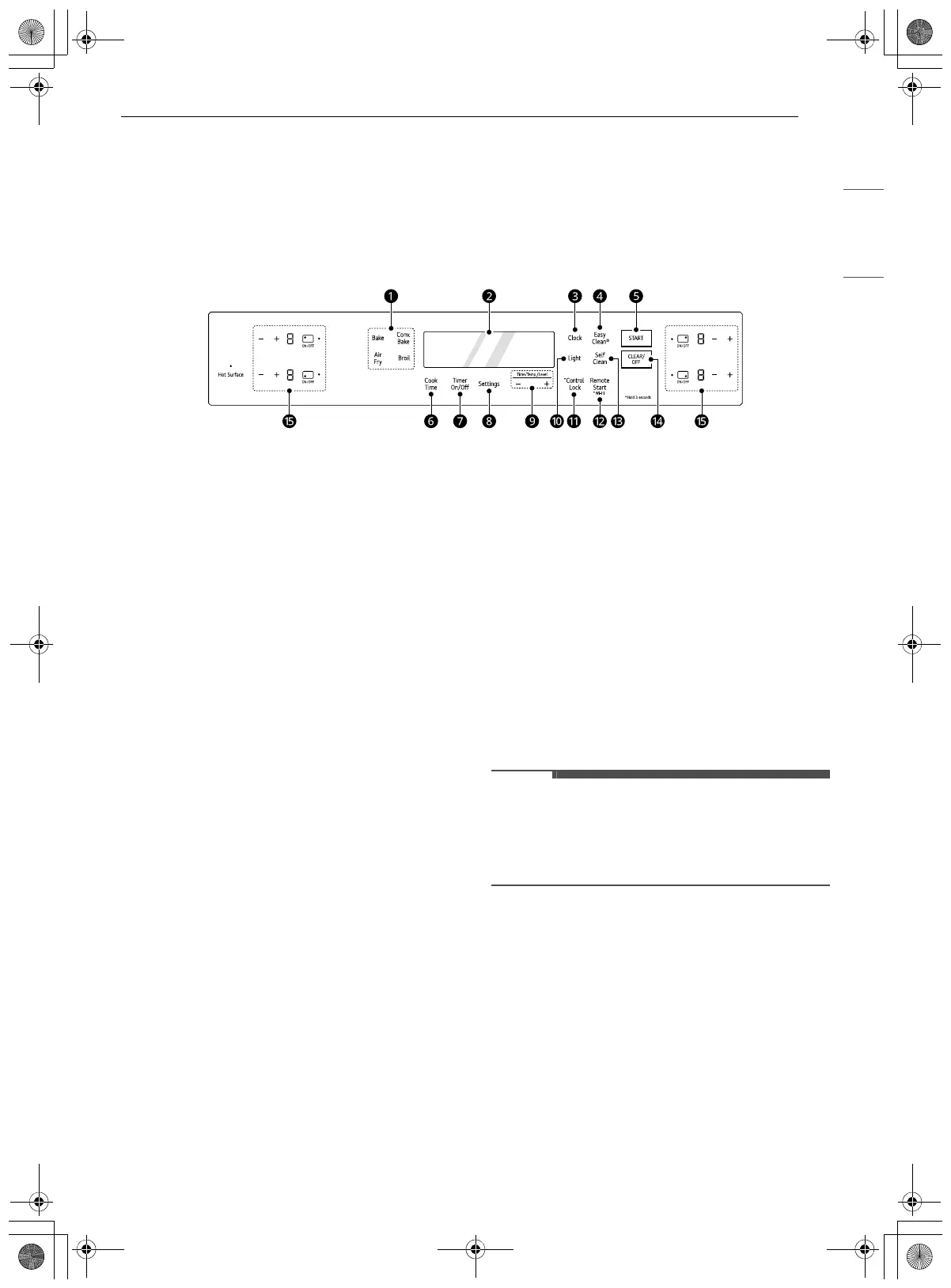
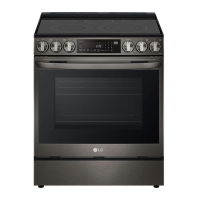
Control Panel
Control Panel Features
Model: LSIL633T*E, LSIL6332*E
a Oven Controls
Press a button to select the oven operating
mode.
b Display
Press any button on the control panel to
activate the display.
c Clock
Press the button to set the time of day.
d EasyClean
Press the button to set the EasyClean.
e START
Press the button to start all oven features.
f Cook Time
Press the button to set the desired amount of
time for food to cook. The oven shuts off when
the set cooking time runs out.
g Timer On/Off
Press the button to set or cancel the timer.
h Settings
Press the button to select and adjust oven
settings.
i +/- Buttons
•Press the plus (+) button to increase cooking
time or oven temperature.
•Press the minus (-) button to decrease
cooking time or oven temperature.
j Light
Press the button to turn the oven light on or
off.
k Control Lock
Press and hold the button for 3 seconds to lock
the control panel.
l Remote Start / Wi-Fi
• Press the button to set Remote Start.
• Press and hold the button for 3 seconds to
connect the appliance to a Wi-Fi network.
m Self Clean
Press the button to set the Self Clean.
n CLEAR/OFF
Press the button to end all oven features.
o Cooktop Controls
Press a button to use the cooktop elements.
• Flashing Clock
If the colon in the clock display flashes, press
Clock and reset the time, or press any button to
stop the flashing.
en-us_main.book.book Page 23 Wednesday, March 27, 2024 11:27 AM



 To Next Page