EasyManua.ls Logo

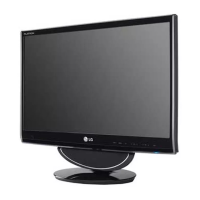
LG M2280DF - User Manual

LG M2280DF
156 pages
Print Icon
To Next Page IconTo Next Page
Loading...
www.lg.com
OWNER’S MANUAL
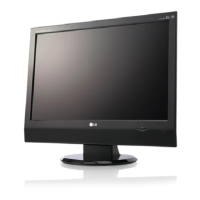
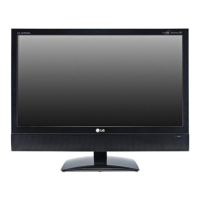
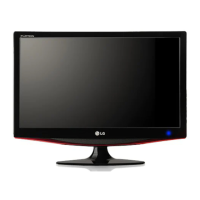
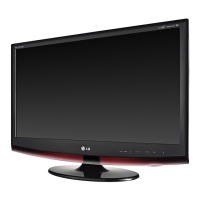
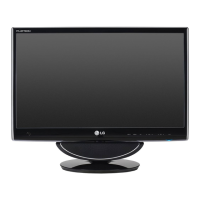
LED LCD MONITOR TV
LED LCD MONITOR TV MODELS
M2080D
M2280D
M2380D
M2780D
M2080DF
M2280DF
M2380DF
M2780DF
M2080DB
M2280DB
M2380DB
M2080DN
M2280DN
M2380DN
M2780DN
Please read this manual carefully before operating
your set and retain it for future reference.
ENGLISH

Table of Contents

Questions and Answers

  • J
    John BradleySep 12, 2025
    What to do if after-image appears on LG M2280DF?
    • J
      Jessica MartinezSep 12, 2025
      If an after-image appears on your LG Monitor, especially after using a fixed image for a long time, it may be due to pixel damage. Use the screen saver function to prevent this.
  • J
    John RussoSep 12, 2025
    Why do back spots appear on the LG Monitor screen?
    • J
      John BowmanSep 12, 2025
      The appearance of several pixels (red, green, white, or black) on the LG Monitor screen is due to the unique characteristics of the LCD panel and is not a malfunction.
  • M
    Michelle MurphySep 12, 2025
    What to do if ‘Unknown Product’ message appears when LG Monitor is connected?
    • J
      jasoncolemanSep 12, 2025
      If you receive an ‘Unknown Product’ message when your LG Monitor is connected, install the product driver provided with the monitor or download it from the LG website. Also, check your video card user guide to ensure it supports plug & play functionality.
  • L
    Lindsey HarrisSep 9, 2025
    What causes unusual sounds from inside my LG LCD TV?
    • E
      efoxSep 10, 2025
      An unusual sound from inside your LG LCD TV may be due to changes in ambient humidity or temperature when the product is turned on or off. This doesn't necessarily indicate a problem with the product.
  • E
    Elizabeth LewisSep 8, 2025
    Why does my LG LCD TV revert to initial picture settings?
    • M
      Miss Jessica Jackson DDSSep 9, 2025
      If your LG LCD TV automatically reverts to the initial picture settings, it's likely set to Store Demo mode. To switch to Home use mode: From the TV Main menu, choose OPTION, then Initial Setting, and finally Home use.
  • A
    Adam JonesSep 7, 2025
    How to fix no output from one speaker on LG LCD TV?
    • K
      Kimberly RussoSep 7, 2025
      If there's no output from one of the speakers on your LG LCD TV, adjust the Balance in the menu option.
  • S
    Selena RodriguezAug 23, 2025
    How to fix no color or poor picture on LG LCD TV?
    • H
      Heather Ferguson MDAug 23, 2025
      If your LG LCD TV has no color, poor color, or a poor picture, try adjusting the Color settings in the menu. Ensure there's sufficient distance between the TV and any VCRs. Try switching to another channel, as the issue might be with the broadcast. Also, check if the video cables are installed properly and activate any function to restore the picture's brightness.
  • K
    Kimberly MahoneySep 5, 2025
    What to do if there is no picture when connecting HDMI to LG LCD TV?
    • J
      James MurraySep 5, 2025
      If there is no picture when connecting HDMI to your LG LCD TV, check that your HDMI cable is a High Speed HDMI Cable. Using non-High Speed HDMI cables can result in flickering or no screen display.
  • J
    joanne89Sep 4, 2025
    How to improve poor reception on some channels on LG LCD TV?
    • B
      brittanysimonSep 5, 2025
      If you're experiencing poor reception on some channels with your LG LCD TV, the station or cable product may be experiencing problems; try tuning to another station. If the station signal is weak, reorient your antenna. Also, check for any sources of possible interference.
  • B
    Brandon ClarkSep 4, 2025
    Why is there no sound when connecting HDMI or USB to my LG LCD TV?
    • K
      Kyle McintyreSep 4, 2025
      If there's no sound when connecting HDMI or USB to your LG LCD TV, check that the HDMI cable is a High Speed HDMI Cable. For USB, ensure the cable is over version 2.0 and that you are using a normal MP3 file.

LG M2280DF Specifications

General IconGeneral
Screen Size22 inches
Resolution1920 x 1080
Panel TypeTN
Brightness300 cd/m²
Contrast Ratio1000:1
Response Time5 ms
Aspect Ratio16:9
ConnectivityHDMI, DVI
Viewing Angle170/160

Related product manuals