titletitle
title title
13
Operation
CD Playback
Basic Playback
1. Press CD (or FUNCTION) to select CD
function. If no disc is loaded then “NO
DISC” is displayed.
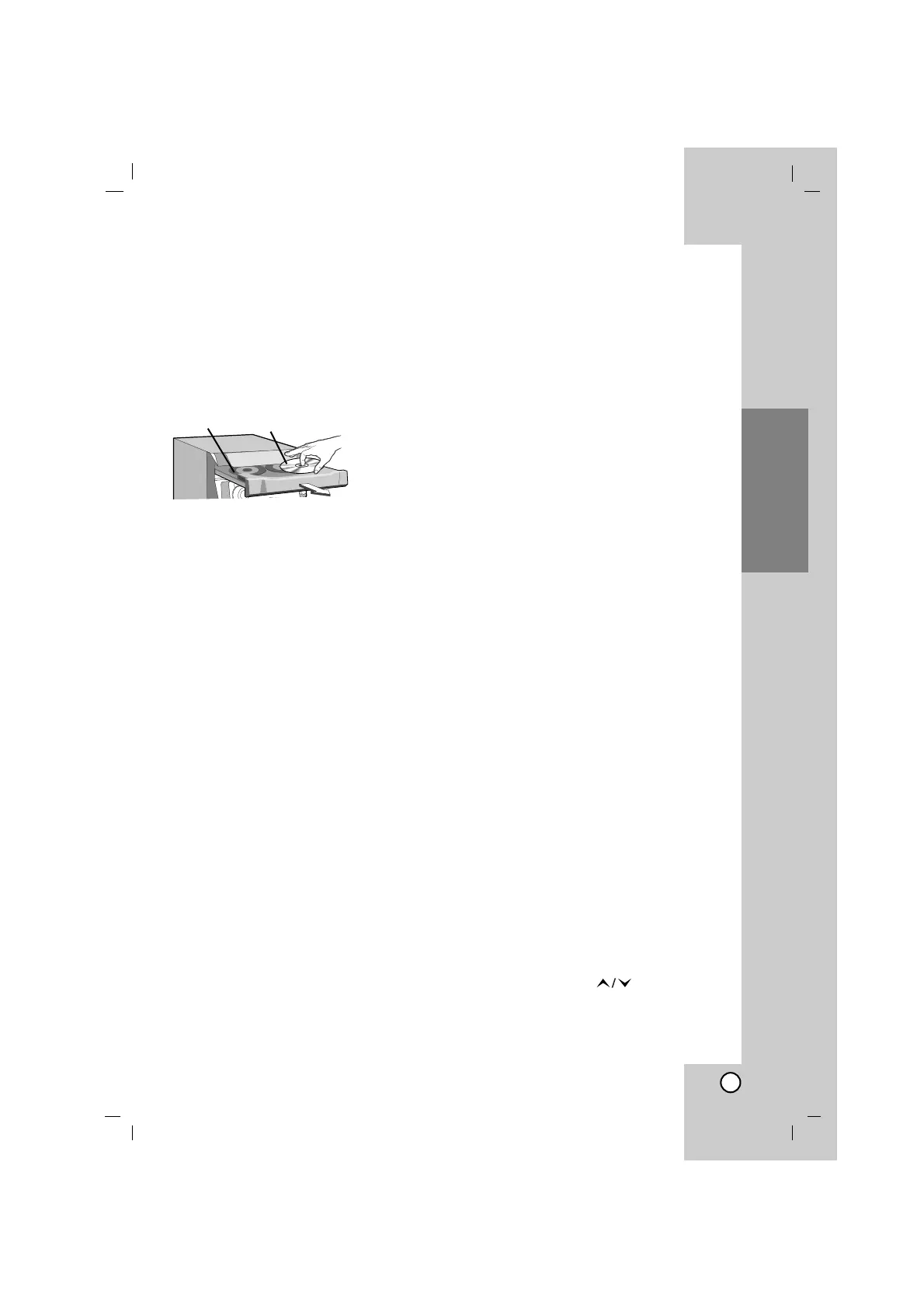
2. Press Z OPEN/CLOSE and place the disc
into the disc tray.
The disc on the left (DISC 1) is played first.
Note:
To load an 8cm (3 inch) disc, put it onto the inner
circle of the tray.
3. Press Z OPEN/CLOSE to close the disc
compartment.
Audio CD : “READING” appears in the dis-
play window, and then the total
number of tracks and the playing
time are displayed.
MP3/WMA CD : “READING” appears in the
display window, and then
the total number of files is
displayed.
4. Press PLAY (
BB
) on the front panel or
PLAY/PAUSE (
BB
/
[[]]
)
on the remote control
.
In addition, you can also play an Audio CD
or MP3/WMA CD using the NUMERIC
buttons.
Pause Playback
Press
CD
[[]]
on the front panel or PLAY/PAUSE
(
BB
/
[[]]
) on the remote control during playback.
Press this button again to resume play.
Stop Playback
Press
xx
STOP on the front panel or CD STOP(
xx
)
on the remote control during playback.
Searching a Track
Press .bb/BB> on the front panel, and
then press once more at the point you want.
Or hold .bb/BB> on the remote control
during playback, then release at the point you
want.
Note:
This function is only available for Audio CD’s.
Skipping a Track
• Press BB> to go to the next track.
• When the .bb on the remote control is
pressed once midway through a track, the
player returns to the start of that track.
When it is pressed again, a track is skipped
each time the button is pressed.
To go to the next discs
Press DISC SELECT or D.SKIP during playing
or stopping.
To select a disc directly
Press DISC SELECT or D.SKIP during playing
or stopping.
When you press DISC 1-3 before playing a disc,
the unit will automatically start playing the select-
ed disc.
To exchange discs during playback
You can open the disc tray while playing a disc
to check what discs are to be played next and
exchange discs, without interrupting playback of
the current disc.
1. Press Z OPEN/CLOSE.
The disc tray is opened. Two disc compart-
ments appear. Even if the unit is playing a
disc, it doesn’t stop playing.
2. Replace discs in the compartments with other
ones.
The unit plays the disc in the left compart-
ment after the current disc, and then the
one in the right compartment.
3. Press Z OPEN/CLOSE.
The CD door closes.
Notes:
• Do not place more than one disc on one disc
tray at the same time.
• Do not push on the disc tray to close CD door,
you may damage the unit.
RANDOM
Press RANDOM on the remote control during
playback. The tracks/files on the CD/MP3/WMA/
USB (in the USB supplied models) will all play in
random order.
“RANDOM” appears in the display window.
To cancel it, press RANDOM again.
MP3/WMA file folder function
Press PRESET/FOLDER ( ) on the remote
control to select the folder you want.
Note:
It is applied in the case that has several folder in
MP3/WMA file.
With the label side upDISC 1



 To Next Page