14
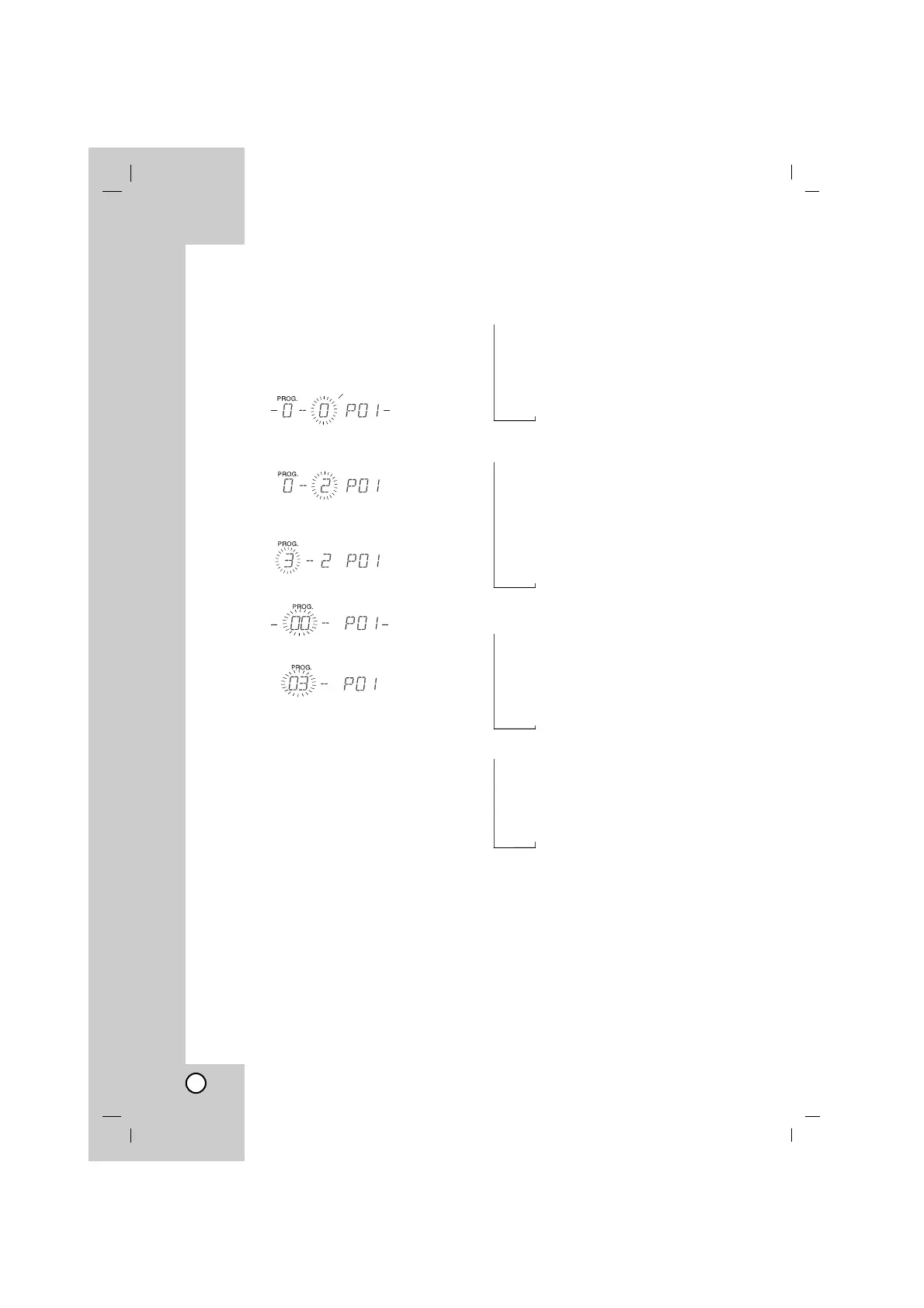
To Program Play
You can arrange the order of the tracks on the
discs and create your own program. The pro-
gram can contain up to 20 tracks.
1. Press PROGRAM/MEMO on the remote
control on stop mode.
“PROG.” appears in the display window.
a. Audio/MP3/WMA CD
1) Press D.SKIP or DISC SELECT (DISC
1/2/3) to select the disc.
2)
Press
.bb/BB>
to select the
track.
b. USB (in the USB supplied models)
-
Press
.bb/BB>
to select the file.
2
.
Press PROGRAM/MEMO.
3. Repeat the steps 1 - 2 above.
4. Press PLAY/PAUSE (
BB
/
[[]]
)
on the remote
control
or PLAY (
BB
) on the front panel.
To check program contents
Press PROGRAM/MEMO on stop mode.
- The disc, track and program number will be
displayed in the display window.
To clear program contents
Press PROGRAM/MEMO on stop mode. And
then press CD STOP(
xx
).
To add program contents
1.
Press
PROGRAM/MEMO
repeatedly in the
program stop mode until the Track Number
blinks.
2. Repeat the steps 2 - 4 above.
To modify program contents
1. Press PROGRAM/MEMO to display the
program number you want to modify.
2. Repeat the steps 2 - 4 above.
Repeat
Press REPEAT during playback.
Audio CD
REPEAT : To play one track repeatedly.
REPEAT DISC : To play one disc repeatedly.
REPEAT ALL DISC :To play all tracks on all
discs repeat.
OFF(No display) : To cancel repeat play.
MP3/WMA
REPEAT : To play one file repeatedly.
REPEAT FOLDER :To play one folder
repeatedly.
REPEAT DISC : To play one disc repeatedly.
REPEAT ALL DISC :To play all files on all discs
repeat.
OFF(No display) : To cancel repeat play.
USB (in the USB supplied models)
REPEAT : To play one file repeatedly.
REPEAT FOLDER :To play one folder
repeatedly.
REPEAT ALL : To play all files repeatedly.
OFF(No display) : To cancel repeat play.
Program repeat play
REPEAT : To play one track (file)
repeatedly.
REPEAT ALL DISC(CD)
or REPEAT ALL(USB) : To play all program
repeatedly.
OFF(No display) : To cancel program repeat
play.
To check MP3/WMA file information
Press INFO during MP3/WMA file playback.
- The information (Title, Artist or Album) of the
MP3/WMA file will be shown in the display
window.
- If there is no the information of the MP3/WMA
file, “NO ID3 TAG” or “NO WMA TAG” indicator
will be shown in the display window.
Note:
This unit can play a CD-R or CD-RW that
contains audio titles or MP3/WMA files.
Track Number Program number
file Number Program number
Disc Number
→
→→→
→
→→ →
→
→→
→
→→ →→



 To Next Page