6
Connections
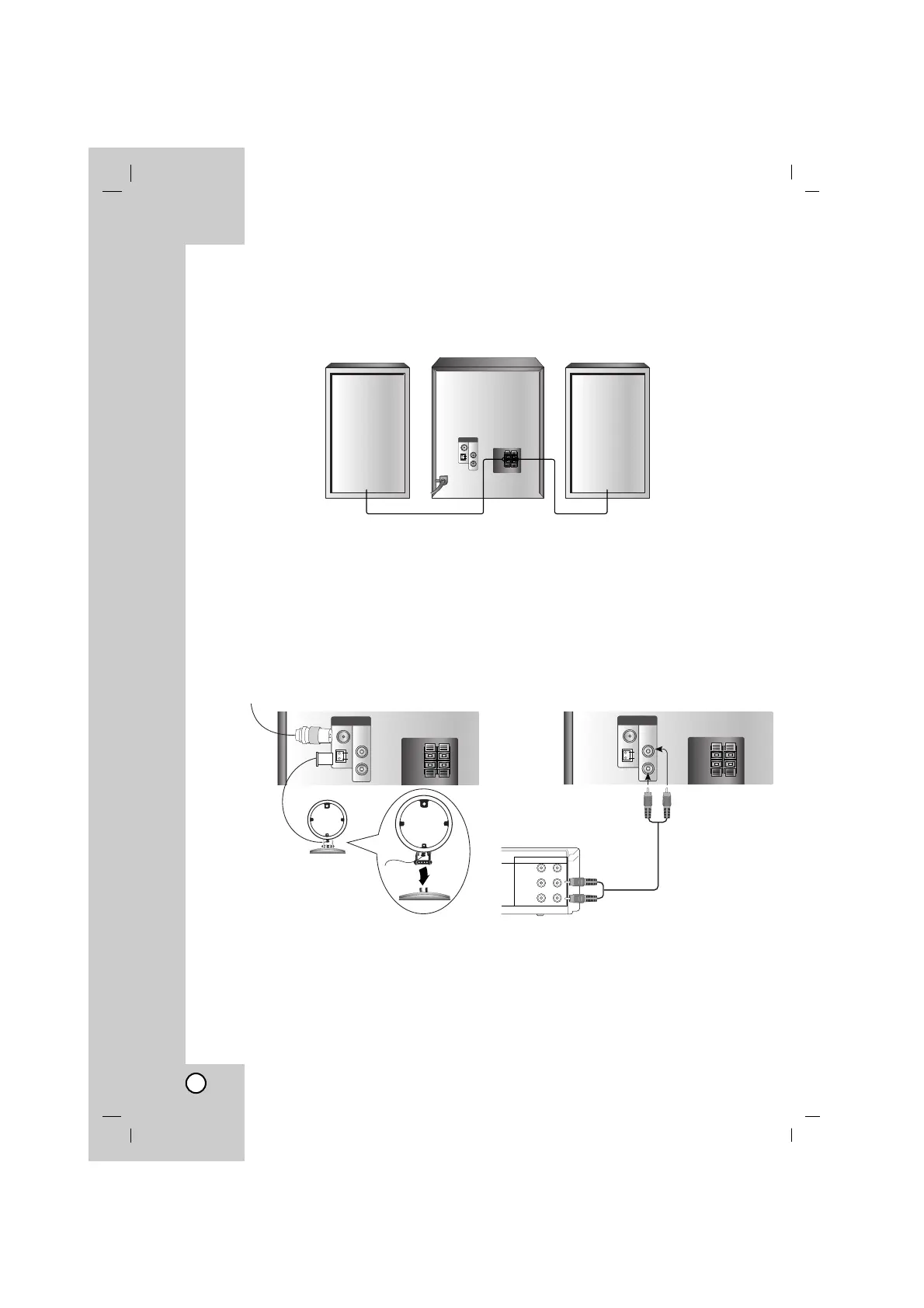
Speaker System Connections
Connect the speaker cables to the speaker terminal.
Notes:
• Be sure to match the speaker cord to the appropriate terminal on the components: + to + and – to –.
If the cords are reversed, the sound will be distorted and will lack base.
• If you use front speakers with low maximum input rating, adjust the volume carefully to avoid exces-
sive output on the speaker.
• Connect the Left/Right speaker correctly. If it reversed, the sound may be distorted.
Front speaker
(Right)
Front speaker
(Left)
Antenna (Aerial) Connections
Connect the supplied FM/AM antennas for
radio reception.
Notes:
• To prevent noise pickup, keep the AM loop
antenna away from the unit and other compo-
nents.
• Be sure to fully extend the FM wire antenna.
• After connecting the FM wire antenna, keep it
as horizontal as possible.
Auxiliary Function
Connect an auxiliary device such as a TV or VCR
via the rear mounted AUX connector and press
FUNCTION.
Note:
Turn the unit off and then connect an auxiliary
device before you connect an auxiliary device.
Because it may be made a noise.
Auxiliary Device
To AUDIO out
To AUDIO in
FM wire antenna (supplied)
AM(MW)
loop antenna
(aerial) (supplied)
For AM(MW) reception,
connect the loop antenna
(aerial) to the terminal marked AM.



 To Next Page