32
Listening to the radio
Be sure that the FM antenna is connected.
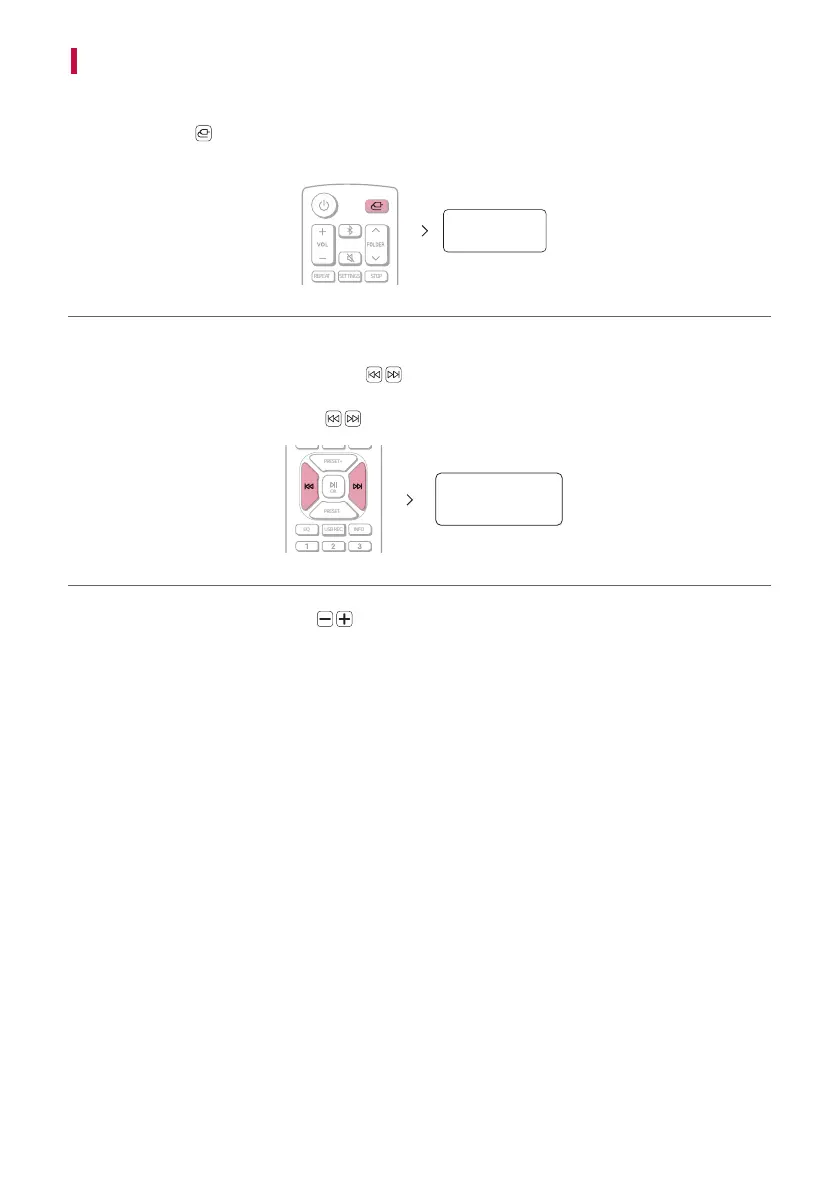
a Press Function
button repeatedly until “FM” appears in the display window. The last received station is
tuned in.
FM
b Tune in the following way,
- Auto tuning: Press and hold Skip/Search
button on the remote control until the frequency indication
starts to change, then release. Scanning stops when the product tunes in a station.
- Manual tuning: Press Skip/Search
button on the remote control repeatedly.
PRESET+
OK
PRESET-
EQ USB REC. INFO
101.05
c Adjust the volume by pressing VOL on the remote control or turns the VOLUME knob of the receiver.


 To Next Page