45
Connecting to a USB Storage Device
Enjoy high-quality sound by connecting a USB storage device containing music files to the product.
Connecting the product to a USB storage device
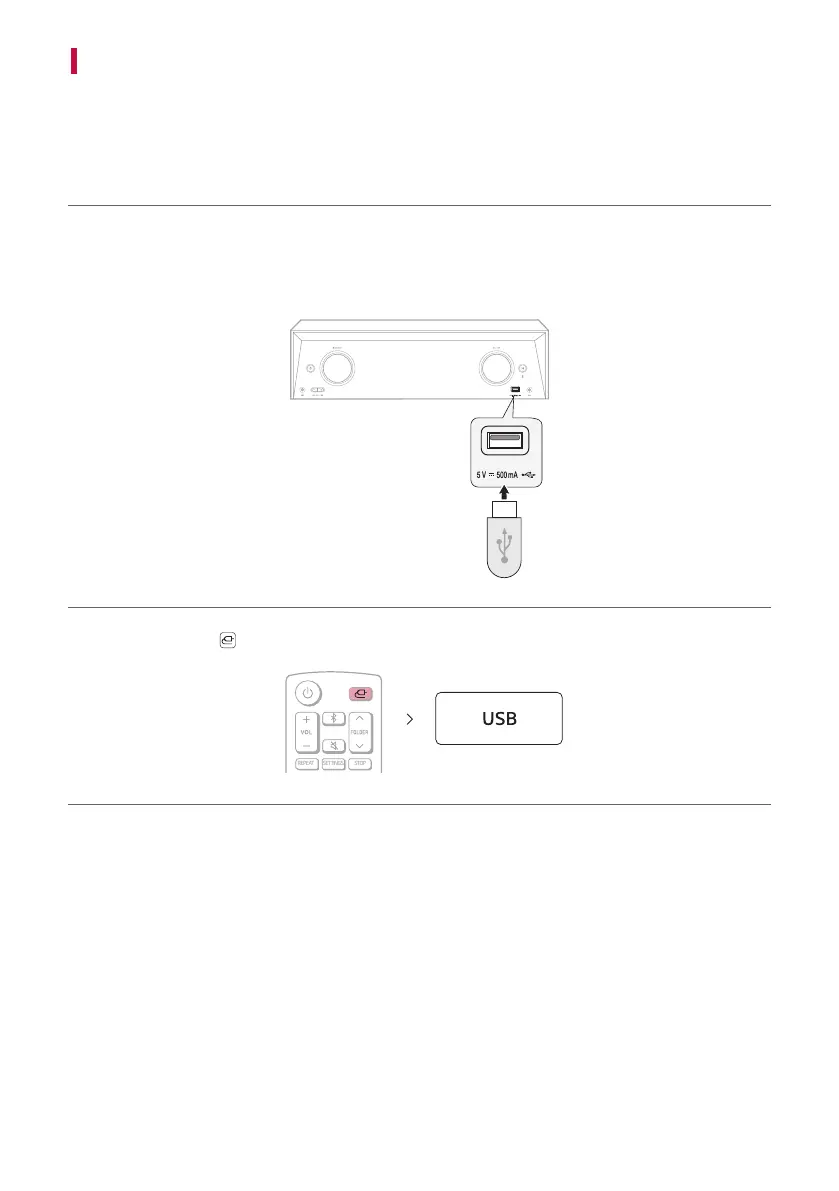
a Plug the USB storage device into the USB port on the front of the receiver.
• The product cannot play any devices connected via a USB storage device hub or a USB storage device cable.
• The product cannot be connected to any USB storage device, USB type MP3 player, or card reader that
requires a separate device drive to be installed.
b Press the Function button repeatedly until “USB” appears on the status display.


 To Next Page