48
Recording to USB
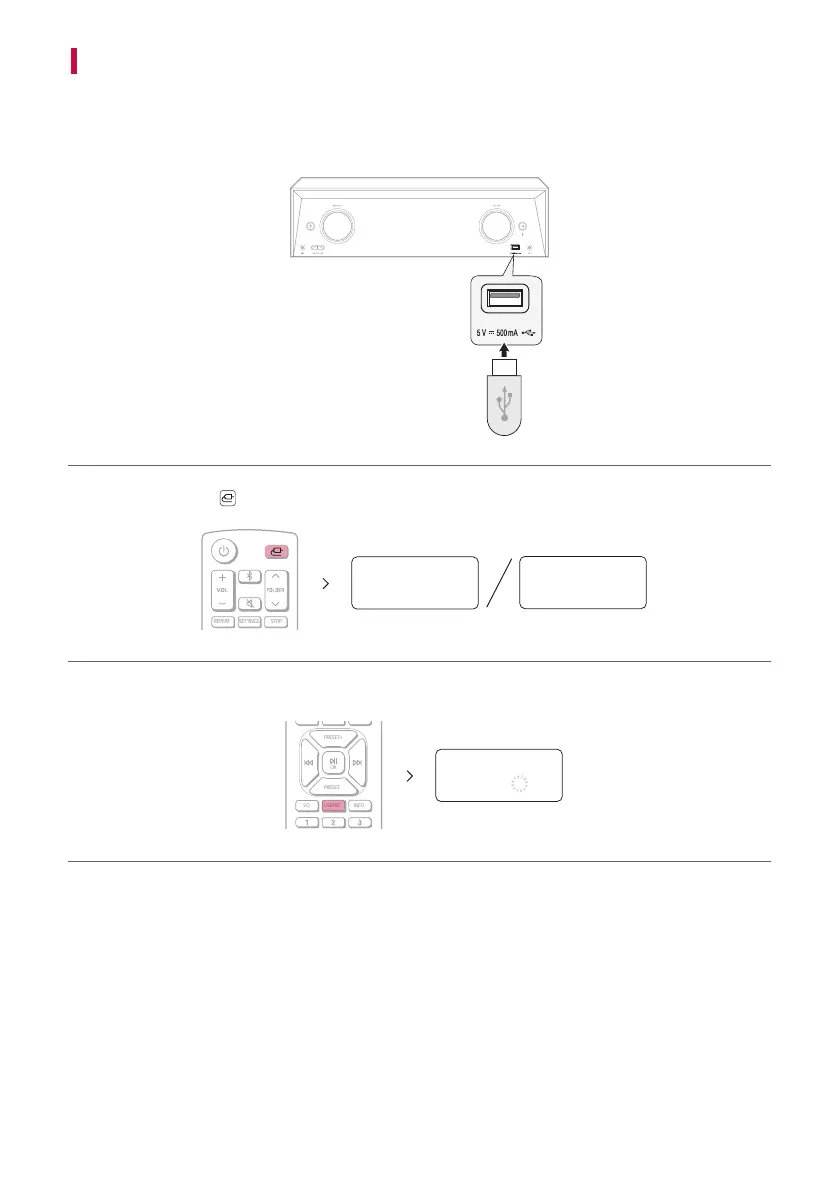
You can record music or sound source to USB device by connecting in to the port on the receiver. (Can be used
only when AUX, FM function)
a Connect the USB device to the receiver.
b Press the Function button to select a function (AUX or FM) you want to record.
AUX
FM
c Start the recording by pressing USBREC. on the remote control. When recording in progress, “.” only blinks.
PRESET+
OK
PRESET-
EQ USBREC. INFO
REC .
USBREC.


 To Next Page