2-22
ONE POINT REPAIR GUIDE
21. WIRELESS WOOFER CONNECTION DOESN’T WORKING
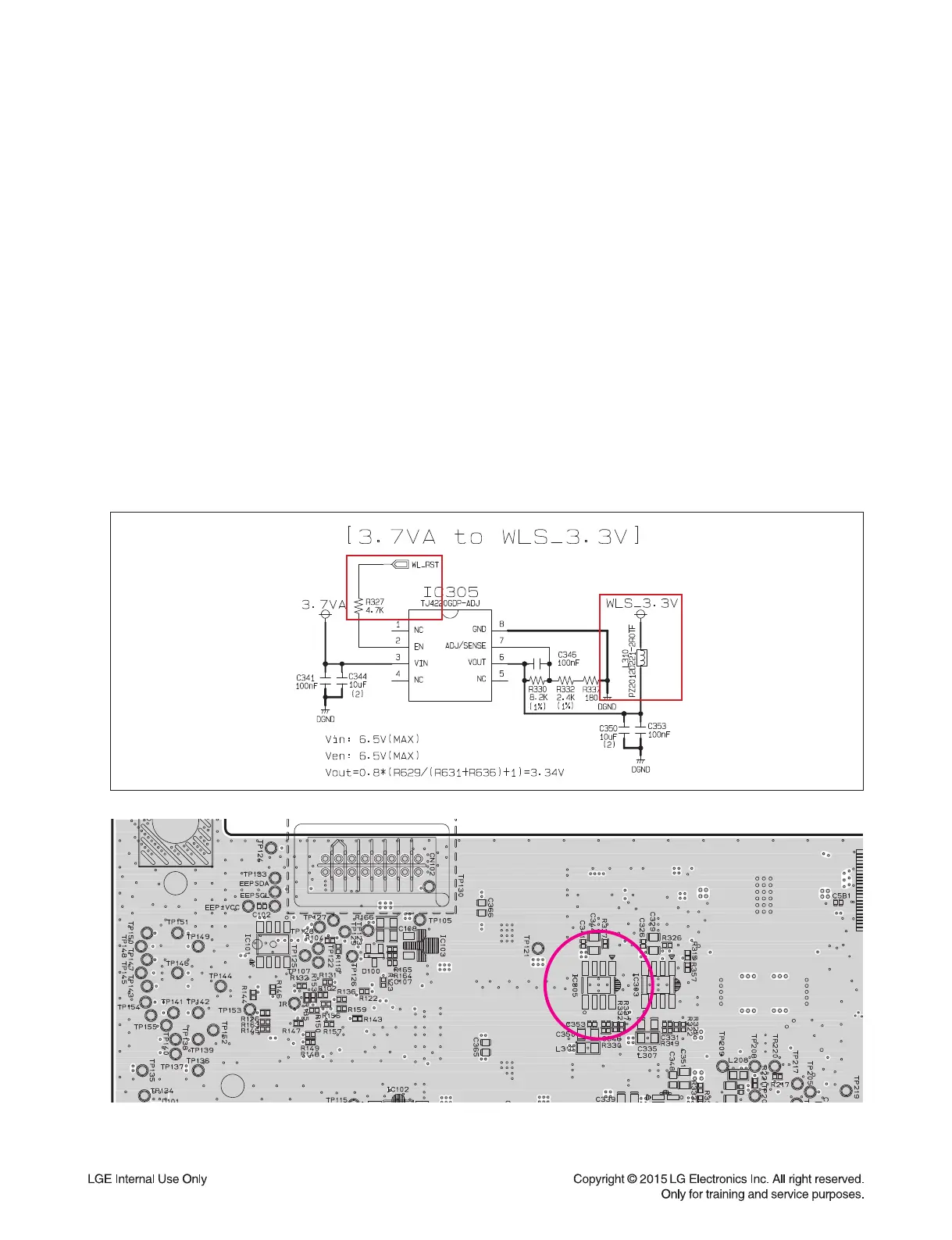
21-1. Wireless module and IC305
21-1-1. Solution
Replace Wireless module or IC305 on MAIN board.
21-1-2. How to troubleshoot (Countermeasure)
1) Try to connect MAIN set and subwoofer according to the factory reset step.
2) If it is OK, change the wireless module, and try again.
3) If it still doesn’t work, check WLS_3.3V (L310).
4) If It is abnormal, check 3.7 VA of IC305 pin3.
If it is weird, follow the stage 4-1 (IC309).
5) If it is OK, check the state of WLS_RST (R327).
If it is low state, follow the stage 9-1 (IC100).
If it is OK, replace IC305.
21-1-3. Service hint (Any picture / Remark)
< MAIN board bottom view >
IC305



 To Next Page
 Loading...