Operating 29
Operating
4
Wi-Fi Direct™ Connection
Connecting to a Wi-Fi Direct™
certified device
This player can play movie, music and photo les
located in a Wi-Fi Direct™ certied device. The Wi-Fi
Direct™ technology make the player to be directely
connected to a Wi-Fi Direct™ certied device
without connecting to a network device such as an
access point.
1. Set the [Wi-Fi Direct] option on the [Setup]
menu to [On] (page 25).
2. Press HOME (
n
).
3. Select [Movie], [Photo] or [Music] using
W/S/
A/D
, and press Center button.
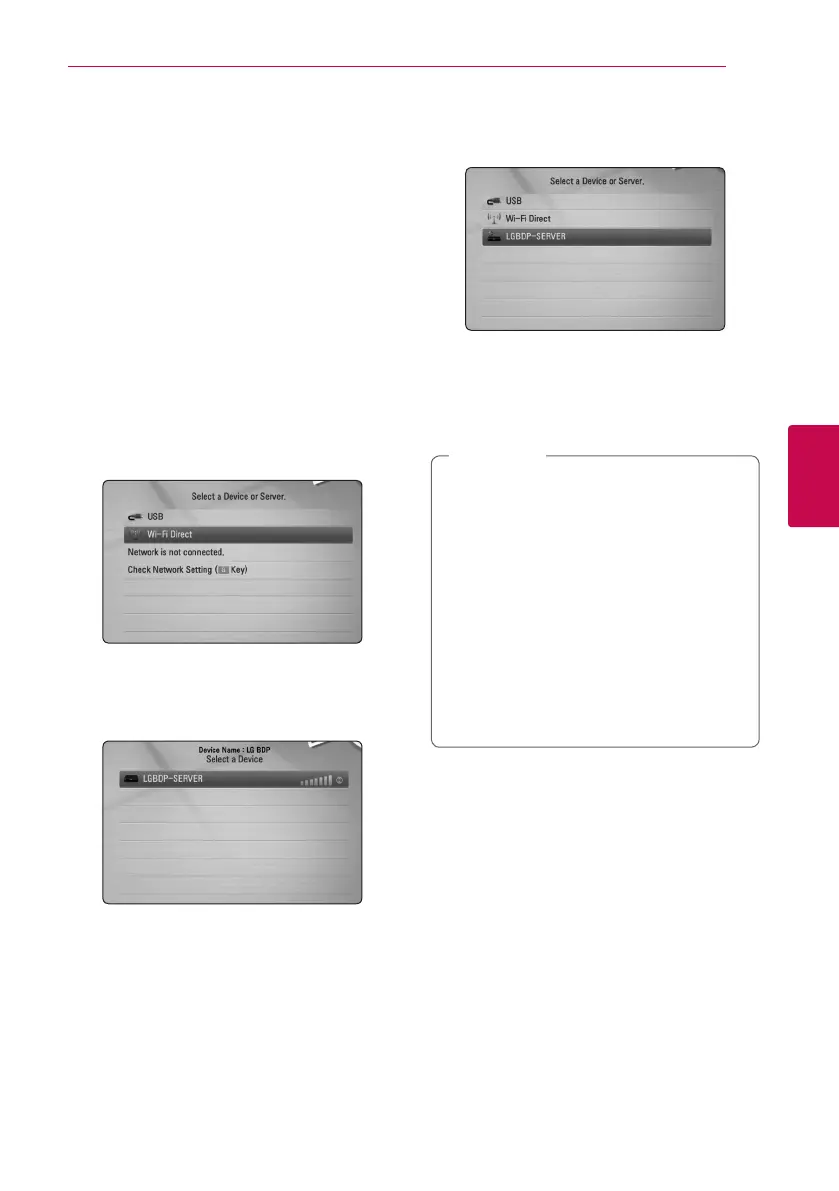
4. Select [Wi-Fi Direct] option using
W/S
, and
press Center button.
5. Select a Wi-Fi Direct™ device on the list using
W/S
, and press Center button.
Wi-Fi Direct™ connection will be automatically
proceeded.
If the Wi-Fi Direct™ device supports the PIN
Code conguration method based on WPS(Wi-
Fi Protected Setup), select a device on the list
and press yellow (Y) coloured button. Note the
PIN number on the screen. And then, enter the
PIN number on a setting menu of the device to
connect.
If you want to rescan available Wi-Fi Direct™
device, press the green (G) coloured button.
6. Select a server that shared from the connected
Wi-Fi Direct™ device using
W/S
, and press
Center button to navigate the server.
To select a server from the device list, les or
folders must be shared by DLNA server from the
connected Wi-Fi Direct™ device.
7. Select a le using
W/S/A/D
, and press
Center button to play the le.
y
For the purpose of the better transmission,
placing the player from the Wi-Fi Direct™
certied server as close as possible.
y
This unit can connect only 1 device at a
time. Multiple connection is not available.
y
If you try to connect wireless network while
a device is connected by Wi-Fi Direct™
function , Wi-Fi Direct™ connection will be
force disconnected.
y
If this player and a Wi-Fi Direct™ device
are connected to the dierent local area
network, Wi-Fi Direct™ connection may not
available.
,
Note



 To Next Page