Operating 43
Operating
4
Plug-in installation
You can enjoy a various media on the web by
installing the plug-in.
1. Press HOME (
n
).
2. Select the [Media Link] using
W/S/A/D
,
and press Center button.
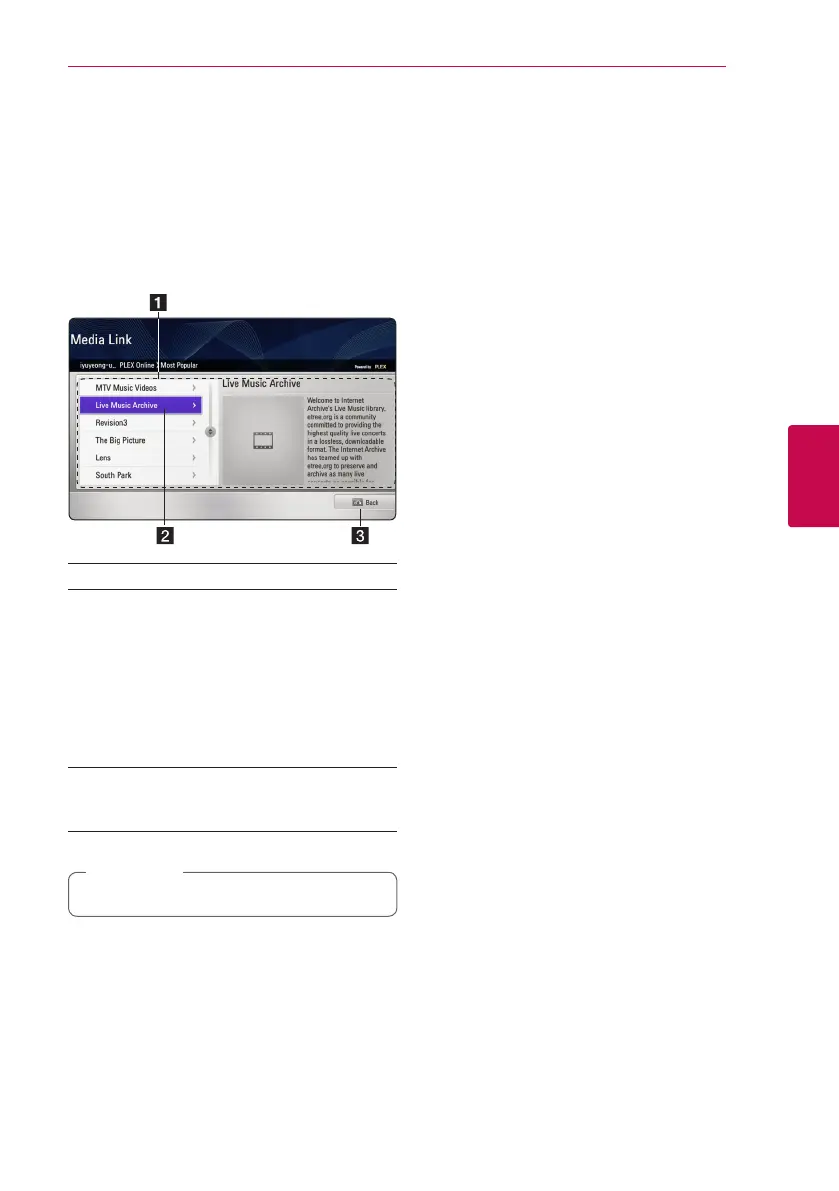
3. Select a Plug-in section using
A/D
, and press
Center button.
a Shows available plug-in list.
b If you move the pointer to plug-in you want,
the information of plug-in will be displayed.
In case of installed plug-in: it can be run,
update, reinstalled or deleted.
In case of uninstalled plug-in: it can be
installed
The installed plug-ins can be run from the
video, music or picture plug-in.
c Moves to the previous screen.
You can also use BACK(
x
) on the remote
control.
Some plug-in may not work properly.
,
Note



 To Next Page