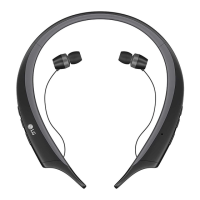
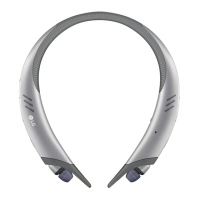
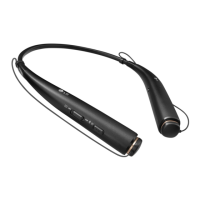
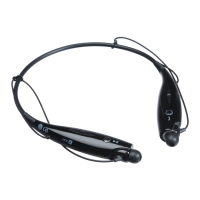
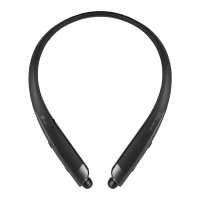
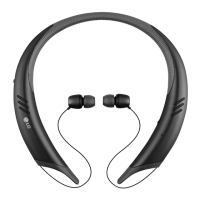
Specications and Features
Item Comments
Bluetooth Specications
V 4.2 (Headset/Hands-Free/A2DP/AVRCP)
Battery Battery 3.7 V / 120 mAh * 2, Lithium-ion polymer
Standby Time Up to 430 hours*
Talk Time Up to 13 hours* (When in Speaker mode: 9.5 hours)
Music Play Time Up to 12 hours* (When in Speaker mode: 6 hours)
Charging Time Approximately 2 hours
Rated Input Voltage DC 4.75 V ~ 5.3 V, 400 mA
Operating Temperature -10°C (+14°F) ~ +50°C (+122°F)
Dimensions/Weight 5.7" (W) X 5.8" (L) X 0.7" (H) / 2.1 oz
Operating Frequency 2402 MHz to 2480 MHz
*Certain features may use more power and cause actual time to vary.
Play Power on Briey press the Play/Pause/Stop button.
Pause Music on Briey press the Play/Pause/Stop button.
Stop Music on Press and hold the Play/Pause/Stop button for 1 second.
Next Song Music on Briey press the Next ( ) button.
Previous Song Music on Briey press the Previous ( ) button.
Fast Forward Music on Press the Next ( ) button.
Rewind Music on Press the Previous ( ) button.
Equalizer Settings Music on
Briey press the Play/Pause/Stop button twice.
(The Equalizer Mode cannot be changed in Speaker Mode.)
Troubleshooting
Problems Solutions
The power does not
turn on
Check the battery level and charge it.
Cannot make a call with
the HBS-A100
If the mobile phone does not support headset and hands-free functions,
you cannot use the calling features.
Check the battery level and charge it.
Cannot register the
HBS-A100 to the mobile
phone
Check whether the HBS-A100 is turned on.
Check whether the HBS-A100 is in Search mode.
- Simultaneously press and hold the Call button and slide the
Power switch to the ON position and the HBS-A100 switches
to Search mode.
The sound is low Control the sound level of the device connected to the HBS-A100.


 To Next Page