EasyManua.ls Logo

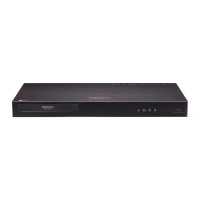
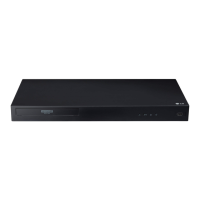
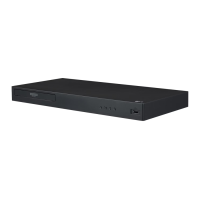
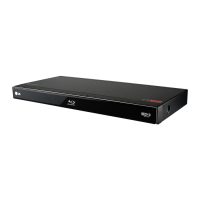
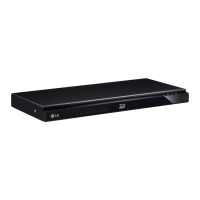
LG UP970 - User Manual

LG UP970
60 pages
Print Icon
To Next Page IconTo Next Page
Loading...
OWNER’S MANUAL
Ultra HD
Blu-ray Disc™
Player
Please read this manual carefully before operating
your set and retain it for future reference.
MODEL
UP970
www.lg.com
Copyright © 2017 LG Electronics Inc. All Rights Reserved.

Table of Contents

Other manuals for LG UP970

Questions and Answers

  • T
    taylorjohnSep 8, 2025
    Why can't my LG Turntable play movie, photo, or music files?
    • A
      Amanda BowmanSep 9, 2025
      If your LG Turntable can't play movie, photo, or music files, the files may not be recorded in a format that the unit can play, or the unit might not support the codec of the movie file.
  • U
    ubutlerSep 12, 2025
    What to do if LG Turntable cannot connect to the access point or wireless LAN router?
    • M
      Micheal HansenSep 12, 2025
      If your LG Turntable cannot connect to the access point or wireless LAN router, wireless communication may be interrupted by household devices using radio frequencies. Try moving the player away from these devices.
  • S
    Sarah GeorgeSep 12, 2025
    Why is the access point not displayed on the 'Access point name' list of my LG Turntable?
    • R
      Ricardo LeSep 13, 2025
      If the access point isn't displayed on the 'Access point name' list of your LG Turntable, the access point or wireless LAN router may not be broadcasting its SSID; set your access point to broadcast its SSID through your computer. Alternatively, your network device may not be set with an available frequency range and channel that this player can support; try adjusting the frequency range and channel on the network device settings.
  • M
    Michael MckinneySep 15, 2025
    How to enable 3D view on LG Turntable Blu-ray 3D disc playback?
    • S
      Samuel TaylorSep 15, 2025
      If Blu-ray 3D disc playback on your LG Turntable doesn't output 3D views, connect the player to your TV with an HDMI cable (Type A, High Speed HDMI™ Cable). Ensure your TV supports “HDMI 3D mandatory format”. Also, check that the [3D Mode] option in the [Settings] menu is set to [On], not [Off].
  • G
    Gregory ElliottSep 17, 2025
    Why the angle cannot be changed on LG Turntable?
    • J
      John RodgersSep 17, 2025
      The angle cannot be changed on LG Turntable because multi-angles are not recorded on the DVD Video being played.

Summary

Getting Started

Safety Information

Important safety precautions and warnings for operating the player.

Introduction and Disc Information

Overview of the player, playable discs, symbols, and regional codes.

Connecting

Connecting to TV and Amplifiers

Guides for connecting the player to TVs and audio amplifiers via HDMI.

Network Connection Setup

Instructions for setting up wired and wireless network connections for the player.

System Setting

Initial Setup and Menu Navigation

Guide to the initial setup wizard and navigating the Settings menu.

Audio, Display, and Network Settings

Configuration of network, display, audio, language, and lock settings.

Operating

Disc and File Playback

Guides for playing discs, files from USB/Android, and Blu-ray 3D.

Playback Controls and Settings

Basic and advanced playback operations, on-screen display, and audio/subtitle selection.

Advanced Features and Online Services

BD-Live functionality, Premium services, and 3D file playback.

Troubleshooting

Unit, Network, and Picture Issues

Solutions for common problems related to unit operation, network, and video display.

Customer Support and Software Information

Guidance on obtaining software updates and contacting support.

Appendix

Remote Control and Software Updates

Instructions for controlling the TV with the remote and updating player software.

File Formats and System Specifications

Supported file formats, system requirements, audio specs, and technical specifications.

Maintenance and Notices

Guidelines for unit maintenance, disc handling, and important notices.

LG UP970 Specifications

General IconGeneral
3DYes
Depth205 mm
Width430 mm
Height45.5 mm
Weight1630 g
Device typeBlu-Ray player
Product colorBlack
Audio decodersDTS, DTS 2.0, DTS-HD Master Audio, Dolby Digital, Dolby Digital Plus, Dolby TrueHD
Package weight2590 g
AC input voltage220 - 240 V
Progressive scan-
AC input frequency50 - 60 Hz
Disc types supportedBD, BD-R, BD-RE, CD, CD-R, CD-RW, DVD, DVD+R, DVD+RW, DVD-R, DVD-ROM, DVD-RW
Playback disc formatsBlu-Ray audio, Blu-Ray video, CD audio, CD video, DVD-Audio, DVD-Video
Supported video modes1080p
Card reader integratedNo
USB 2.0 ports quantityUSB 2.0 ports have a data transmission speed of 480 Mbps, and are backwards compatible with USB 1.1 ports. You can connect all kinds of peripheral devices to them.
Audio formats supportedAAC, FLAC, LPCM, MP1, MP2, MP3, WMA
Image formats supportedGIF, JPEG, PNG
Video formats supported3GP, AVC, AVCHD, DAT, DIVX, DIVX HD, FLV, M4V, MKV, MOV, MP4, MPEG1, MPEG2, MPEG2-PS, MPEG2-TS, RMVB, TS, VC-1, VOB, WMV
Digital audio coaxial out0
Digital audio optical out1
Analog signal format systemNTSC, PAL
Power consumption (standby)0.5 W
Network streaming services supportedNetflix, YouTube
Audio output channels- channels
Depth (imperial)8.1 \
Width (imperial)16.9 \
Height (imperial)1.8 \
Remote control typeLG Remote App

Related product manuals