USER MANUAL - SS0407E / SS0507E / SS0607E / AS0607 / AS0607W / AS0607WE / AS0607E / AS0608 / AS0608E
25
4.4 Historical fault status
1) The controller can display the last 10 fault alarm codes. Press the right handlebar button on top of the lever
and press and hold for 10 seconds (do not press the dead man switch on the lever) to log in to the historical
fault status. See g. 3.
2) Press the left push button to see the previous fault code until the rst fault code is reached.
Press the right-hand steering wheel to display the historical fault code in reverse order until the last fault code
is reached. For the fault codes, see the top table.
3) Press the EMERGENCY button on the lever to restore normal operation status.
4.5 Normal operation status
Once every expected parameter setting has been made, the machine can operate normally according to the setting
values.
Forward and backward movement of the platform in transport position
Place the key switch in the platform control position, pull out the emergency stop switches on the chassis and the
platform controls and press the “driving” button on the PCU. Press the dead man switch on the lever and move the
machine forwards or backwards by moving the lever forwards or backwards. The further the lever is pushed (forwards
or backwards), the faster the machine moves. Turn the machine to the left or right by pressing the left or right
steering knob at the top of the lever.
Raising or lowering the platform
When the machine is stationary and in platform mode, press the "lifting" (raise) button on the PCU. The platform can
be controlled by moving the lever: Press the dead man switch on and push the lever forward to lift the machine. Press
the dead man switch and push the lever backwards to lower the machine.
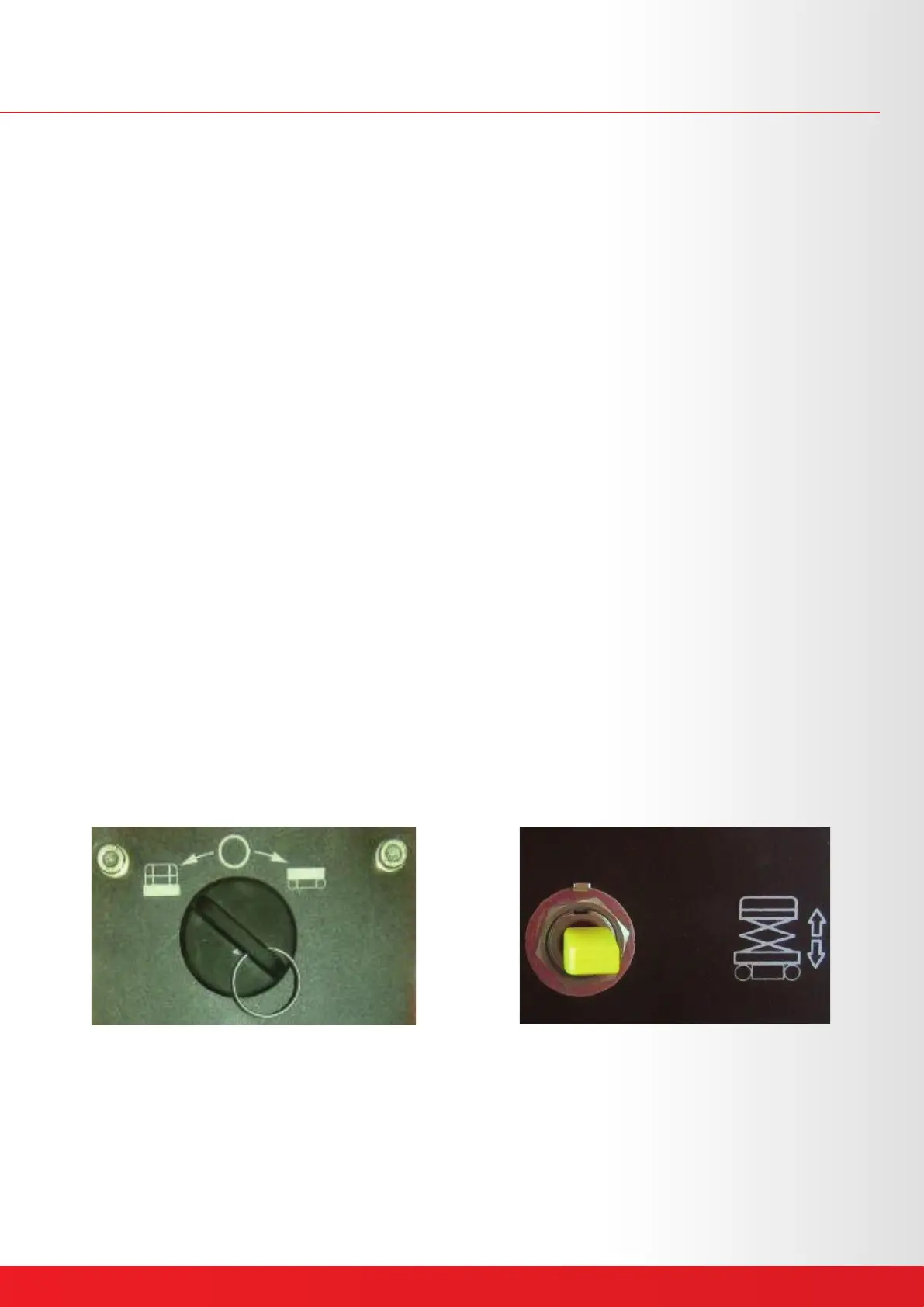
Operation of the chassis control panel on the ground: place the key switch on the chassis control position. As soon as
the chassis control mode has started, the display on the platform ashes the letters "CH". In this case, the platform
can be raised or lowered by pressing the toggle switch on the chassis control panel.
Fig. 22 Chassis control position Fig. 23 Toggle switch
Machine operation after lifting machine
When the platform is out of transport position, the operating method is the same as in transport position. For safety
reasons, the machine cannot be moved as fast, either forward or backward. Press the "driving" drive button and
operate the lever as above.
Chapter 4 - Operation



 To Next Page