Changing the Fuse
The LI-840A power supply is protected by a 2A 250V, 5 × 20 mm fast-blow type fuse located
inside the case. If the battery fails to power the LI-840A, and will not light the Power LED on
the top panel, check to see if the fuse has blown.
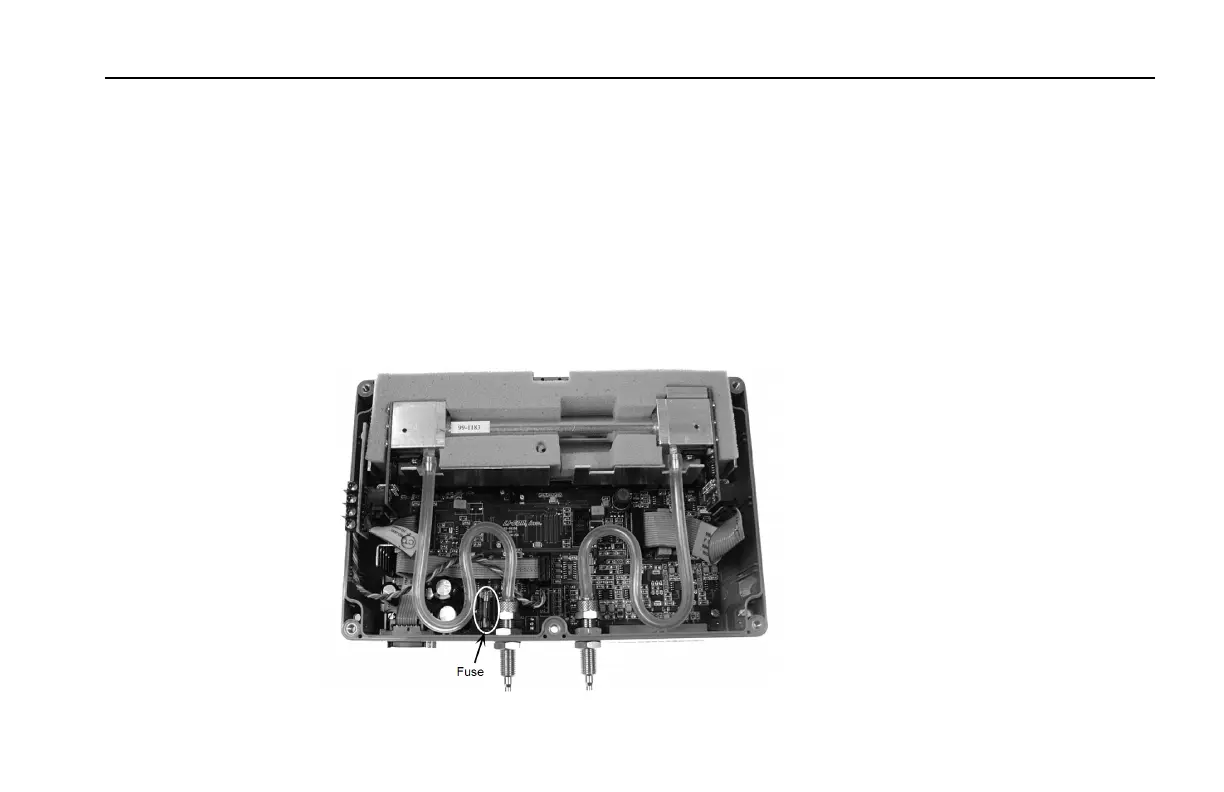
To check the fuse, remove the six screws on the top of the LI-840A. The fuse is located on the
main circuit board, near the Flow In port, as shown below. Replacement fuses (part #439-03952,
in the spares kit) plug into the fuse holder; no soldering is required. Replace the fuse and reas-
semble the LI-840A case.
5-5Section 5. Maintenance
Section 5



 To Next Page