NOTE: If installing the Liebert DCD on any type of rack other than the DCM, an adapter kit is necessary.
Follow the installation instructions included with the rack adapter kit for the specific rack. Once the
adapter kit and frame are installed, continue the installation, following the steps in Installing the Liebert
DCD Door on page22.
4.2 Installing the Liebert DCD Frame on a DCM Rack
4.2.1 Required Tools
• Phillips screwdriver, PH3
• Adhesive-backed foam (factory-supplied)
• Utility knife
• 8mm socket and driver
• Scratch awl
• Marker
• Adjustable wrench with a maximum adjustment size of 2 inches (51mm)
• Torque wrenches, 1-1/2in (38mm) and 1-7/16 (36mm)
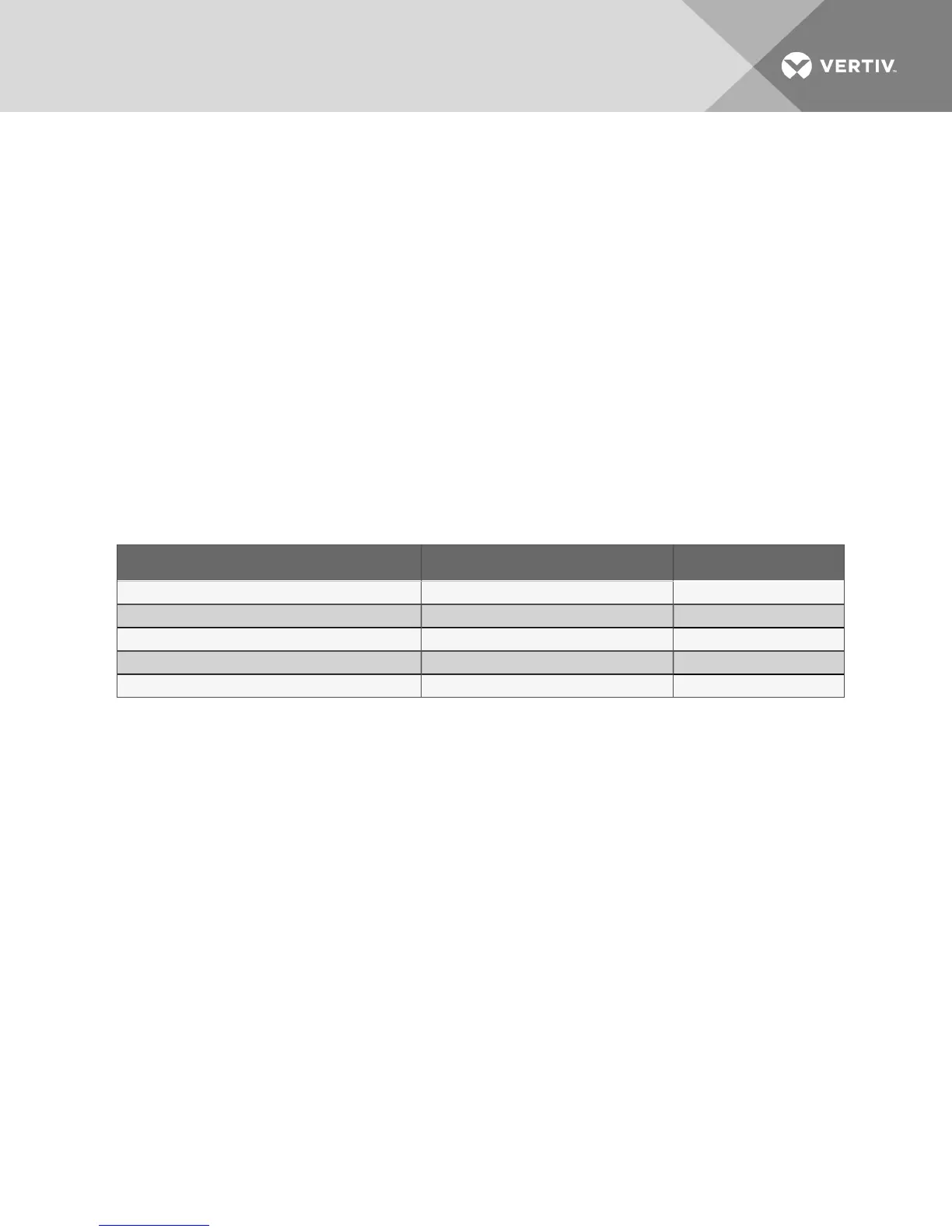
Part Name Liebert Part # Quantity
Spring Nuts 000782699 16
Diamond Nuts 000770869 7
Self-Adhesive Foam 309894P3 1
Bolts N/A N/A
Condensate Drain Kit N/A N/A
Table 4.1 Required factory-supplied parts
1. After removing the packaging, lift the Liebert DCD from the pallet or from the protective
material.
2. Align the frame of the Liebert DCD with the rear of the equipment rack.
• Bottom Chilled Water Connections: ensure that the chilled water connections are
pointing down (see on page3).
• Top Chilled Water Connections: rotate the frame 180°. Align the frame of the Liebert DCD
with the rear of the equipment rack.
3. Use a marker or scratch awl to mark the positions for the 17 bolts that will attach the frame to
the DCM (refer to Figure 4.1 on the facing page). Bolts will be inserted in:
• Five frame holes on the aluminum frame member on the door handle side of the rack.
• Three spring nuts near the top of the hinge side of the rack
• Three spring nuts near the bottom of the rack
• Three diamond nuts in the face of the rack’s top frame member
• Three diamond nuts in the face of the rack’s bottom frame member
Vertiv | Liebert® DCD™ User Manual | 18



 To Next Page