Initial Startup and Electrical Checks
19
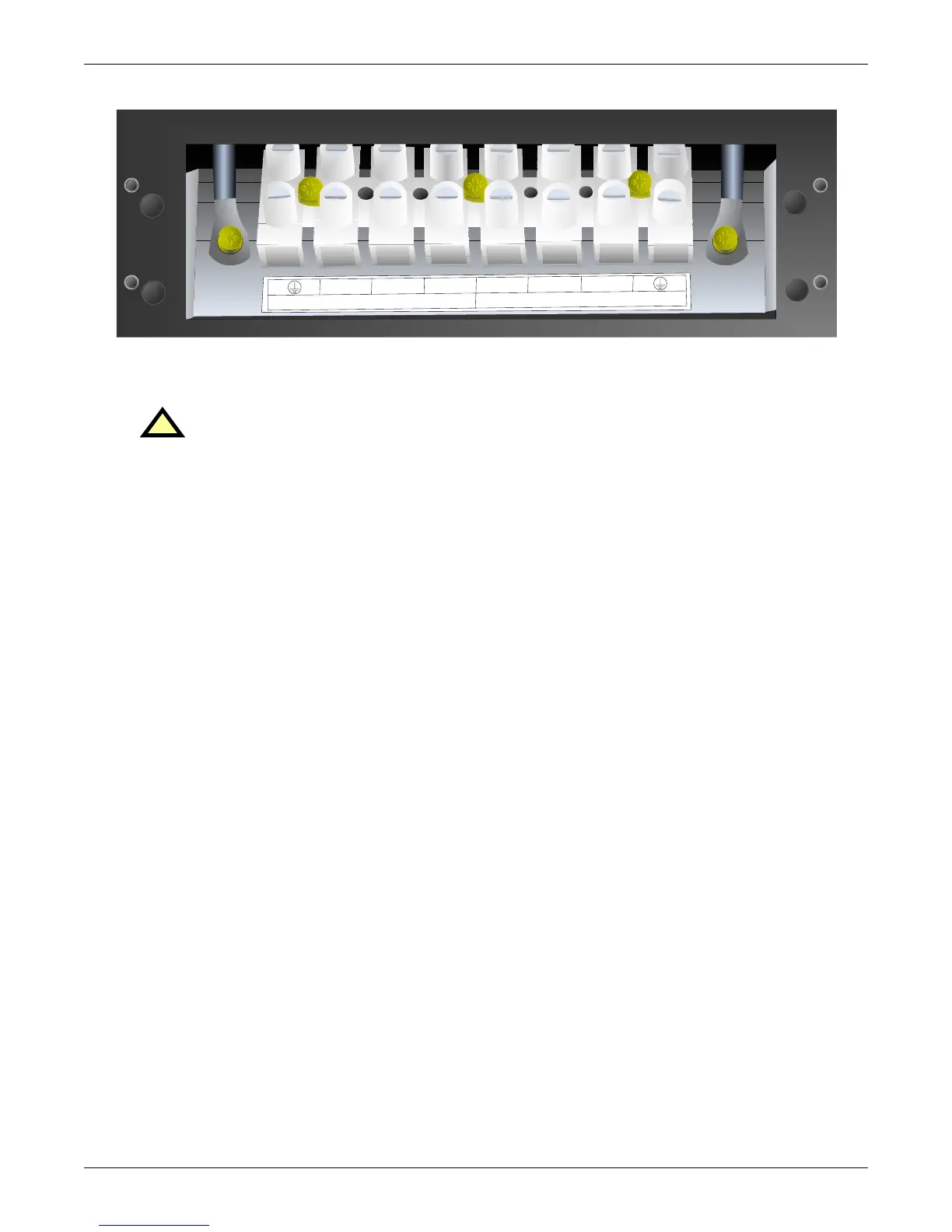
Figure 7 Hardwire terminal connections
7.2 Output Receptacle Distribution Options
1. Verify that the input feeder circuit breaker is off.
2. Verify that the input and output circuit breakers are off.
3. Verify the UPS is completely OFF.
4. Remove the four screws holding the blank access plate from the rear of the UPS.
5. Connect the four-position Anderson connector of the PD distribution into the mating connector
inside the UPS.
6. Using the same four screws, attach the PD distribution option to the rear of the UPS.
7. Verify all distribution circuit breakers are in the ON position.
8. Follow the initial startup procedures listed in 7.0 - Initial Startup and Electrical Checks.
!
WARNING
A qualified electrician should install the optional output distribution.
INPUT
L1
N
L2N
L1
L2
OUTPUT







 To Next Page