Liebert PSA itON Installation and User Manual
Software
5. Software
Free UPS Monitoring Software
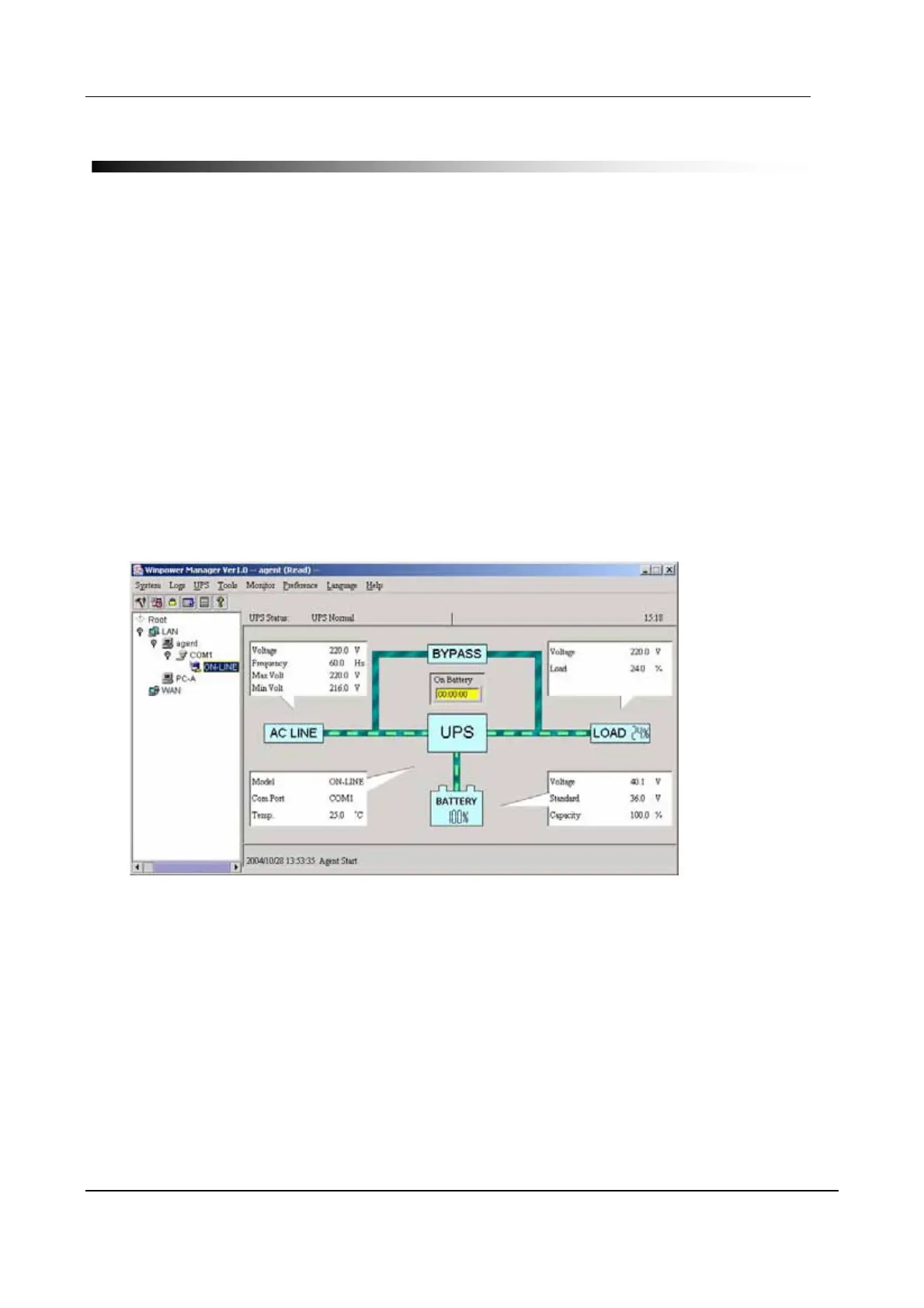
The UPS monitoring software, provides user-friendly interface to monitor and control your UPS.
This unique software provides safe auto shutdown for multi-computer systems during a power
failure. With this software, users can monitor and control any UPS on the same LAN no matter how
far from the UPSs.
Features:
• Saves files before shutdown occurs
• Scheduled system shutdown
• Graphic display of UPS status
• Warning notification via E-mail
• User-friendly interface
• Multi-language versions
Installation procedure:
1. Insert the CD into CD ROM.
2. Connect the software cable
3. Follow the on-screen instructions to install the software.
When your computer restarts, the software will appear as a green plug icon located in the
system tray, near the clock
Page 10 V2.8 Emerson Network Power


 To Next Page