26 Waver Mini Press User Manual Lifepro
PRODUCT
SPECIFICATIONS
MADE IN CHINA
UNIT SPECS
Size: 15.9”L x 13.5”W x 5.1”H
Net Weight: 23.1 lbs.
Power: 200W
Voltage: 110V
Amplitude: 0–10mm
Max User Weight: 264.5 lbs.
Frequency: 5–11 Hz
Speed Levels: 1–99
Preset Programs: P00–P09
Batteries Required:
2 AAA Batteries (not included)
Recovery + Fitness Collection 27 Recovery + Fitness Collection 27
TROUBLESHOOTING GUIDE
Quickly troubleshoot simple issues you might experience using the table below. Please contact us for
additional assistance at: support@lifeprofitness.com, or (732) 456-6063.
ISSUE MACHINE DOES NOT TURN ON
CAUSE Power cable is not plugged into a wall outlet.
SOLUTION Connect power cable to an outlet.
CAUSE Power switch is not flipped to the ON position.
SOLUTION Flip the Power switch on the front of machine to the ON position.
CAUSE Power cable is not securely plugged into the front of the unit.
SOLUTION Re-insert the power cable forcefully. You will hear a click when it is securely connected.
ISSUE REMOTE CONTROL DOES NOT WORK
CAUSE Remote is too far away from the infrared sensor on the display.
SOLUTION Point remote directly at infrared sensor when in use (effective distance is approx. 6 feet).
CAUSE Batteries are installed incorrectly.
SOLUTION Check to see if the batteries are installed in the correct direction.
CAUSE Batteries are dead.
SOLUTION Replace dead batteries with two new AAA batteries.
ISSUE MACHINE STOPPED WORKING SUDDENLY
CAUSE Program or manual workout has ended (15 minute run-time max).
SOLUTION Begin a new exercise program.
ISSUE CANNOT TURN OFF MACHINE USING REMOTE CONTROL OR CONTROL PANEL
CAUSE The Waver Mini Press must be powered off via the Power switch.
SOLUTION Flip the Power switch on the front of the unit to the OFF position.
CLEANING, STORAGE & MAINTENANCE
1. DANGER: Always unplug the power cord immediately after use, before cleaning, moving,
storing, or performing the maintenance and adjustment procedures described in this
manual. Allow to cool before cleaning, moving, storing, or doing maintenance.
2. Use a slightly damp cloth or soft towel to wipe away dirt or moisture. Do not use
abrasive, solvent, or chemical cleaners or harsh detergents.
3. Store in a well-ventilated area free of dust, with low humidity and out of direct sunlight.
4. When storing for a long time, remove the batteries from the remote control and cover
the unit to keep out dust and dirt.
5. Inspect and tighten all external screws periodically (do not remove the motor hood).
6. Never remove the motor hood unless instructed to do so by an authorized service
representative. Servicing other than the procedures in this manual should be performed
by an authorized service representative only.
7. Never insert or drop any object into any opening.
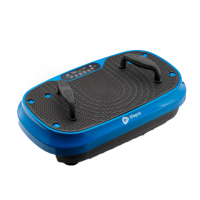
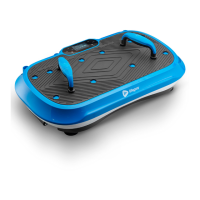
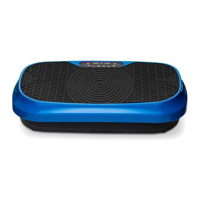
WAVER MINI PRESS
VIBRATION PLATE
RECOVERY + FITNESS







 To Next Page